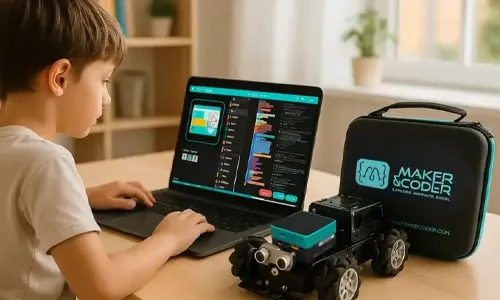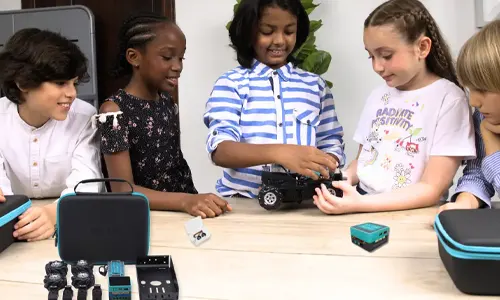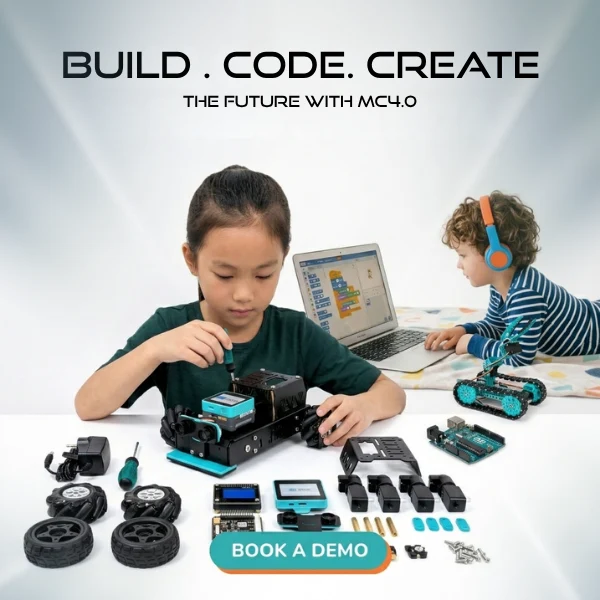
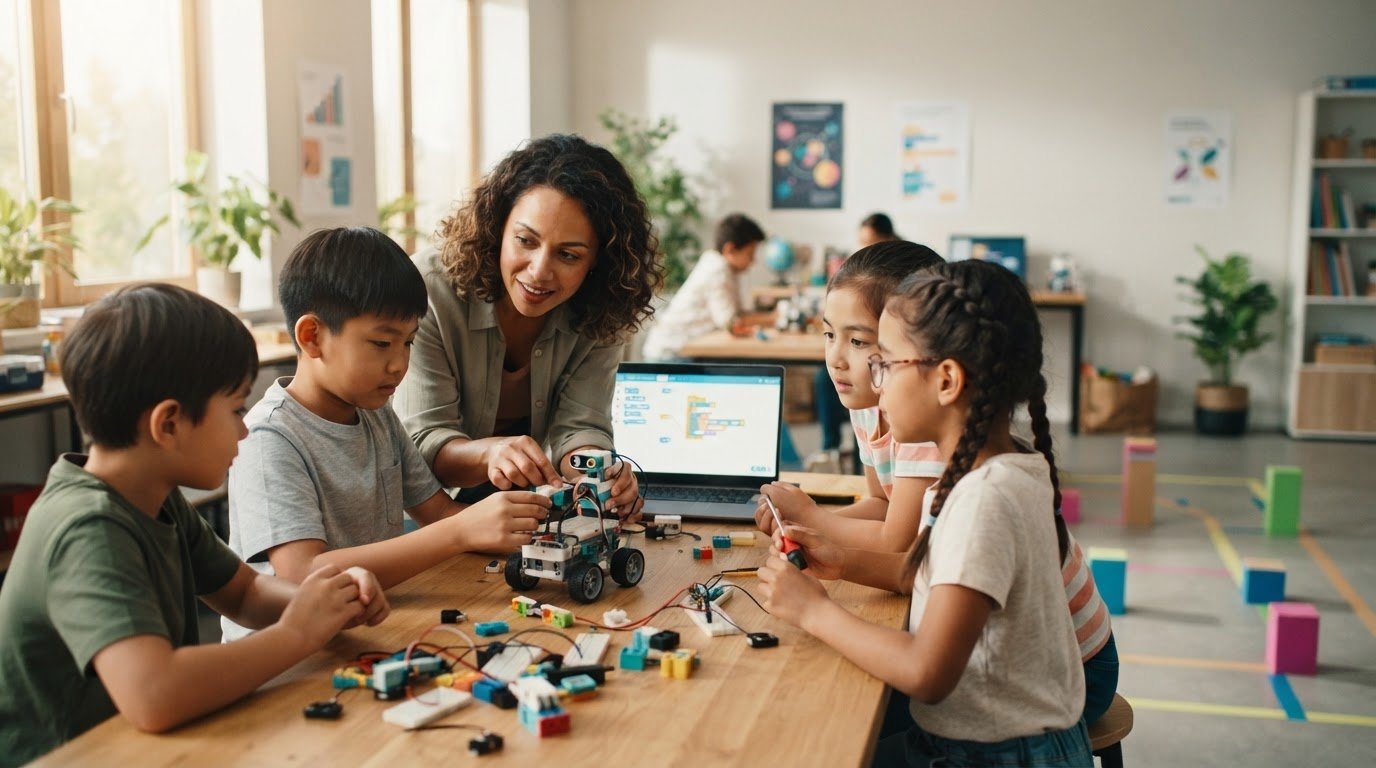
What if you don’t need to know every answer before you teach coding? Learning how to teach coding with no experience can feel daunting when you’re unsure where to begin, which concepts to introduce, or how to keep screen time focused on learning. But you can guide students through meaningful coding experiences without being a programming expert.
Your role isn’t to deliver a perfect lecture or solve every technical question. It’s to set a clear goal, invite learners to experiment, and help them reflect on what their code does. With a focused activity, you can get started and build confidence alongside your students.
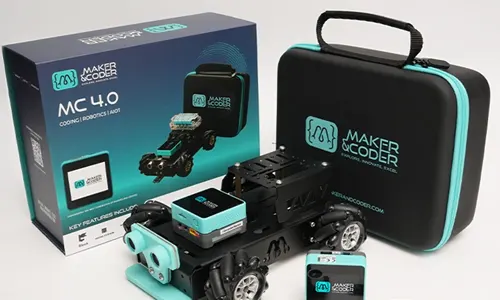
This guide shows you how to plan a first coding activity, introduce core ideas through hands-on projects, and support a gradual move from visual blocks to text-based programming. Maker & Coder’s K-12 MC Curriculum and teacher training programs can help you structure instruction, while the beginner-friendly MC4.0 Base Kit connects block-based coding with tangible robotics projects and a pathway toward Arduino or Python. Start small, teach with purpose, and let curiosity lead the way.
Key Takeaways
- Learn how to teach coding with no experience by guiding exploration instead of trying to answer every technical question.
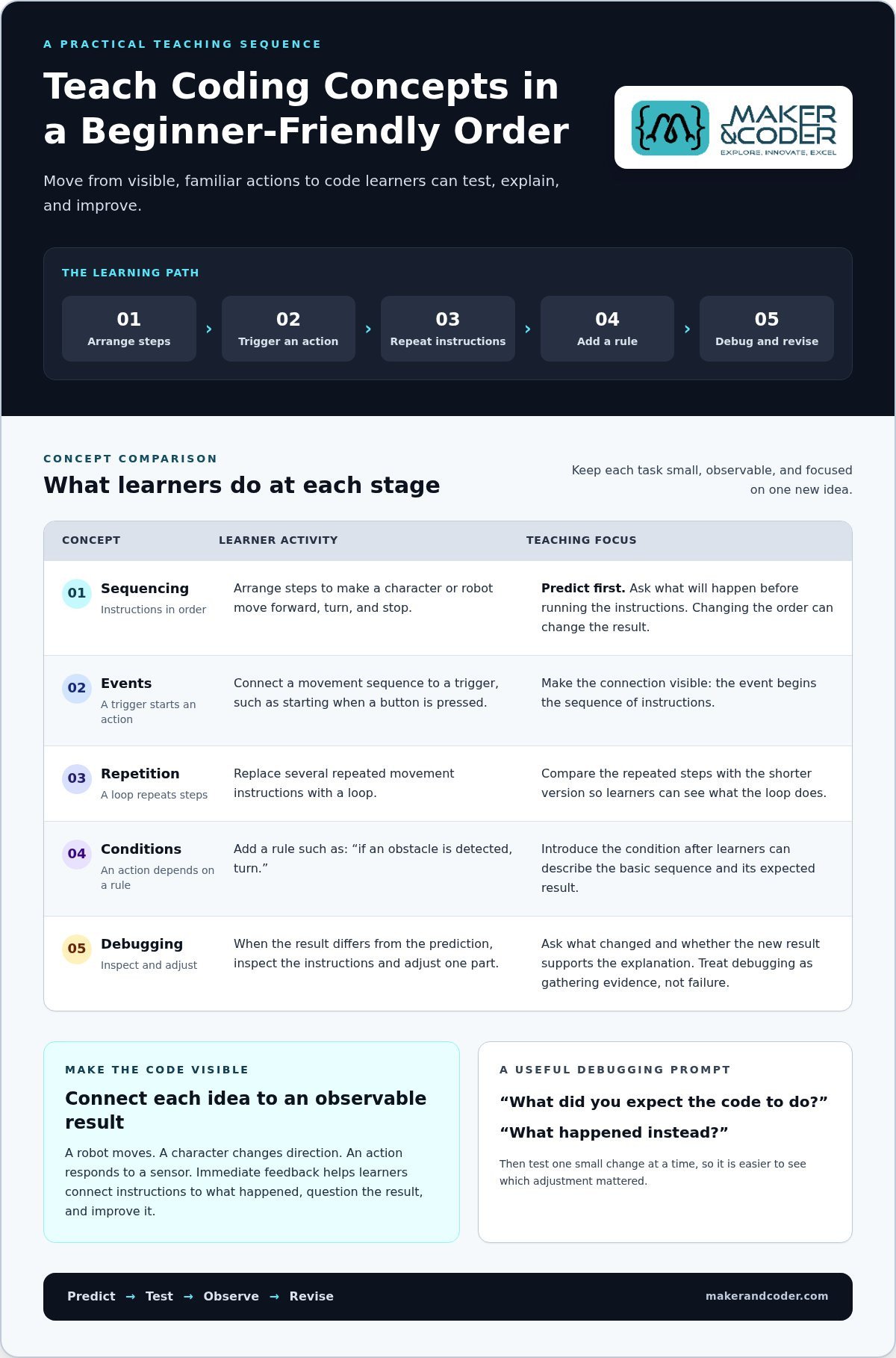
- Introduce sequencing, events, repetition, conditions, and debugging in an order beginners can follow.
- Shape a first lesson around one focused challenge, then make time for learners to test and reflect.
- Prepare for common classroom hurdles with simple strategies that keep problem-solving in learners’ hands.
- Match your programme’s structure and classroom support to learners’ needs as they progress toward text-based code.
How to Teach Coding with No Experience: Start by Guiding, Not Knowing Everything
It’s understandable to feel that you should master coding before teaching it. Technical vocabulary can seem unfamiliar, and a learner’s unexpected question may leave you wondering whether you’re prepared. But effective beginner instruction doesn’t depend on advanced programming knowledge. It depends on creating a clear space to explore, test ideas, and learn from what happens.
Teaching coding means helping learners understand how instructions produce outcomes. They notice patterns, arrange steps, test what they’ve made, and solve problems when the result differs from what they expected. These habits connect coding to reasoning students already use in everyday activities, such as giving directions or following a recipe. For a broad perspective on the subject’s goals and challenges, explore this Computer Science Education Overview.
Beginner coding foundations are about understanding and testing instructions; advanced programming expertise involves a much wider technical toolkit. You can teach the foundations without pretending to have expertise you haven’t yet built. Model curiosity instead: describe what you think will happen, try the instructions, and invite learners to compare the outcome with the prediction. Your willingness to investigate is part of the lesson.
What does a coding teacher need to know before the first lesson?
Prepare for the learning goal, not for every possibility in computing. Identify what learners should be able to do, what materials they’ll use, and which decisions they’ll make along the way. If the activity explores ordering instructions, for example, know how learners will arrange and test the steps. Review the lesson’s key terms, such as “instruction” or “sequence,” rather than trying to memorize an entire programming glossary.
Then rehearse the activity once. Notice what happens when you change an instruction, and plan to think aloud as you test it. You don’t need to predict every mistake. You do need a simple way to show that an idea can be tested, observed, and revised.
How can a novice educator respond when learners get stuck?
Resist the urge to take over the keyboard or rebuild the project for them. Ask, “What did you expect the code to do?” and “What happened instead?” These questions help learners describe the difference between their intention and the result. That gap gives the class something specific to investigate.
Encourage one small change at a time. If several instructions change at once, it’s harder to tell which adjustment mattered. Treat debugging as gathering evidence, not as a sign of failure: check the steps, test a revised instruction, and observe the outcome together. When you don’t know the answer, say so, then frame the next test as a shared question.
This is a practical way to approach how to teach coding with no experience: prepare enough to guide the exploration, then let learners do the thinking. Maker & Coder’s K-12 MC Curriculum provides lesson plans and setup guides, and its teacher training programs offer support as you build confidence. You don’t have to be the person with every answer. Be the person who helps the class ask better questions.
Teach Coding Concepts in a Sequence Beginners Can Understand
Start with actions learners can picture, then connect those actions to code. Before introducing a programming interface, invite students to give a partner directions for moving from one spot to another. What happens if they swap two steps? This familiar exercise makes a core idea visible: instructions have an order, and changing that order can change the result. From there, move to short coding tasks with outcomes students can observe.
A useful progression builds one idea at a time:
- Sequencing: Arrange instructions to make a character or robot move forward, turn, and stop. Ask learners to predict the outcome before running the instructions.
- Events: Connect an action to a trigger, such as starting a movement when a button is pressed. Learners can see that an event begins a sequence.
- Repetition: Replace several repeated movement instructions with a loop. Have students compare the repeated steps with the shorter version.
- Conditions: Once learners can explain the basic sequence, add a rule such as “if an obstacle is detected, turn.” The action now depends on what the program encounters.
- Debugging: When the result differs from the prediction, inspect the instructions and adjust one part. Ask what changed and whether the new result supports the explanation.
Pair each concept with something visible: a robot moving, a character changing direction, or an action responding to a sensor. Immediate feedback turns code from a set of abstract instructions into a result learners can observe, question, and improve. Keep the task small enough that students can connect each instruction to what happened. If several concepts are introduced at once, it becomes harder to identify which idea caused the outcome.
Which coding concepts should beginners encounter first?
Keep the sequence predictable: first arrange steps, then explore what starts an action, then repeat it, and finally add a condition. For example, students might program a robot to move forward and turn, trigger that sequence with an event, and repeat a movement. Add an “if” rule only after they can describe the basic instructions and expected result.
How do block-based coding and text-based coding fit together?
Blocks make instructions easy to see and arrange, letting beginners focus on logic before syntax. They’re a meaningful starting point, not a lesser form of learning. The MC4.0 Base Kit supports block-based coding, with a later progression to Arduino or Python. Let learners build understanding first, then introduce text-based code when it fits their goals.
As you plan, choose an activity that produces a clear, observable response and gives students a reason to predict before they run the code. The MC 4.0 Controller supports Scratch, Blockly, and MCLab, as well as Python and Arduino, so educators can connect visual programming with text-based options as learners progress.
Plan a First Coding Lesson That Turns Ideas into Experiments
A strong first coding lesson doesn’t need to cover a lot of ground. It needs one clear goal and a visible result learners can predict, test, and discuss. For example, ask students to program a simple robot movement: travel forward, turn, then stop. The task is focused, but it gives the class a concrete way to connect instructions with an outcome.
Use this sequence as a flexible framework. Adjust the activity and level of support for learners’ age, experience, and setting. The aim is not to rush through each stage. It’s to make thinking visible.
- Set an observable goal. Explain what the program should do, such as move forward and turn. Demonstrate the finished behavior or describe it clearly so learners know what they’re trying to create.
- Invite a prediction. Before opening the coding tool, ask learners what instructions they think the task will need and what order makes sense. This gives them a reason to plan rather than simply copy.
- Model a small example. Build a short sequence and explain one choice as you make it. Keep the demonstration focused, then let learners change one instruction, such as the direction or order of movement.
- Run the code and observe. Compare the actual result with the prediction. Ask learners to describe what matched and what surprised them. If the robot doesn’t behave as expected, treat that as useful evidence.
- Revise and reflect. Invite one adjustment, then test again. Close by asking learners what they changed, why they changed it, and what they would try next. Their explanations matter as much as the final movement.
How should an educator structure a first hands-on coding activity?
Keep the goal narrow enough that learners can explain how their instructions create the result. A block-based activity paired with a robotics project, such as one using the MC4.0 Base Kit, can make the connection between code and movement tangible. Plan for learners to build, run, compare, and improve, rather than treating the first working version as the finish line.
How can you keep a mixed-experience group engaged?
Offer a shared core task, then provide optional extensions, such as adding another movement or changing the sequence. Don’t rank learners by speed. Ask pairs to explain their plans to each other before seeking help, and make room to compare different solutions. More than one sequence may achieve the goal, giving the group useful choices to examine.
When considering how to teach coding with no experience, remember that the lesson’s value lies in the experiment, not in a flawless performance. The MC4.0 Base Kit gives learners a hands-on way to connect block-based coding with robotics. Use a focused movement challenge to help students predict, test, and explain what their code does.
Handle Common Beginner-Teaching Challenges Without Becoming the Class Expert
A coding lesson rarely follows a perfectly predictable path. A setup step may be unclear, learners may progress at different speeds, or a program may behave in an unexpected way. None of these moments means you’re unprepared. Your job isn’t to know every answer immediately; it’s to help the class make sense of the problem and decide what to investigate next.
Useful preparation is focused. Try the activity yourself, review the key instructions, and identify the intended learning goal. You don’t need to master advanced programming before introducing beginner concepts. Modeling how to pause, examine evidence, and revise an idea shows learners what problem-solving looks like in practice. That’s a more achievable standard than expecting yourself to perform as the class’s technical expert.
What if a student asks a question you cannot answer?
Be direct: “I’m not sure yet. What could we test?” Turn the question into a prediction the class can explore. If a robot doesn’t respond as expected, learners might predict that changing one instruction will alter its movement, then test that idea. Use the lesson materials or relevant documentation as shared investigation tools. If the answer isn’t clear during class, note the question and follow up after exploring reasonable possibilities.
This approach also helps with different learner paces. Keep a shared core activity, then offer an extension for students ready to explore further, such as modifying the behavior or finding another route to the same outcome. Invite learners to compare approaches rather than treating speed as a measure of ability. Pair discussions can surface useful reasoning and help students explain what they’ve tried before asking for support.
How can structured resources reduce lesson-preparation pressure?
A clear lesson plan helps you focus preparation on the learning objective, materials, and likely decision points instead of trying to anticipate every possible question. Setup guides can make the practical steps easier to organize. Maker & Coder’s K-12 MC Curriculum includes lesson plans and setup guides, and its teacher training programs support educators as they develop their coding instruction.
Hands-on materials can also make troubleshooting more concrete. With a robotics kit, learners can connect program instructions to an observable project, giving the class something specific to test and discuss. The MC 4.0 kit range includes options for hands-on technical learning, while the curriculum and teacher training support classroom implementation. Details about teacher training and classroom implementation are available through Maker & Coder.
Keep a simple troubleshooting routine visible: describe the intended result, check the steps, change one thing, then test again. It helps learners stay active while you guide the process. That routine is a practical foundation for how to teach coding with no experience, because it turns uncertainty into a shared investigation rather than a test of your expertise.
Build a Sustainable Coding Programme with the Right Classroom Support
A one-off coding activity can spark curiosity. A sustainable programme gives that curiosity room to grow. Choose classroom support by working backwards from your learning goals: what should learners understand or create, what experience do they bring, and what guidance will help you lead the activity confidently?
A self-guided activity can be a useful starting point when you want to explore one focused concept. It gives you flexibility, but you’ll need to plan the instructions, prepare materials, and decide how to extend the task for learners who move at different paces. A structured curriculum provides a more organised path across lessons. Add supported hardware, and learners can connect code to tangible robotics projects as their skills develop.
How can educators choose a starting point for different learners?
Match the starting point to the learners and the goal, not to assumptions about what a coding class should look like. The MC4.0 Base Kit is suitable for beginners without prior coding or robotics experience. The AIoT Robotics Kit is aimed at students aged 15 and above, including learners in high-school labs, tech clubs, and makerspaces. Use these suitability details to choose an appropriate entry point, then align the activity with what students are ready to explore.
The MC 4.0 Controller supports Scratch, Python, Arduino, Blockly, and MCLab. That range can support a progression from visual, drag-and-drop programming toward text-based options as learning goals change. The key is to choose the programming approach that serves the current lesson, rather than introducing extra complexity before it helps students understand the concept.
What support helps a coding programme grow over time?
Consistency matters. Lesson plans and setup guides help educators organise classroom activities around clear objectives, while Maker & Coder’s K-12 MC Curriculum supports a structured programme. Teacher training programs can also help educators strengthen their practice as learners move from introductory activities toward more complex projects.
Modular kits and components provide another way to build on classroom work. As learners advance, activities can extend from a first coding task to projects that combine additional hardware with new programming ideas. A gradual progression lets you develop the programme without making every lesson a completely new starting point.
To make a first decision, write down the concept you want learners to explore, their current experience, and the kind of classroom support you need. Then compare a self-guided activity with a structured curriculum and hands-on kit approach. This gives you a practical basis for choosing, rather than trying to plan every future lesson at once.
If you’re considering how to teach coding with no experience as part of a longer classroom programme, the Maker & Coder contact page connects educators with the company about teaching goals. Explore the MC 4.0 kit range to find resources for connecting coding concepts with hands-on learning.
Make Your Next Coding Lesson a Starting Point
Your first coding lesson doesn’t need to define your entire programme. Let it reveal what learners find engaging, where they need more practice, and what you’d like to explore next. A small, thoughtful step can become the foundation for richer projects and growing confidence, for your students and for you.
If you’re still wondering how to teach coding with no experience, focus on the next decision rather than trying to plan every stage at once. Consider the learning goals you want to pursue, the support that would help you deliver them, and how you’d like learners to progress. With the right guidance, you can turn curiosity into a meaningful path of discovery.
Discuss your coding education goals with Maker & Coder and explore a practical next step for your learning environment. The MC 4.0 hardware, K-12 curriculum, and teacher training programs can help connect classroom coding goals with hands-on learning.
Frequently Asked Questions
Can I teach coding if I have never coded before?
Yes, you can begin with a lesson that matches your current knowledge and build your understanding as you teach. Before class, try the activity yourself and note any step that feels unclear. If a question comes up that you can’t answer, add it to a “questions to investigate” list and return to it with learners. To learn how to teach coding with no experience, focus on guiding the next useful discovery, not mastering every topic first.
What is the easiest way to introduce coding to beginners?
Begin with instructions learners can arrange and change, then connect those instructions to a simple coding task. For example, give pairs cards that say “move forward,” “turn,” and “stop,” and ask them to arrange a route across a paper grid. Have them explain their choices before trying the same idea in a coding activity. This creates a bridge from familiar planning to programming without loading the first task with unfamiliar terminology.
Do students need to learn Python before block-based coding?
No. Learners can first explore how instructions fit together using blocks, then move to text-based code when their goals and readiness call for it. Blocks can reduce the distraction of typing syntax while students focus on what their program is meant to do. The MC4.0 Base Kit supports block-based coding and a later progression to Arduino or Python, so learners can build on their understanding as they advance.
How can I teach coding without computers or robotics equipment?
Use a paper grid and give one learner the role of a “robot” who follows a partner’s written commands exactly. Add a destination, then ask the instruction-writer to revise the directions if they’re incomplete or unclear. This makes precision and correction tangible without devices. To adapt the activity, let learners draw their route or use direction cards, then discuss how the same instruction-following idea could apply in a digital project.
What should I do when learners finish at different speeds?
Keep the learning goal shared, but vary how far learners take the task. Students who need more practice can document how their current solution works; those ready for another challenge can create a second solution or add a constraint. In pairs, rotate roles such as explaining, building, and checking so every learner contributes. Assess what students can explain or improve, not who finishes first.
How do I answer coding questions when I do not know the answer?
Say that you don’t know yet, and invite the learner to help investigate. First, clarify what they’re asking by having them point to the instruction or behavior that prompted the question. Check the lesson resources or documentation together, then try a small test if it’s safe and practical. If the answer needs more research, record it and return to the class with what you found so the question doesn’t disappear.
What should a first coding lesson aim to achieve?
A first lesson should give learners evidence they can use to explain an idea, rather than aim to cover a long list of terms. For example, ask each student to save or sketch their solution and add a short note describing one decision they made. This gives you a simple way to see what they understood and what may need revisiting. Keep the evidence age-appropriate, such as an oral explanation, drawing, or annotated code.