
What if the best technology training started with a learning goal, not a tour of new tools? Training teachers for technology integration works when educators can connect classroom technology to curriculum, practise with purpose, and adapt activities for their students. But teachers bring different levels of confidence and experience, and a one-off workshop can leave little room to test a new approach in a real classroom.
It’s reasonable to want technology to enrich learning rather than add another layer of complexity. A practical professional-learning plan can meet teachers where they are, build skills step by step, and keep student learning at the centre. The goal isn’t to use more technology. It’s to make thoughtful choices about when and how it supports learning.
This guide shows how to shape training around curriculum goals, hands-on classroom activities, time to practise, and ongoing support. It also explores how a structured K-12 pathway, such as Maker & Coder’s MC Curriculum and MC 4.0 hardware, can support technology-rich STEM learning. Move from exploring tools to using them with confidence and intention.
Key Takeaways
- Build training teachers for technology integration around curriculum goals and student learning, rather than tool features alone.
- Use a clear pathway from identifying needs to modelling, practising, applying, and reflecting, with room to adapt for different experience levels.
- Combine workshops, coaching, peer learning, and self-paced resources to fit teachers’ needs and classroom constraints.
- Make implementation manageable with a focused pilot, shared responsibilities, and a cycle of reflection and refinement.
- Explore how Maker & Coder’s teacher training, K-12 curriculum, and hands-on STEM tools can support a structured learning pathway.
Why Training Teachers for Technology Integration Must Start with Learning Goals
Technology integration isn’t measured by how often a class opens an app or switches on a device. The more useful question is whether a digital tool serves a clear teaching purpose and supports the learning task. A concise definition: Effective technology integration is the purposeful use of technology to advance a curriculum goal in a way that fits students and the classroom. This keeps instructional judgement at the centre, with technology in a supporting role.
A foundational overview of Technology Integration in Education can help establish the concept. For teacher training, though, the definition needs to become a planning habit: start with what students are learning, then decide whether technology can make the task more meaningful, accessible, or practical.
What Does Technology Integration Mean in a Classroom?
Using a device is not the same as designing a learning activity around it. Students might type answers into a digital worksheet, for example, while doing essentially the same task they would complete on paper. That may be useful in some contexts, but the presence of a screen alone doesn’t explain its instructional value.
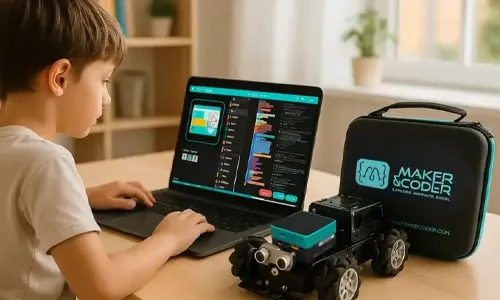
Illustrative example, not research evidence: In a science lesson, students could use a classroom coding kit to build and adjust a simple model, then explain how changing an instruction affects its behaviour. The teacher chooses this approach because it connects to the lesson goal, not just because the equipment is available. The same activity may need different pacing, instructions, or ways to demonstrate understanding depending on students’ needs and prior experience.
That’s where professional judgement matters. Teachers weigh the subject objective, students’ readiness, accessibility needs, available devices, lesson time, and classroom routines. A tool is a good fit only when its use makes sense within that context.
Why Teacher Training Needs to Go Beyond Tool Tutorials
A feature-focused tutorial can show educators where to click, how to create an account, or how to operate a device. Helpful, but incomplete. It may not address how to design a lesson, introduce the activity, support students who need another route into the task, or make time for reflection. Training teachers for technology integration should connect practical tool skills to curriculum decisions and classroom application.
Confidence develops through supported practice, not a single demonstration. Educators need opportunities to try an activity, notice what students can do, identify friction points, and revise the plan. That process can begin in a workshop or with a model lesson, then continue through classroom use and discussion with colleagues or a coach.
- Identify the learning goal before selecting a tool.
- Consider student needs, accessibility, and classroom conditions.
- Practise the activity and anticipate where learners may need support.
- Reflect on what helped students engage with the task and what to adjust.
Teachers start from different levels of experience, and their planning time and resources vary. A strong training plan makes room for those realities. It builds from what educators already know, offers practical next steps, and keeps the question focused: does this use of technology serve the learning goal?
Build a Teacher Technology Integration Training Pathway from Skills to Practice
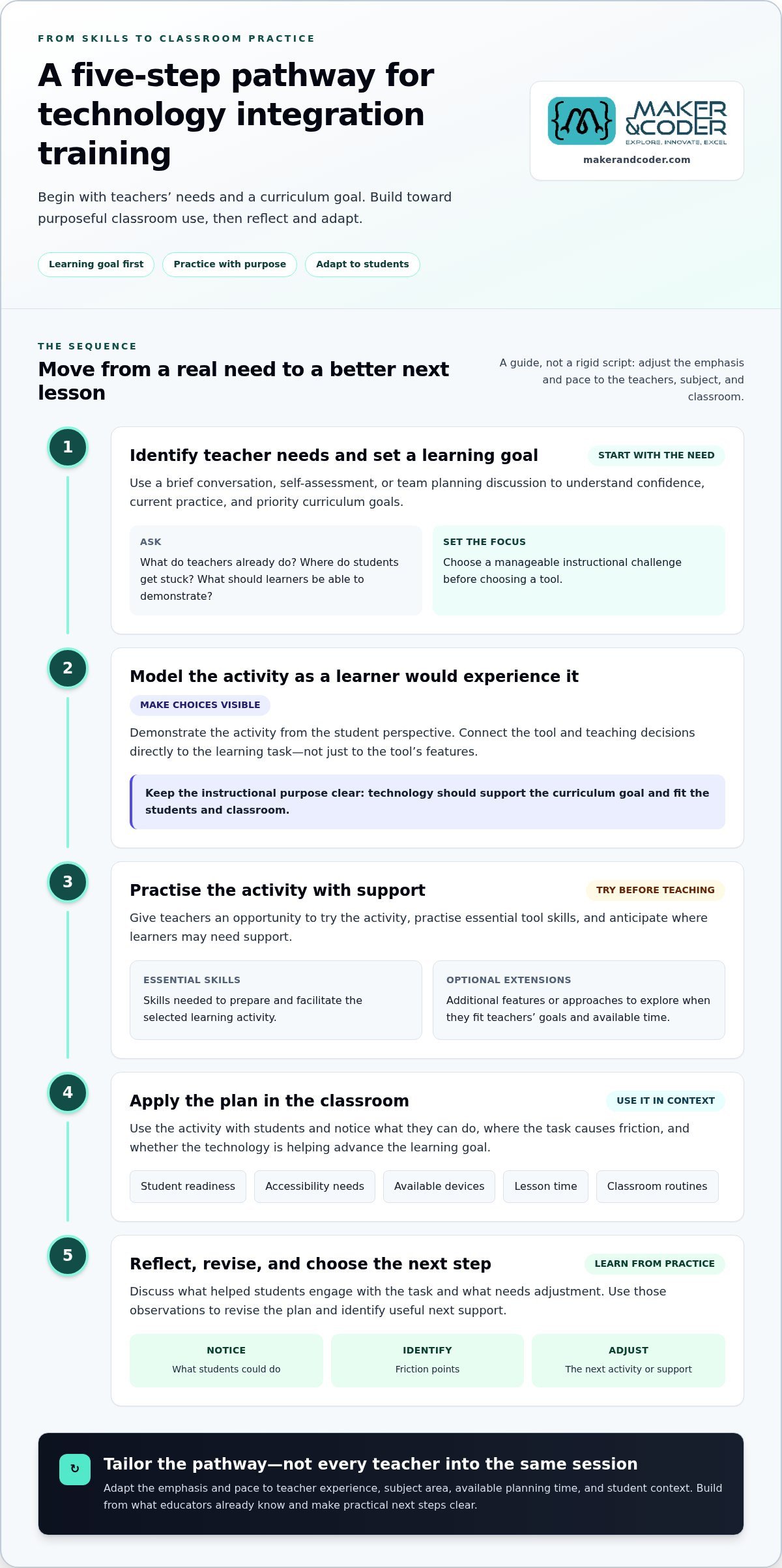
A useful pathway connects what teachers need to learn with what students need to do. A practical teacher technology integration pathway moves from identifying needs and setting a learning goal to modelling, practising, classroom application, and reflection. Schools can adapt the emphasis and pace to teacher experience, subject area, available planning time, and student context. The sequence is a guide, not a rigid script.
Start with a manageable instructional challenge rather than a predetermined tool. For example, a team might want students to explain their reasoning more clearly in a particular unit. The right training goal depends on the curriculum, the learners, and the classroom conditions that shape the task.
Start with Teacher Needs and a Specific Instructional Goal
Use a short needs assessment to understand teachers’ confidence, current practice, and priority curriculum goals. A brief conversation, self-assessment, or team planning discussion can reveal where support is useful. Ask what teachers already do, where students get stuck, and what they want learners to be able to demonstrate.
Then separate essential skills from optional extensions. A teacher new to a digital platform may first need to set up and run a core activity. An experienced colleague might be ready to adapt it for a subject-specific task or explore more advanced features. Both are valid starting points.
- Essential: the skills needed to prepare and facilitate the selected learning activity.
- Optional: additional features or approaches that can be explored when they fit teachers’ goals and available time.
This keeps training focused. It also gives school leaders a practical way to tailor support without assuming that every educator needs the same session.
Move from Modelling to Classroom Practice and Reflection
Show the activity as a learner would experience it, making the instructional choices visible. Then give teachers guided time to adapt the task for their subject, rehearse key steps, and consider student access and likely questions. A model lesson is a starting point, not a template teachers must copy.
Plan for classroom use in a way that fits school capacity. Where time and support allow, teachers can discuss their plans with a peer or coach before trying the activity. Afterward, reflection should focus on evidence from the lesson: what students attempted, where they needed support, and whether the activity served the intended goal.
- Identify needs: map teacher confidence, current practice, and curriculum priorities.
- Set a goal: define the student learning task before choosing a tool.
- Model and practise: demonstrate the activity, then let teachers adapt and rehearse it.
- Apply and reflect: try it in class, discuss what happened, and decide what to adjust.
Training teachers for technology integration becomes more relevant when each step leads toward a real classroom decision. If your school is shaping a pathway around hands-on STEM learning, discuss Maker & Coder teacher training as one possible source of implementation support.
Choose Training Formats That Match Teachers’ Needs and Classroom Constraints
The right format depends on what teachers need to do next, not on which training method is most popular. A shared introduction may help a team establish common language, while a teacher preparing a specific lesson may benefit more from coaching or a short self-paced resource. Match the format to the goal, teachers’ starting points, available time, and the classroom conditions where the learning will be applied.
Training teachers for technology integration shouldn’t become an extra task disconnected from lesson planning. Choose formats that produce something teachers can use: an adapted activity, a rehearsed workflow, or a clear plan for trying a learning task. A combination of approaches can offer structure and flexibility without assuming every school has the same devices, schedules, or technical support.
When Workshops, Coaching, or Peer Learning Fit Best
Workshops work well for shared foundations, live demonstrations, and collaborative planning. Coaching can provide focused feedback as a teacher designs or implements a lesson. Peer learning gives colleagues room to exchange adaptations and discuss what fits their students and subject areas. These formats can complement each other: a workshop introduces an approach, then coaching or peer discussion helps teachers make it their own.
| Format | Best use | Implementation consideration |
|---|---|---|
| Workshop | Introducing a shared concept, demonstrating a tool, or planning together | Build in time to create or adapt a classroom activity, not just follow a presentation. |
| Coaching | Supporting lesson design, rehearsal, or classroom application | Focus feedback on a teacher’s specific goal and fit coaching around available capacity. |
| Peer learning | Sharing subject-based ideas and practical adaptations | Make space for different contexts; an approach that works for one class may need adjustment elsewhere. |
| Self-paced resources | Revisiting instructions or learning at a flexible pace | Connect resources to a clear classroom task so independent study leads to application. |
| Blended learning | Combining common instruction with individual practice and follow-through | Coordinate the pieces so teachers know what to try next and where to get support. |
How Self-Paced and Blended Learning Can Support Follow-Through
Self-paced resources let educators revisit a concept when it fits their workflow, which can be useful when schedules don’t align or teachers need different levels of practice. But resources alone may leave the connection to lesson design unclear. Pair them with a planning prompt, a practical task, or a brief discussion so teachers can translate the material into classroom use.
Blended learning can combine a shared demonstration with independent review and a peer check-in. Keep the sequence light and purposeful: introduce one approach, offer a resource teachers can return to, then create a chance to discuss how it fits a lesson. If device access or technical support varies, make the activity adaptable rather than assuming every teacher can follow an identical setup.
Choose the smallest format mix that addresses the need. A team looking for common foundations may begin with a workshop; a teacher refining a lesson may need coaching or peer feedback; a busy staff may benefit from concise resources paired with scheduled discussion. The measure of fit is whether teachers can carry the learning into planning and classroom practice without adding unnecessary steps.
Turn Teacher Training into a Sustainable Classroom Technology Integration Plan
A training session becomes a school plan when educators can apply it, examine what happened, and make a next-step decision. Keep the rollout focused: pilot one learning activity, prepare the classroom, teach it, reflect on evidence, and refine the approach before extending it. This staged process gives staff a practical way to learn from classroom experience without treating an early trial as a final verdict.
Plan a Manageable Pilot and Prepare the Learning Environment
Choose a focused curriculum goal and a manageable group of teachers whose classes can provide useful feedback. Before the pilot, align on what students will work on and what teachers want to learn from trying the activity. Confirm that devices, materials, lesson time, and relevant technical support are in place, while leaving room to adapt the plan if classroom conditions differ from expectations.
Clarify responsibilities before the first lesson:
- School leaders protect planning time, set the pilot’s purpose, and make space for feedback and adjustments.
- Instructional coaches can help teachers prepare lessons, rehearse new routines, and reflect on implementation where coaching capacity allows.
- Teachers adapt the activity to their students and curriculum, then note what worked and where learners needed support.
- Technical support staff help address setup or access issues within their role, so the lesson can stay focused on learning.
Reflect, Share, and Improve the Training Plan
After teaching, make reflection specific and low-stakes. Invite teachers to describe what students did, where the activity flowed or stalled, and what they would change next time. Student work can help ground the discussion in the learning task, but interpret it alongside the lesson goal and classroom context rather than using it to rank teachers or classes.
Use the findings to refine the activity and the professional learning. A prompt such as “What would you keep, change, or explain differently?” can turn individual experience into shared practice. Collect adaptable lesson ideas in a team resource so colleagues can build on them while retaining room for subject-specific and student-specific choices.
A practical rollout can follow this sequence:
- Choose a pilot: select one instructional goal and a manageable starting group.
- Prepare: organize access, materials, time, and support, and agree on what feedback to gather.
- Teach: apply the activity in its intended classroom context.
- Reflect: review teacher observations and relevant examples of student work.
- Refine: adjust the activity and decide what support or next step would be useful.
Keep evaluation proportional to the question. Lesson plans, teacher reflections, and student work may help a team understand implementation; any claim about measured impact or use of a formal evaluation instrument needs evidence appropriate to that claim. As teachers gain experience and classroom needs evolve, revisit training priorities rather than locking the school into a fixed sequence. To shape a rollout around your school’s STEM learning goals, discuss a teacher training plan with Maker & Coder.
How Maker & Coder Connects Teacher Training with Hands-On STEM Learning
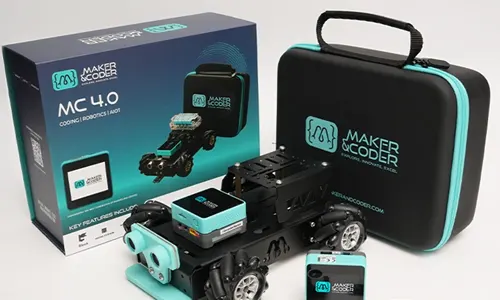
Professional learning is easier to apply when educators can connect training to curriculum and classroom materials. Maker & Coder brings teacher training together with a K-12 MC Curriculum, MC 4.0 hardware, modular MC Blocks, and a Learning Portal with courses and assessments. This offers one structured pathway for technology-rich STEM learning, while teachers remain responsible for shaping instruction around their students and curriculum.
Connect Professional Learning with Curriculum and Practical Projects
For a STEM unit, a teacher might use a curriculum activity as the starting point, practise the relevant hardware and programming steps during training, then adapt the task for the class. The curriculum is designed to work with Maker & Coder hardware, giving educators a practical reference point as they plan how to introduce and facilitate the activity.
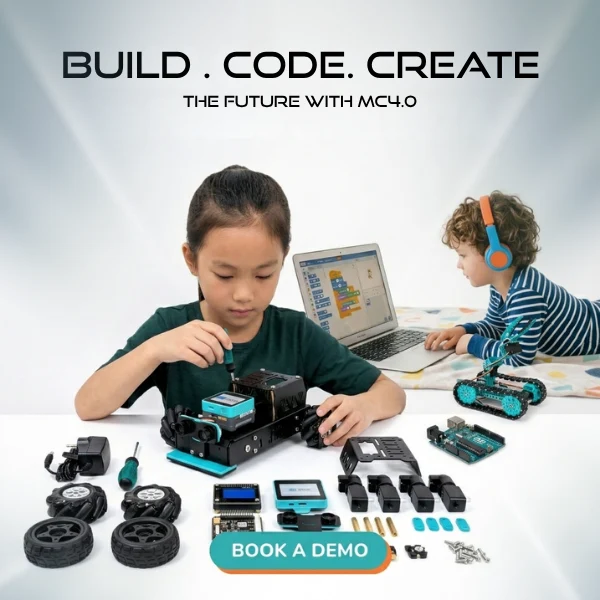
The ecosystem brings several elements together: hardware for hands-on technical learning, MC Blocks, curriculum, and a Learning Portal that includes courses and assessments. That structure can help teachers consider both the activity and the skills needed to guide it. It isn’t a universal approach for every subject; its clearest fit is technology-rich STEM learning, where students can explore technical concepts through practical tasks.
Schools exploring hardware for this kind of classroom work can review Maker & Coder robotics kits as part of planning the materials and learning context for a STEM activity.
Support Progression Across Coding and Robotics Activities
The MC 4.0 Controller supports Scratch, Python, Arduino, Blockly, and MCLab. Having multiple programming environments gives teachers options to consider when planning technical activities for learners with different levels of familiarity. The choice of environment should follow the lesson’s learning goal and the activity being taught, rather than becoming an end in itself.
For educators beginning robotics or coding, the MC4.0 Base Kit is suitable for beginners with no prior experience in either area. Other specialized kits include the MC4.0 AIoT Kit and MC4.0 STEAM Kit. Their place in a classroom plan depends on the intended STEM activity and the students’ context. Modular hardware and MC Blocks can be part of a practical learning sequence, while teachers decide how to introduce each task and support learners as they work.
That’s the role of training teachers for technology integration: help educators understand the learning materials, plan how to use them, and make informed instructional choices. The training supports implementation; it doesn’t replace teachers’ expertise or promise a particular result. Schools considering a hands-on STEM pathway can discuss how teacher training and classroom implementation might align with their curriculum goals.
Make Your Next Technology Integration Step Count
The next step doesn’t need to be a school-wide transformation. Choose one curriculum-linked STEM activity, decide what teachers need to feel ready to lead it, and create space to learn from the first classroom experience. That first deliberate step can give your team a clearer view of what to build on and what to adapt.
For schools exploring this pathway, Maker & Coder connects professional teacher training with the K-12 MC Curriculum, a Learning Portal with courses and assessments, and an MC 4.0 Controller that supports Scratch, Python, Arduino, Blockly, and MCLab. These resources can help shape technology-rich STEM learning while teachers bring their own instructional expertise to each classroom.
Move from exploration to a plan grounded in your school’s goals. Discuss teacher training and classroom implementation with Maker & Coder, and consider how training teachers for technology integration can fit your educators’ starting points and students’ learning needs. Purposeful progress begins with one thoughtful choice, and your team can build from there.
Frequently Asked Questions
How can schools train teachers to integrate technology into lessons?
Start with one upcoming lesson and identify what students should be able to explain, create, or practise. Then decide which part of the lesson teachers need to rehearse, such as setting up an activity or guiding students through a digital task. Effective training teachers for technology integration includes a chance to adapt that task, try it with students, and discuss what to change. Keep the plan workable within each teacher’s subject and schedule.
What should effective technology integration training include?
It should give teachers more than instructions for operating a tool. Include time to connect a feature to a lesson, prepare an example task, and anticipate how students will access and complete it. For instance, teachers could plan an alternative way for students to show their thinking if a digital activity creates a barrier. Add a follow-up check-in so educators can share what they noticed and identify useful next steps.
Can teachers learn technology integration without advanced technical skills?
Yes. Teachers can begin with a familiar classroom task and learn only the technical steps needed to support it. For example, an educator might first practise launching a prepared activity and helping students navigate its basic controls, rather than exploring every feature. Guided practice and clear support materials can help teachers build from that starting point. Technical confidence can develop alongside instructional planning, not as a prerequisite to it.
How long does teacher technology integration training take?
There’s no fixed duration that suits every goal. A short session may introduce a tool, while preparing a lesson, testing it with students, and reviewing the experience calls for further time. Schools can plan around a specific unit or teaching cycle, giving educators time to prepare before the lesson and reflect afterward. Treat a training session as one part of learning, not automatic proof that classroom implementation is complete.
How can schools tell whether teacher technology training is working?
Compare what teachers planned with what happened in the classroom. A lesson plan can show how the tool was intended to support the activity; teacher notes and relevant student work can reveal where learners engaged, needed help, or took a different route. Discuss these examples against the original learning goal. They can inform adjustments, but a single observation or work sample can’t establish that technology caused a particular outcome.
Is hands-on robotics training suitable for teachers with no coding experience?
Yes, Maker & Coder’s MC4.0 Base Kit is suitable for beginners with no prior robotics or coding experience. It supports block-based coding, with Arduino or Python available as later options. A teacher can begin by exploring a structured activity, then consider how it connects to a relevant STEM topic and what guidance students may need. The activity and its level of complexity should still suit the class and learning purpose.
What is the difference between technology training and technology integration training?
Technology training may teach educators how to use a system, while integration training asks how it fits into a lesson. For example, learning to operate a coding environment is a technical skill; deciding whether students will use it to explore a curriculum concept is an instructional choice. Strong professional learning connects both, so teachers can move from knowing how a tool works to making a considered classroom decision.