
Frustration is part of learning to code, not proof that a student can’t do it. To understand how to overcome student frustration in coding, treat errors as clues, try a different approach when progress stalls, and step away briefly when stress makes clear thinking difficult. Each challenge can become a chance to build a stronger problem-solving process.
It’s understandable to feel discouraged when a program won’t work or a concept takes time to click. Students may wonder whether everyone else is learning faster. Calm, practical strategies can help them manage those moments and keep going without expecting every problem to have an instant solution.
This article explores how to normalize frustration, respond to imposter syndrome, troubleshoot with intention, and take useful breaks. It also shows how small, steady learning habits can turn coding from a source of pressure into an opportunity to experiment, reflect, and create.
Key Takeaways
- Recognize coding frustration as a normal part of learning, and use errors to decide what to investigate next.
- Keep a record of small successes to make progress easier to see when self-doubt creeps in.
- When a solution stalls, test your assumptions and trace the data instead of trying unrelated fixes.
- Step away when frustration clouds your thinking, then return with a fresh perspective.
- Explore how the MC 4.0 Kit, MC Blocks, and MC Curriculum (K-12) can support structured coding practice.
1. Accepting frustration as a normal part of coding
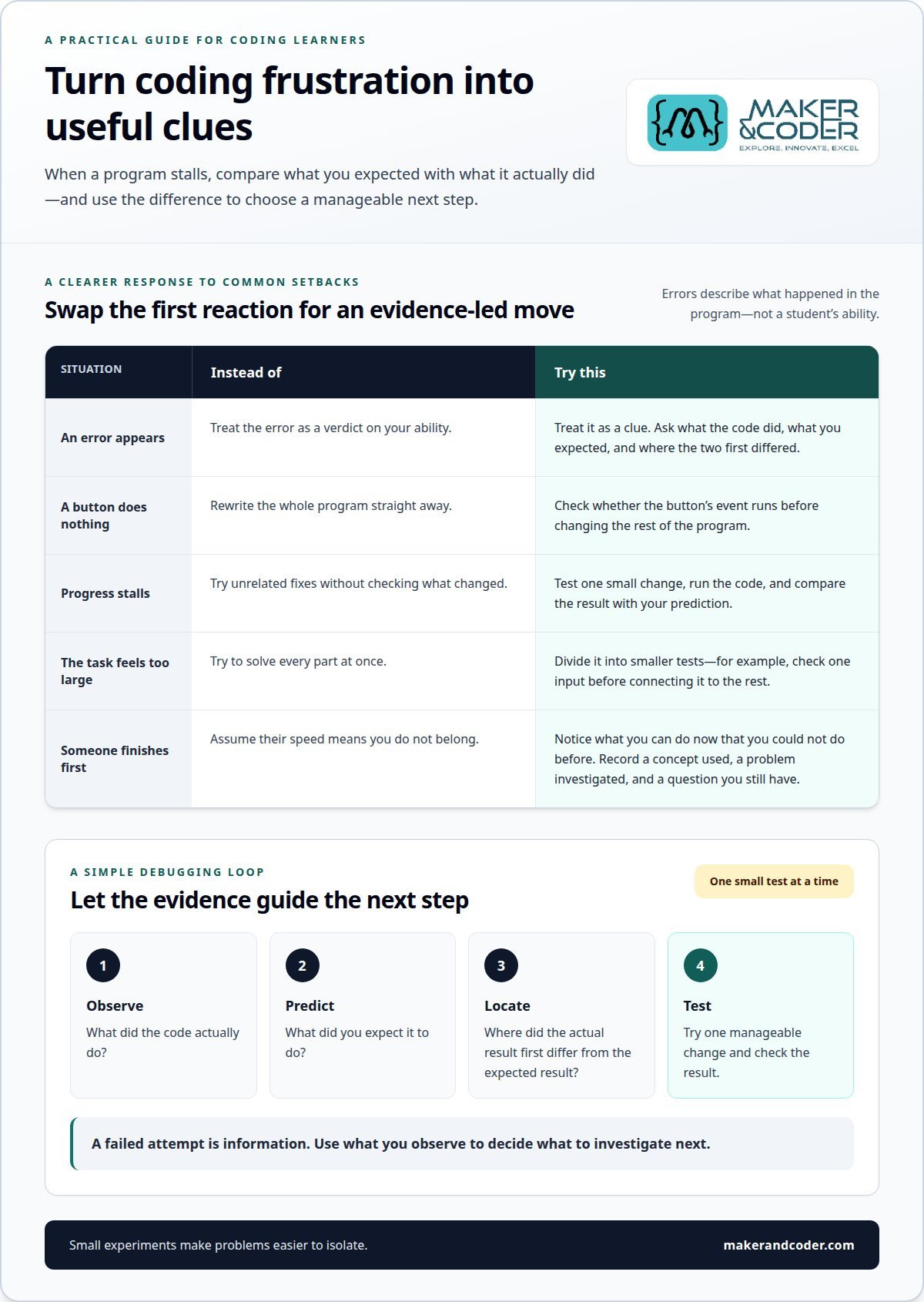
A student’s program can fail even when its instructions look correct. That mismatch is part of coding: an error message is a clue, not a verdict on ability. Treat a failed attempt as information. Ask what the code did, what you expected, and where the two first differed. For example, if a button should change a screen but does nothing, check whether its event runs before rewriting the whole program.
Teachers can support frustrated students by identifying the next manageable step. Invite a learner to read an error aloud, predict what one line does, or test a small change. Praise the investigation, not just a working result. This gives the student a clear action without suggesting that frustration should disappear immediately. If a task feels too large, divide it into smaller tests, such as checking one input before connecting it to the rest of the program.
Pair programming can make a stalled task easier to examine. Two students work together at one computer, taking turns writing code and explaining the next step. A peer can ask, “What do you expect this line to do?” That question may reveal an assumption without taking the keyboard away. A learning buddy or online collaboration also lets learners compare approaches and learn by doing, rather than receiving only a finished answer.
Small experiments help turn frustration into progress. Test a change, run the code, and compare the result with your prediction. Test-driven development uses small increments and checks assumptions along the way, making problems easier to isolate. Trust the running code over unsupported claims about what a program should do. When discussion becomes tense, return to observable evidence: the input, the output, and the line that connects them.
Movement can also create a reset. A 20-minute period of rigorous exercise improves blood flow to the brain, reduces inflammation, and lowers stress-hormone levels. Regular exercise has also been shown to support memory, cognitive function, mood, and sleep quality. A short walk between coding attempts can help a student return ready to test one idea, rather than treating one error as proof they cannot learn.
Start by accepting frustration without giving up or pretending a setback feels good. Difficulty is part of the process, and a failed attempt can offer an opportunity to learn. When frustration appears, pause and identify one question the code can answer. Use the result, expected or not, to decide what to examine next. A manageable next step keeps attention on learning rather than judging the attempt or the learner.
2. Managing imposter syndrome
A student may see a classmate solve a coding task quickly and think, “I don’t belong here.” That conclusion confuses visible speed with complete understanding. A working program shows one result, not how much support, practice, or revision it took to get there. Help students replace comparisons with a more useful question: “What can I do now that I couldn’t do before?” Recognizing a variable error independently is progress, even if another student finishes the project first.
Keep a progress record that captures evidence rather than broad praise. After each coding session, ask the student to note one concept they used, one problem they investigated, and one question they still have. A learner might write, “I used a condition to change the character’s direction, then fixed a spelling error.” These entries make development visible across projects. Reviewing them can help counter imposter-syndrome anxiety by showing specific skills gained through practice.
Teachers can make that record more useful by focusing feedback on decisions and process. Instead of saying, “You’re a natural programmer,” point to a specific action: “You checked the condition before changing the rest of the code.” This separates skill from identity and gives students a repeatable strategy. When a student says, “I’m bad at coding,” ask what exact moment prompted the thought. A message they don’t understand is a solvable task, not a measure of their potential.
Students can also separate evidence from interpretation. Write down the event, the thought it triggered, and a more balanced explanation. For example, “My program failed” is an event; “I can’t code” is an interpretation. A balanced explanation might be, “This version failed, and I can inspect what the output tells me.” This doesn’t claim every challenge is easy. It helps learners address a specific obstacle instead of treating it as proof of permanent inability.
Use concrete milestones to make growth easier to notice. A student could compare an early project with a later one, identifying a new skill such as using a loop, naming variables clearly, or explaining a sequence of instructions. Keep the comparison focused on that learner’s work, not classmates’ pace. If a student received help, include what they learned from it. Seeking guidance and applying the idea independently are both meaningful parts of learning.
When self-doubt returns, revisit the record and choose a small next action. The student might explain one line of code, adapt a familiar example, or ask a focused question about an error. Teachers and families can reinforce this habit by noticing specific effort and inviting reflection after each project. Over time, the evidence can shift the story from “I can’t do this” to “I’m building skills through practice.”
3. Reconsidering plans and trying alternative solutions
A student can spend time correcting code that follows the wrong plan. Before adding another fix, pause and describe the expected result in one sentence. Then compare it with what the program actually does. To debug step by step, reproduce the problem, identify where the output first differs, and test one assumption at a time. This narrows the search from an entire project to a specific point.
Trace the data through the program. If it calculates a player’s score, inspect the value as it enters the calculation, after the operation, and before it appears on screen. A wrong display may begin with incorrect input, a flawed calculation, or a later formatting step. Check each stage in sequence. When the first unexpected value appears, investigate that stage instead of changing unrelated lines.
Use depth-first troubleshooting: ask what is going wrong and which assumption might be false. For example, a learner may assume a list contains the latest scores, although the code still uses an earlier value. Print or display the relevant data, then compare it with the expected value. Changing several unrelated lines at once makes it harder to identify which change mattered. A single test creates clearer evidence.
When the current approach keeps failing, reconsider the plan itself. A student processing data one record at a time might try a different processing method or choose another technology suited to the task. First, state why the existing method seems appropriate, then test whether that reason holds. Trying an alternative isn’t abandoning the project. It’s a controlled way to learn which approach better fits the problem.
Break a project into outcomes that can be checked independently. For a score-tracking program, students could first receive a score, then calculate a total, and finally display the result. Run the code after each stage and write down the expected output. This makes setbacks easier to locate: if the total is correct but the display is wrong, focus on presentation rather than reopening the calculation.
Choose troubleshooting strategies that match the problem’s complexity. Quick fixes across unrelated areas may not resolve a deeper design issue, such as an unsuitable database model or an overloaded polling mechanism. If an error message gives little direction, rewrite a small part of the code more clearly. The revised version may reveal where the program’s behavior diverges from expectations. Keep the change narrow, run the test, and record what happened.
These habits offer a practical route for how to overcome student frustration in coding: replace guesswork with a traceable investigation. Students can move from an unexpected result to a testable explanation, then revise the plan using evidence. Ask, “What did this test show?” Even an unsuccessful change can guide the next decision when its purpose and result are clear.
4. Taking breaks from difficult coding problems
After repeated failed attempts, frustration can make it harder to think clearly and spot a solution. Notice the signs: a student rereads the same line, changes code without a reason, or can’t explain what they expect. That’s a useful signal to pause. Save the current version, note the obstacle, and step away before another random edit obscures what the program is doing.
A helpful break shifts the student’s attention without adding another difficult task. Try a simple, familiar activity such as cooking, showering, fishing, or taking a quiet drive. Monotonous activities may let the mind wander, creating space for an idea to surface. While preparing a meal, for example, a student might realize that a program’s condition checks the wrong value. The insight can wait; there’s no need to keep mentally debugging.
Make the pause deliberate. Before leaving the computer, write one sentence about the problem, such as, “The counter stays at zero after the button click.” Add the last change and its result. On returning, read the note first, then decide whether to inspect the event, the counter, or the display. This small handoff gives the student a clear starting point instead of requiring them to reconstruct the whole session.
Students should ask for help when they’ve tried a focused next step but still can’t explain the behavior, or when an error message remains unclear. Share the expected result, the actual result, the relevant code, the exact error, and the changes already tested. For instance, “I expected the score to increase, but it stays unchanged after this click” gives a teacher or peer something specific to investigate.
To manage stress and reduce the risk of burnout, build recovery into the learning routine instead of waiting until frustration peaks. Alternate focused coding with a short non-screen activity, and stop a session when fatigue makes careful testing difficult. Keep project goals small enough to finish a meaningful piece, such as displaying one message before adding more features. Time for rest helps students return ready to engage with the next task.
When the student comes back, begin with a low-pressure action: read the note, run the program once, and observe the result without editing. Then choose one question to investigate. If the same issue persists, ask a teacher or learning partner to review the evidence. A clear request makes collaboration practical and keeps the student involved in the reasoning, rather than simply handing over the keyboard.
Taking a break isn’t giving up on a coding challenge. It’s a purposeful change of pace: capture the current state, shift attention, then return ready to make a considered decision. A student who can recognize frustration, pause, and resume with a specific next step is building a process they can use on future projects, too.
5. What causes frustration when students learn to code?
Coding asks learners to turn an idea into instructions a computer can follow exactly. A student may expect “move the character forward” to work, but the program needs a specific command, event, and value. That gap between human intention and precise instructions can make a simple task feel unexpectedly demanding. Ask the student to describe the intended action, then identify which instruction represents it.
Syntax creates another obstacle. A missing bracket, misspelled variable, or misplaced symbol can stop a program before it runs. For example, a student might name a variable score in one line and scores in another. The computer treats those names as different, even if they look nearly identical to the learner. Reading the error message and comparing the names can pinpoint the source.
Abstract concepts can also be hard to connect with visible results. A loop repeats instructions, but its purpose may remain unclear until a student uses it to make a character cross a screen. If a lesson introduces loops without a concrete task, learners may struggle to picture what changes with each repetition. Teachers can connect the idea to a familiar action, such as repeating a movement until a condition is met.
Project size affects a learner’s sense of control. A task combining input, calculations, decisions, and display can leave a beginner unsure where to start. In a quiz program, asking a question, checking an answer, and showing a result are distinct steps. If all these goals arrive together, students may not know which part caused a failure. A clear first milestone, such as displaying one question, makes the goal visible.
Feedback can be confusing when it reports a problem without explaining the cause. A message like “unexpected value” may not tell a beginner which operation produced it. Students may also encounter a mismatch between instructions and the coding environment, such as steps for a different interface. Teachers can reduce this friction by checking that the example, task directions, and learner’s screen use the same terms and sequence.
Prior experience and classroom conditions matter, too. One student may already recognize a command, while another is learning the interface and the concept at the same time. Shared devices, interruptions, or unclear expectations can add demands before coding begins. Ask where the learner became uncertain: understanding the goal, finding a tool, choosing an instruction, or interpreting the result. The answer helps target support instead of treating every struggle as the same problem.
Frustration becomes easier to address when its source is specific. A teacher can respond differently to a syntax mistake, an unfamiliar concept, or a task with too many demands. To explore ways to support coding learners in your setting, discuss your learning goals.
Treat frustration as a normal part of coding, and use each failure as an opportunity to learn. When frustration sets in, step away from the problem, then return with a fresh perspective.
Depth-first troubleshooting means investigating what is going wrong and which assumptions may be false, rather than trying unrelated fixes. Trust running code over unsupported claims, and support technical claims with evidence. Writing about difficult concepts can reinforce learning and leave notes to revisit later.
Maker & Coder: MC 4.0 Kit
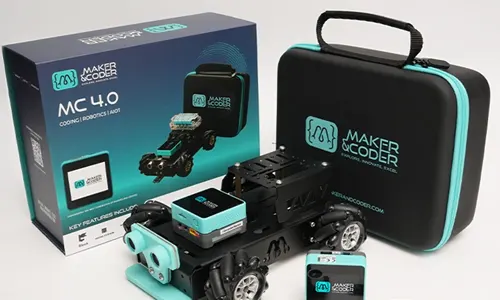
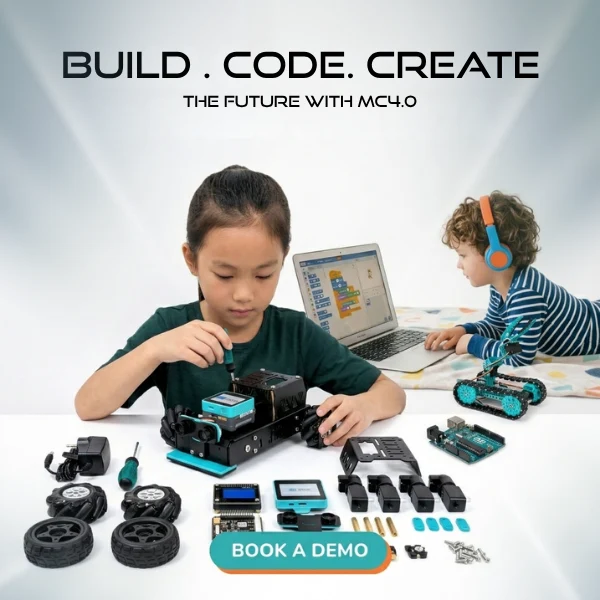
Maker & Coder’s MC 4.0 Kit offers a practical next step for learners ready to connect coding concepts with hands-on projects. Pair it with MC Blocks, the modular coding component, and the MC Curriculum (K-12), which is designed to integrate with the hardware in a structured learning pathway. Together, these offerings give teachers a framework for guiding students from introductory tasks toward more developed projects, with room to test ideas and learn from results.
For educators who want support delivering coding lessons, Teacher Training Programs can help build confidence in guiding students through their learning. These resources suit classrooms seeking a more structured approach, rather than students who only need a brief pause or a simpler explanation for one coding error.
Contact Maker & Coder to discuss which learning resources fit your classroom or coding program.
Build a classroom where curiosity keeps moving
Let students help shape what they explore next. Invite them to suggest a small coding project connected to an interest, then choose one idea to develop in class. A personally meaningful goal can give learners a reason to stay engaged and a chance to see programming as a creative tool.
Applying how to overcome student frustration in coding can start with a simple classroom practice: end a project by asking students what they would change or create next. Their answers can guide future activities and turn curiosity into a purposeful learning direction.
Choose one student idea and make it the starting point for your next coding session. A new project can open the door to fresh questions, original approaches, and the confidence to keep exploring.
Frequently Asked Questions
How can students build confidence and a growth mindset in programming?
Students can build confidence by transferring a familiar idea into a new coding context. For example, compare a program’s decision-making structure with a library sorting books by category: both apply a rule to choose an outcome. Ask students to draw or describe the connection, then identify where the analogy fits and where it differs. Seeing how an existing idea supports a new one can make unfamiliar concepts more approachable.