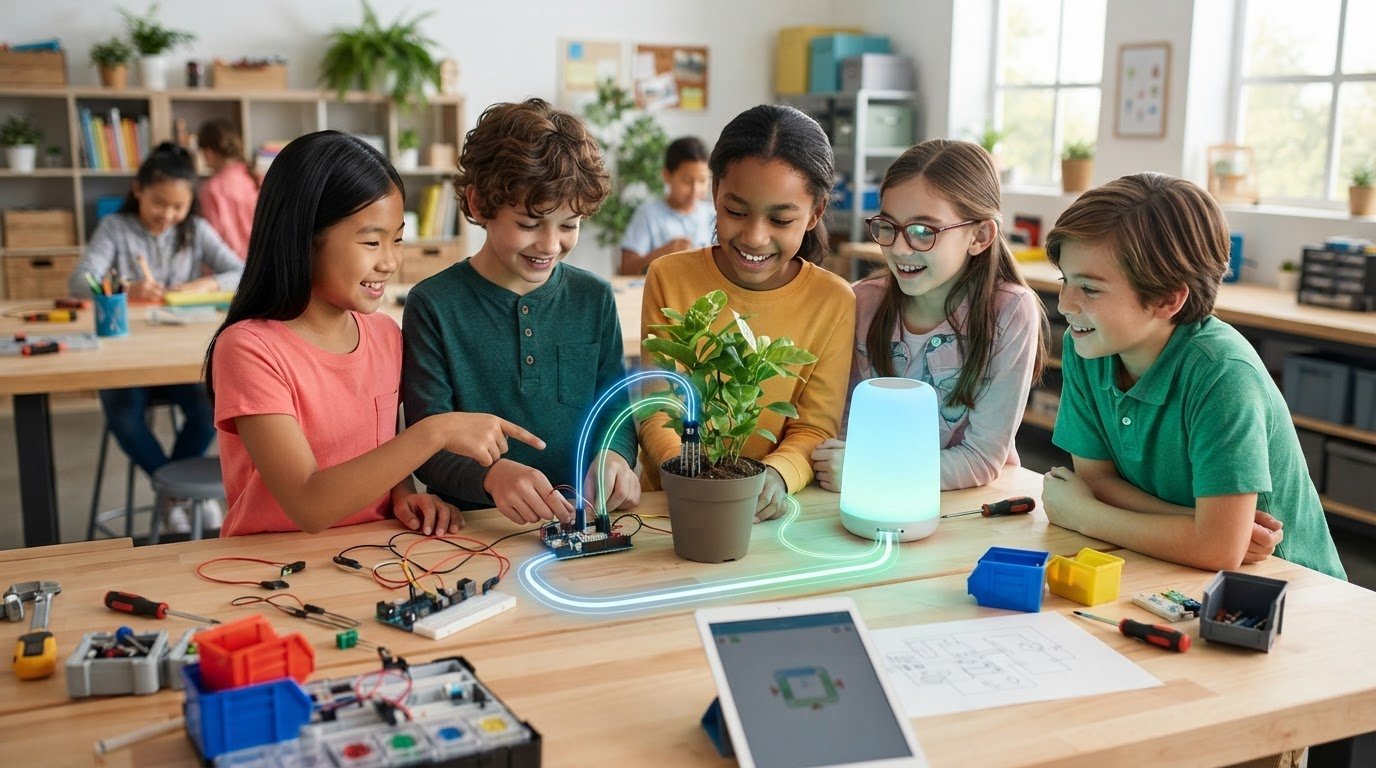
What if a plant could signal when its soil is dry, or a light could switch on when someone enters a room? These everyday ideas show why the Internet of Things can feel exciting, even when the technology behind it seems complicated. A clear introduction to internet of things for kids starts with a simple idea: a connected device senses or receives information, communicates it, and uses instructions to help determine what happens next.
It’s easy to mistake any electronic gadget for an IoT device. The key difference is communication: a regular device may work on its own, while an IoT device can exchange information with another device or network. Once kids see how a sensor, a connection, and a set of instructions work together, an abstract concept becomes something they can investigate and build on.
This guide explains IoT in kid-friendly language, compares familiar connected-device examples, and walks through a project sequence that makes the sensor-to-action loop easier to understand. It also covers privacy and responsible use, so young makers can explore thoughtfully. Whether a child is starting with a simple observation or following a structured STEM pathway, curiosity can lead to practical learning.
Key Takeaways
- This introduction to internet of things for kids explains connected technology through familiar objects and clear examples.
- Trace how a sensor detects information, a device communicates it, code guides a decision, and an action follows.
- Compare connected devices by asking what they sense, how they share information, and what response they enable.
- Use a simple project sequence to investigate an everyday need, test an idea, and consider privacy and responsible use.
- Maker & Coder’s MC 4.0 Controller, modular MC Blocks, specialized kits, K-12 curriculum, and teacher training support hands-on STEM learning.
What Is the Internet of Things? A Kid-Friendly Introduction
A lamp switches on with a voice command. A watch records movement. A thermostat responds when a room gets too warm. What makes these objects different from ordinary versions of the same things? They can gather or receive information and communicate it through a network, allowing that information to prompt a response. This connected exchange is the starting point for an introduction to internet of things for kids.
The Internet of Things, often shortened to IoT, describes physical objects that use technologies such as sensors, software, and network connections. A sensor can detect a change, such as movement or temperature. A connection lets a device send or receive information, and instructions can help it respond. For a broader overview, What is the Internet of Things? explores the concept and its applications.
A kid-friendly definition: “The Internet of Things is a group of real-world objects that collect or share information to help do a useful job.” A connected object isn’t automatically clever, helpful, or necessary. Its value depends on what information it handles and whether its response addresses a real need.
What makes an everyday object part of the Internet of Things?
Compare two lamps. A regular lamp turns on when someone uses its switch. A connected lamp can receive a command over a network, such as a request from a phone. The connection creates another way to control it, but the lamp still needs a useful purpose. Connectivity matters when it makes a task easier or more practical, not simply because it’s new.
That distinction helps children look beyond labels. Ask three questions: What information does the object sense or receive? How does it communicate? What happens to the information? A device that gathers information but never shares or uses it may offer little practical value. IoT becomes easier to understand when learners can trace how information leads to an outcome.
Why should kids learn about connected technology?
Connected technology gives children a practical way to practise curiosity and problem-solving. They can notice something familiar, ask what might be happening behind it, and consider how information could help a device respond. Everyday technology becomes a system they can examine rather than a mystery.
Learning about IoT also encourages creativity and digital understanding. Kids can consider what a device should sense, what it should do with that information, and whether its response genuinely helps. Those questions bring purpose and responsible use into the design process alongside technical choices.
Children can move from using technology to questioning and designing it without beginning with a complicated invention. Start with a small challenge: What is happening? What would be useful to know? What response might help? That way of thinking sets the stage for hands-on exploration: observe, ask, make, and improve.
How Does IoT Work? Follow the Sensor-to-Action Loop
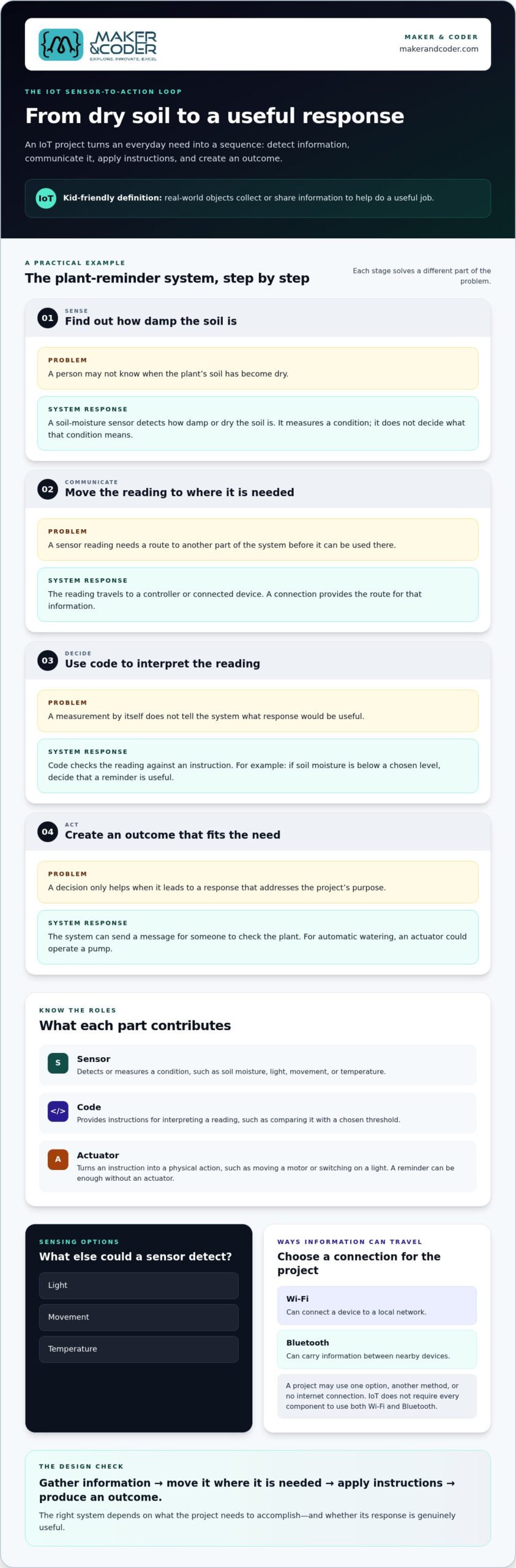
To see how connected technology works, consider a simple challenge: a plant needs a reminder when its soil is dry. A system can turn that need into a sequence of information and decisions. This step-by-step approach makes an introduction to internet of things for kids practical because each part has a clear role.
- Sense: A soil-moisture sensor detects how damp or dry the soil is. Other sensors can detect changes in light, movement, or temperature.
- Communicate: The sensor reading travels to another part of the system, such as a controller or connected device. A connection provides a route for the information.
- Decide: Code compares the reading with an instruction. For example, if the soil reading is below a chosen level, the system can decide that a reminder is useful.
- Act: The system sends a message for someone to check the plant. A project designed to water the plant automatically could use an actuator to operate a pump.
A sensor reading can trigger a programmed response when code checks the information and tells the system what to do. That’s the core loop: gather information, move it where it’s needed, apply instructions, and produce an outcome. The response should fit the project’s purpose.
What do sensors, code, and actuators do?
A sensor detects or measures a condition, but it doesn’t decide what the condition means. Code provides instructions for interpreting the reading, such as comparing soil moisture with a chosen threshold. An actuator turns an instruction into a physical action, such as moving a motor or switching on a light. A reminder project may not need an actuator because displaying a message can be enough.
Not every IoT system has the same parts. Some devices sense and share information without making a physical movement. Others use code locally, send data elsewhere, or rely on a person to take the final action. The right design depends on what the project needs to accomplish.
How do connected devices share information?
Connectivity is the route information follows between components, devices, or systems. Wi-Fi can connect a device to a local network, while Bluetooth can carry information between nearby devices. A project may use one of these options, another method, or no internet connection at all. IoT doesn’t require every component to use both Wi-Fi and Bluetooth.
Some systems also use cloud computing. In simple terms, the cloud is a network of remote computers that can store or process information instead of relying only on the device itself. When connected systems exchange information, it’s worth asking how that information is protected. NIST’s Role in the Internet of Things includes work on trustworthy connected systems, illustrating that thoughtful design involves more than making a device function.
Maker & Coder’s MC 4.0 ecosystem offers a hands-on way to explore STEM technology. Connect with Maker & Coder about IoT learning to discuss a structured learning pathway.
Everyday IoT Examples and What Kids Can Learn from Them
IoT appears in settings children may already know, from wearable devices to connected lights. The same basic pattern can serve different needs: information is gathered, then a person or system uses it to respond. Comparing examples helps learners ask not just “Is it connected?” but “What does the connection make possible?”
| Example | Information sensed | Possible response | Learning question |
|---|---|---|---|
| Fitness tracker | Movement or heart-rate information, depending on the device | It may display a summary or record information for the wearer to review | How could a person use this information, and what might it not tell them? |
| Smart-home light | A signal from a person or, in some systems, information such as room brightness | It may turn on or change brightness in response to a setting or command | When would an automatic response be useful, and when might a person prefer control? |
| Farm monitor | Conditions such as soil moisture or temperature | It may provide information to help a grower decide whether to inspect or water a crop | What information would help a grower make a better decision? |
These examples show that an IoT device doesn’t always act by itself. A tracker may present information for a person to interpret, while another system may use a setting to trigger an automatic response. The design depends on the task and the choices made by the people using it.
Which IoT examples can children recognize at home or school?
Start with familiar devices, then trace their purpose. A wearable can help someone review activity; a connected light may respond to a command; an environmental monitor can help people notice changes in a room or garden. For each example, ask what it measures, who uses the information, and whether a response should happen automatically or wait for a person. These questions make the technology easier to evaluate, not just admire.
What can IoT help people do in the wider world?
Connected systems also address needs beyond the home. On a farm, monitoring soil conditions can help growers decide where to focus attention. In transport, information about vehicle or traffic conditions can help people plan movement. In healthcare, connected monitoring may help care teams or individuals observe relevant health information. In manufacturing, equipment data can help workers understand how machines are operating.
IoT can support convenience, monitoring, or more informed decisions, depending on the need and how people use the information. For each example, invite kids to identify who benefits and what information the system needs. Then ask what could go wrong if the reading is incomplete or misunderstood. A useful introduction to internet of things for kids connects a device to its human purpose and considers both its value and the questions its use raises.
How Can Kids Explore IoT Through a Simple, Responsible Project?
A good beginner project starts with a question, not a gadget. In a classroom, kids might ask, “Does this spot get enough natural light for our plants?” They can observe light levels, consider what a change might mean, and discuss a possible response. This makes an introduction to internet of things for kids an opportunity to practise careful thinking as well as explore technology.
Use this sequence to turn curiosity into a small investigation:
- Choose a need. Decide what you want to understand or improve. For example, investigate whether a classroom corner gets brighter or dimmer during the day.
- Sense. Identify information that could help answer the question, in this case the amount of light. Keep the observation focused on the space, not the people in it.
- Plan. Sketch the idea before selecting materials or writing instructions. Show what information is observed, how it might be shared or considered, and what response could make sense.
- Test. Compare observations at different times or locations. Change one condition at a time, such as where the observation is made, to make it easier to understand what affected the result.
- Reflect. Discuss what the evidence suggests and what remains uncertain. Moving a plant might be one response, but the group should decide whether the observations support that choice.
How should a beginner plan an IoT learning activity?
Begin with a question children care about, then ask what information could help answer it. Sketching the sensor-to-action loop can reveal gaps before anyone builds: Is the information clear? Who interprets it? What response would be useful? During testing, change one thing at a time and treat surprising results as evidence to investigate, not as failure. This keeps the activity focused on reasoning and makes it easier to explain what each step contributes.
How can children think responsibly about connected devices?
Data can reveal more than expected about people, places, or routines. A responsible project uses non-sensitive observations, such as light in an empty classroom, instead of names, faces, locations, or personal schedules. For online tools or connected activities, children should work with adult guidance and avoid sharing personal information. Ask who should be able to access the collected information, what purpose it serves, and whether the project can work with less data.
These habits help young makers weigh purpose and privacy alongside design. Maker & Coder supports hands-on STEM learning with its MC 4.0 hardware, curriculum, and teacher training. Talk with Maker & Coder about hands-on learning.
From IoT Curiosity to Structured Learning with Maker & Coder
An introductory activity can spark a bigger question: What else could a sensor help us notice, and how might code turn that information into a response? Learners can build from basic systems to broader STEM concepts and more advanced applications. A structured pathway gives that curiosity room to grow beyond a one-time activity.
How can a K-12 pathway build on an IoT introduction?
A well-sequenced curriculum can connect early concepts to new challenges as students progress. Learners might begin by identifying inputs and outputs, then explore how instructions guide a system, and later apply those ideas in broader STEM projects. The K-12 MC Curriculum provides a structured educational pathway, while Maker & Coder’s Teacher Training Programs support educators in bringing STEM technology into classroom lessons. Together, curriculum and teacher training can help make hands-on exploration more intentional and cohesive.
That progression matters because understanding grows through trying, observing, and revising. Students can move from describing how a system works to planning experiments, explaining design choices, and considering the role of connected technology in everyday life. The aim isn’t simply to use a device. It’s to build confidence in asking questions and developing ideas.
Where can learners begin exploring Maker & Coder resources?
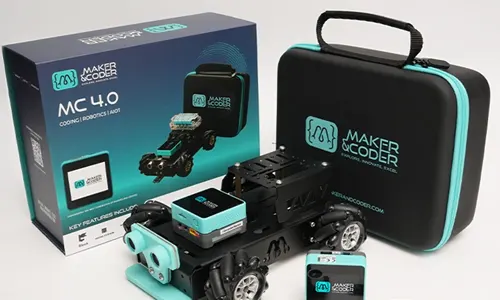
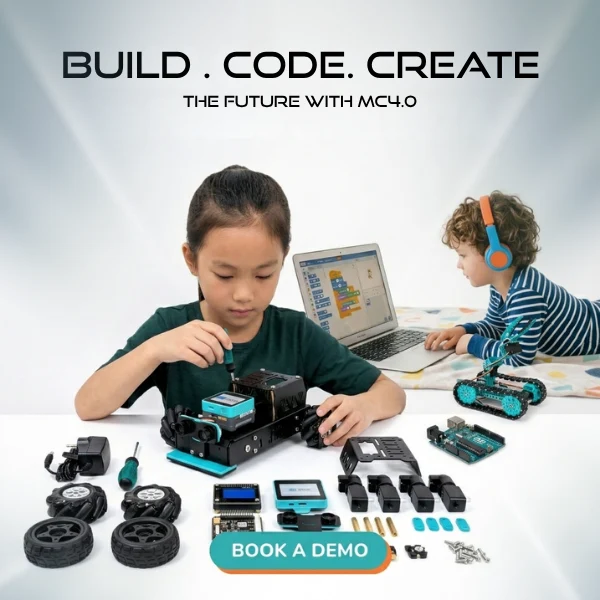
Maker & Coder’s MC 4.0 ecosystem brings together the MC4.0 Controller, modular MC Blocks, and specialized kits. The lineup includes the MC4.0 Base Kit, MC4.0 STEAM Kit, and MC4.0 AIoT Kit. These resources support hands-on technical learning and modular experimentation, while the K-12 curriculum helps educators connect activities to a broader learning pathway.
For learners ready to move from ideas to structured experiments, the MC 4.0 ecosystem provides a practical starting point for exploring technology through making. The MC4.0 Controller and MC Blocks form part of the hardware platform, while specialized kits offer different contexts for technical learning. Educators can connect those activities with the curriculum and teacher training to support classroom implementation.
This introduction to internet of things for kids is a starting point, not an endpoint. With structured learning, children can grow from recognizing connected systems to designing, testing, and reflecting on their own ideas. Educators and families can explore a learning pathway through Maker & Coder’s contact page, building on curiosity with purposeful, hands-on STEM learning.
Turn Curiosity into a Young Maker’s Next Step
The most rewarding next step is to give a child’s questions room to grow. An introduction to internet of things for kids can begin a learning journey in which learners move from noticing technology to shaping ideas of their own. With a clear structure, a first investigation can lead to deeper STEM exploration.
Maker & Coder brings that progression together through its K-12 MC Curriculum, teacher training programs, and MC 4.0 ecosystem, including the MC4.0 Controller, MC Blocks, and MC4.0 AIoT Kit. These resources support educators in connecting practical activities with a broader learning pathway and classroom implementation.
Ready to plan a meaningful next step? Talk with Maker & Coder about a K-12 STEM learning pathway and explore how hands-on learning can support your goals. A thoughtful question can lead to a new idea, giving young makers the opportunity to build with purpose.
Frequently Asked Questions
What does IoT stand for?
IoT stands for the Internet of Things. The term applies to physical objects that use technology to gather or exchange information for a purpose. For example, a connected air monitor might share readings that help someone decide whether to open a window. A child can remember the idea by asking whether an everyday object collects or shares information, and what someone can do with it.
Is the Internet of Things the same as artificial intelligence?
No. IoT concerns physical objects and connected information; artificial intelligence (AI) involves computer systems performing tasks such as recognizing patterns or making predictions. Imagine a connected camera that sends images to another system. It’s IoT because information is shared. If software also identifies objects in those images, AI may be involved too. Asking “connected, intelligent, or both?” helps separate the ideas.
Can an IoT device work without an internet connection?
Yes. Some functions can work through a local connection or within a device, while others rely on internet access or remote services. The details depend on how the system is designed. For example, a classroom project might show a sensor reading on a nearby controller without sending it online. Ask what still works if internet access is unavailable and what information can travel beyond the room.
Does every smart device count as an IoT device?
Not necessarily. “Smart” is a broad label, while IoT describes connected physical objects that sense, process, or exchange information. A programmable device might perform an automatic task using preset instructions without sharing data with another device or system. To assess an example, ask what information it uses, whether it communicates, and how that connection helps. The label matters less than understanding what the device actually does.
How old should a child be to start learning about IoT?
There isn’t one required starting age. In an introduction to internet of things for kids, younger learners might discuss why a motion-activated hallway light responds, while older students can sketch a system’s inputs and outputs or explore its code. Choose explanations that match a child’s experience, keep online activities adult-guided, and let questions lead. A simple observation can be a meaningful starting point without complex equipment.
What is the difference between IoT and a regular computer network?
A computer network connects devices so they can exchange information, such as computers sharing files. IoT brings connected communication into physical objects that interact with their surroundings or support a real-world task. For instance, a network might carry a reading from a room sensor to a computer. Ask learners to identify both ends of the communication and what the information helps a person understand or do.