A working robot doesn’t guarantee a successful program. The reasons why some school robotics programs fail often include uneven access to equipment and practice time, activities that don’t fit students’ ages, limited educator or mentor support, and a culture that treats setbacks as dead ends. FIRST Robotics Competition is listed for students in grades 9-12, highlighting why robotics activities should suit learners’ stage and experience.
It’s easy to expect enthusiasm to carry a robotics team forward. But students need more than an engaging challenge: they need a clear way to participate, guidance when they get stuck, and room to learn from attempts that don’t work.
Access, age-appropriate activities, educator and mentor support, and resilience all shape program outcomes. When these elements are in place, frustration can become useful feedback, helping students keep experimenting and making robotics learning more engaging and sustainable.
Key Takeaways
- Match each robotics activity to learners’ current skills, then build toward more complex challenges as their confidence grows.
- Make implementation manageable by giving educators clear learning goals, structured activities, and support they can use in practice.
- Use mentors and coaches to guide students through problem-solving without taking over the work.
- Help teams treat setbacks as useful feedback: identify what happened, choose one change, and test the next attempt.
- Look for a connected learning pathway when choosing classroom resources, so hands-on builds and instruction reinforce one another.
Age-appropriate robotics programs
School robotics programs are more likely to succeed when activities match students’ readiness. A well-paced program moves learners from achievable builds to harder design challenges; a mismatch can leave them overwhelmed or under-challenged. At Capitol City Robotics, eleven-year-old Bae Zakrajsek worked on a drone obstacle course while fourteen-year-old Helen Sullivan prepared for a robotics competition. Their examples show why age alone is not enough: experience, task complexity, and available guidance matter, too.
Competition rules and deadlines shape what teams build, test, and prioritise. An event date can focus a team’s work, but a late start may leave little time to diagnose problems or practise within the rules. One girls’ team considered forfeiting on Thursday, got its robot moving on Friday, and competed on Saturday. That compressed schedule shows how a technical challenge can become a stressful deadline.
School robotics safety and liability concerns centre on whether the equipment, activity design, and supervision suit the students and setting. Before building or testing begins, establish clear instructions, supervised work practices, and a plan for responding to problems. This makes safety part of the activity, not an afterthought.
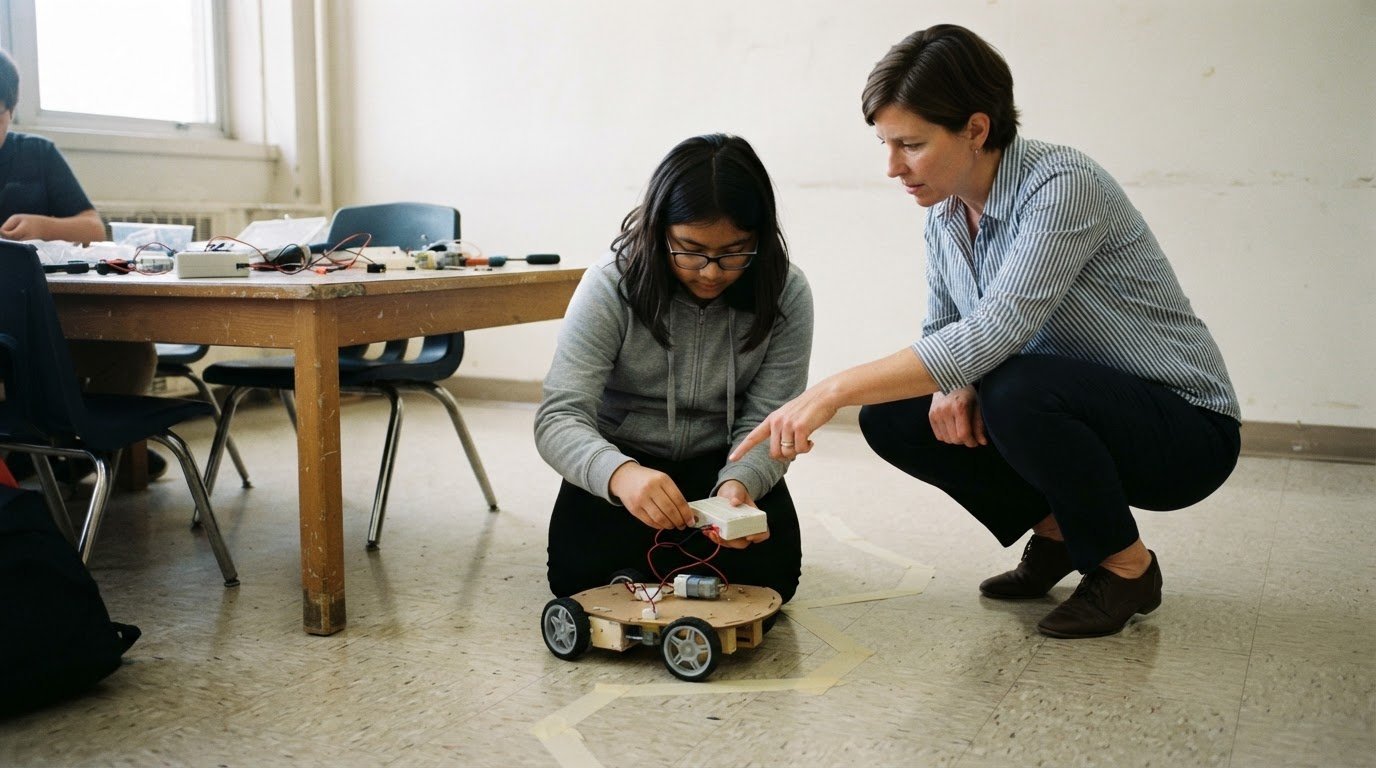
Age-appropriate design starts with the task, not the robot’s appearance. A younger beginner might follow a short sequence to make a robot move, then change one instruction and observe the result. A more experienced learner could plan a route through obstacles, test different approaches, and explain which design choices improved performance. Both activities involve robotics, but they call for different levels of independence and reasoning.
Use these practical checks before selecting a project:
- Check prior experience: Ask learners to complete a small build or coding task, then observe where they need support.
- Break down complexity: Divide a larger challenge into steps, such as movement, turning, and obstacle response.
- Keep the goal visible: Give students a clear outcome, such as guiding a robot around a marked course.
- Offer a next challenge: Once learners succeed, invite them to adjust the route or improve the robot’s response.
Competition pathways also need a suitable entry point. FIRST Robotics Competition is listed for students in grades 9-12. That example makes program fit essential: a competition designed for older students may not suit a beginner group without preparation. Schools can build familiarity through smaller classroom challenges before introducing formal rules, team roles, and event deadlines.
Performance results should guide teaching, not define a student’s potential. At the girls’ tournament, the team had three opportunities to score points in the skills challenge and scored zero points there. The team scored 10 points at the robotics competition. Those results describe one event, not the value of the learning process. Educators can review what students tried, identify the next skill to practise, and set a reachable goal for the next session.
To understand why some school robotics programs fail, ask whether learners can progress at a meaningful pace. If a challenge is too advanced, students may spend their time waiting for answers; if it is too simple, they may stop exploring. A clear progression, from a first movement command to a planned obstacle route, gives teachers visible opportunities to adjust support. Students can build technical confidence through achievable steps and increasingly independent decisions.
Educator implementation support
A robotics program needs a classroom plan, not just a box of components. Before each lesson, the educator should know the learning goal, setup steps, likely sticking points, and cleanup routine. For a movement lesson, for example, students might program a robot to travel between two marked points. With the activity planned, the teacher can observe students’ choices rather than improvise every instruction.
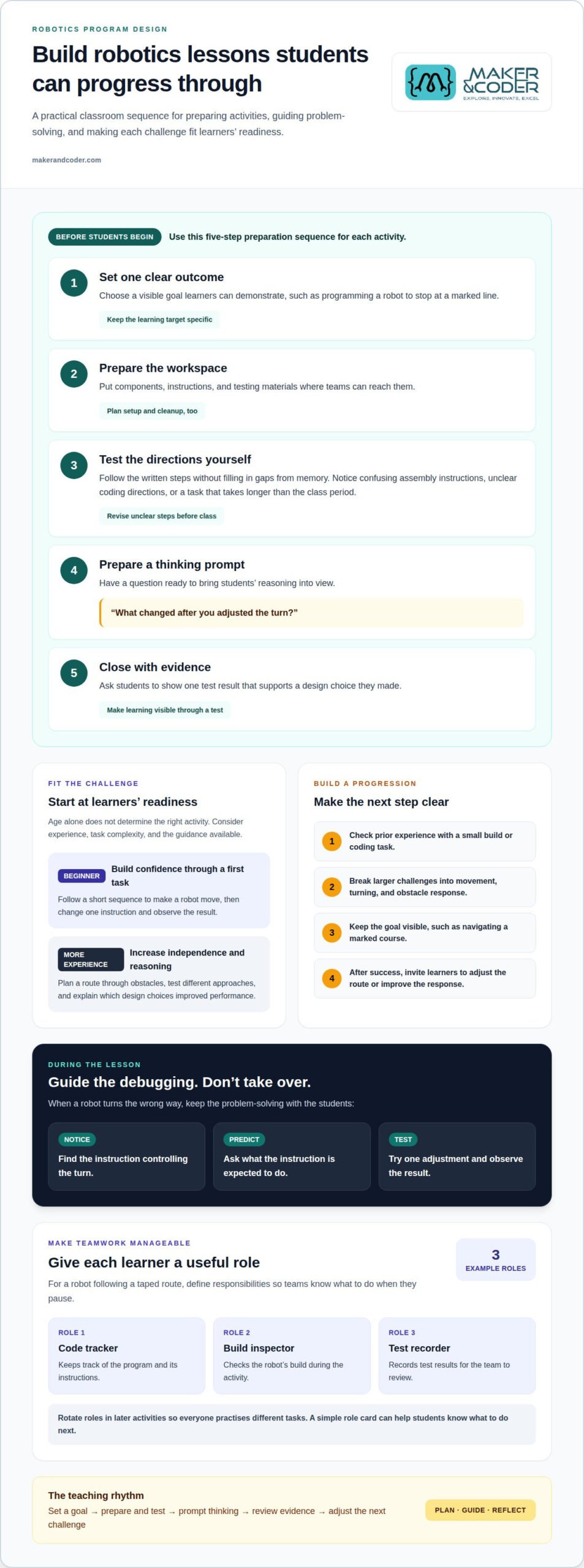
Preparation also means trying an activity before students do. Testing the build can reveal confusing assembly steps, unclear coding instructions, or a task that takes longer than the class period. A practice run helps identify where learners may need a diagram, demonstration, or extension challenge. Record what you notice, then revise the lesson before introducing it to the class.
Use a repeatable preparation sequence for each activity:
- Set one outcome: Ask learners to program a robot to stop at a marked line.
- Prepare the workspace: Place components, instructions, and testing materials where teams can reach them.
- Test the directions: Follow the written steps without filling gaps from memory.
- Plan a prompt: Prepare a question such as, “What changed after you adjusted the turn?”
- Close with evidence: Ask students to show one test result supporting their design choice.
During the lesson, educator support should guide students’ thinking without taking over. If a robot turns the wrong way, don’t change the code immediately. Ask students to find the instruction controlling the turn, predict what it does, and test one adjustment. This makes debugging visible and gives the teacher useful evidence of what learners understand.
Clear team roles can make classroom work easier to manage. In a group building a robot for a taped route, one student can track the code, another inspect the build, and another record test results. Rotate roles in later activities so everyone practises different tasks. A simple role card helps students know what to do when the team pauses.
Educators need practical ways to support groups progressing at different speeds. Set a core task, such as moving forward and stopping, then offer an extension, such as adding a turn before the stop. Students who need more practice can repeat the core task; those ready to advance can try the extension. Both groups remain focused on the same lesson goal.
Planning time matters because a robotics session involves more than instruction. Teachers distribute equipment, help teams troubleshoot, observe collaboration, and restore materials afterward. A written checklist can track each task, from checking components to noting which instructions caused confusion. Reviewing it after class turns a difficult session into specific improvements for the next one.
Professional learning can help educators strengthen these routines. Useful training lets teachers experience the learner’s process: follow instructions, build, program, test, and diagnose an error. They can practise asking focused questions and adapting tasks for different experience levels. Rehearsing these approaches before class helps teachers keep student problem-solving at the centre.
Mentor and coach support
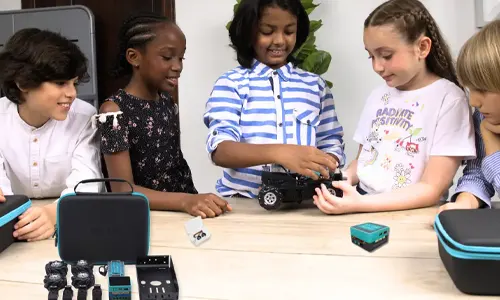
A robotics mentor gives students another source of guidance beyond the classroom teacher. At Capitol City Robotics, older students mentor younger students, creating a peer-learning relationship around building and programming. The older learners practise explaining decisions, while newer participants can ask questions in a familiar setting. That support works best when mentors guide the process rather than simply complete difficult tasks.
Mentorship doesn’t require a professional engineer beside every team. FIRST says mentors can make an impact without specialist expertise. A mentor can help students organise tasks, listen to competing ideas, and reflect on a test. If a robot veers off its route, for example, the mentor can ask what the team observed before suggesting possible adjustments.
Clear boundaries keep support useful. A coach can demonstrate how to inspect a loose connection, then let students make the repair. A mentor can explain how to divide a large goal into smaller tasks, then ask the team to choose its next step. Students retain ownership when adults offer questions, tools, and perspective without making every design decision for them.
Programs can make mentoring more consistent by defining a few practical responsibilities:
- Set a learning goal: Agree that students will explain one design choice before changing the robot.
- Ask before advising: Invite a team to describe the problem and its latest test.
- Demonstrate safely: Show a technique, then give students a chance to practise it.
- Share airtime: Invite quieter team members to explain an observation or propose an experiment.
- Close the session: Ask students to record what they learned and what they’ll try next.
Peer mentoring at Capitol City Robotics also shows how knowledge can pass between learners. An older student might help a younger teammate interpret a program or organise a build; the younger student can then explain the process to someone else. This exchange makes expertise visible as something students develop and share, not something only adults possess.
Coaches should watch for a common imbalance: one confident student or mentor doing most of the technical work. During a robot test, ask each team member to share one observation. A student tracking movement might notice a missed turn, while another checks whether the code matches the team’s plan. Specific prompts bring more learners into the work.
Continuity matters, too. If a mentor leaves after one session, students may lose context about earlier decisions. A shared team log can record the challenge, the change attempted, and the result observed. At the next meeting, a new mentor can read the notes and ask a focused question rather than restart the discussion. The log also helps students explain their reasoning.
Match each mentoring interaction to a student need. A team learning to collaborate may need help assigning responsibilities; one preparing for a demonstration may need practice explaining its design. Review those needs regularly. When adults listen first, share relevant knowledge, and leave decisions to students, mentorship supports independence rather than replacing it.
Problem-solving and resilience
Robotics teams need a way to turn setbacks into useful information. At Capitol City Robotics, students learn to treat failure as guidance for their next attempt. A stalled robot is not proof that a project is hopeless; it is evidence of what to investigate. Students can identify what happened, adjust one factor, and test again.
A simple test log makes this process visible. After a robot misses a target, students can record the intended action, what they observed, and one possible cause. If it stops short, for example, the team might inspect its movement instructions before changing several things at once. A focused adjustment helps students connect cause and effect instead of guessing at a complete redesign.
Use this repeatable cycle after each test:
- State the goal: Describe what the robot should do, such as move a block toward a marked goal.
- Record the result: Note where the robot moved, whether it collided, and what the team observed.
- Choose one adjustment: Change a single instruction or design choice so the next test answers a clear question.
- Compare attempts: Decide whether the change moved the robot closer to the intended outcome.
- Capture the learning: Write down what the team will keep, revise, or investigate next.
How progress is measured matters. A reward based only on speed can encourage a robot to rush. A reward based on position that ignores safety may encourage collisions with obstacles. One score rarely describes the quality of a solution: a robot might reach its goal quickly but take a poor route or collide along the way.
USC researchers designed Robometer to compare robot attempts and estimate whether behaviour is moving toward success. They built the model using more than a million video clips showing progress and failure. The practical classroom lesson is to compare attempts, not just final results. Students can discuss which behaviour improved and what evidence supports their judgment.
For a robot moving a block toward a goal, students can assess its distance from the goal, collisions, and battery use. Each measure reveals a different aspect of performance. A block closer to the goal may indicate progress, while a collision points to a route problem. Battery use can prompt teams to consider whether their approach is efficient. Together, these observations support better decisions than a simple pass-or-fail label.
Resilience also depends on how adults respond when a test fails. Instead of saying, “That didn’t work,” ask a question tied to evidence: “Where did the robot stop compared with your plan?” Students can point to the result, suggest a possible cause, and choose their next test. This keeps the discussion focused on actions and observations, not blame.
Make progress visible with a team record containing the goal, test result, adjustment, and next question. Review it at the start of the next session. A team that repeatedly changes several variables may need help isolating one cause; a team that avoids testing may need a smaller, achievable experiment. If your school is shaping a robotics program around iterative problem-solving, discuss your program’s learning needs.
Resilience also depends on adults’ responses to failed tests. Students can use feedback about what went wrong to decide what to change in the next experiment. Keep attention on the evidence: what the robot did, where the result differed from the goal, and which adjustment could clarify the cause. Invite students to explain their reasoning before offering a solution, then help them choose a manageable next test. The aim is not to remove frustration, but to make it possible to continue productively. When students treat setbacks as information rather than a verdict on their ability, they can return to the work with a clearer question and a specific next step.
Maker & Coder: MC 4.0 Kit
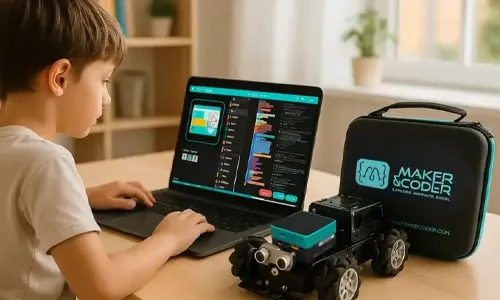
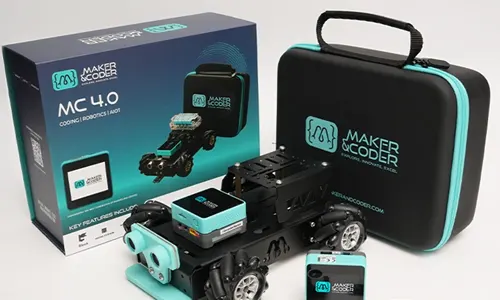
Maker & Coder’s MC 4.0 Kit can support schools building a structured, hands-on robotics program. Pairing practical activities with the MC Curriculum (K-12) gives educators a pathway for connecting classroom learning to hardware projects. MC Blocks can support students as they develop and test programs, while Teacher Training Programs can help educators strengthen their classroom implementation.
Consider this approach when your school needs learning materials, practical builds, and educator support to work together. Start by identifying students’ experience levels, the skills they should practise, and the support teachers need to guide activities. Then explore how these offerings could fit your program’s goals. Visit makerandcoder.com to learn more.
Build a Robotics Program That Can Grow
Understanding why some school robotics programs fail is a starting point, not a verdict on what your school can achieve. Turn that understanding into a plan that fits your learners, staff capacity, and classroom goals. Begin by identifying one outcome you want students to reach through robotics, then decide how you’ll recognise progress.
Make the plan practical enough to guide everyday decisions. Choose a small starting activity, assign responsibility for keeping it moving, and set a time to review what students and staff experience. Use that review to decide what to adapt before expanding the program. A considered next step can turn early learning into a lasting opportunity for students.
If you’re ready to shape the next stage of your school robotics program, contact Maker & Coder about school robotics.
Start with a clear purpose, learn from each stage, and keep building toward what your students can create.
Maker & Coder: Connect Robotics Hardware With a K-12 Curriculum
Maker & Coder provides a STEM education ecosystem centered on the MC 4.0 hardware platform and modular MC Blocks. Its lineup includes the MC4.0 Controller and Base, AIoT, and STEAM kits, alongside a structured K-12 MC Curriculum designed to integrate with the hardware.
If a robotics program needs a clearer connection between its equipment and learning pathway, Maker & Coder’s curriculum and kits may be a relevant next step. The curriculum offers a structure for learning, while the hardware and kits support technical learning within that ecosystem.
Frequently Asked Questions
What are the most common reasons school robotics programs fail?
Programs can struggle when participation depends on one enthusiastic teacher, students can’t access activities consistently, or teams lack a clear learning path. A club that pauses whenever its lead teacher is absent is a practical warning sign. Schools can reduce that risk by documenting lesson routines, sharing responsibilities, and giving students ways to participate beyond competition preparation, such as classroom demonstrations or design reviews.
How do teacher training and staff turnover affect robotics programs?
Teacher training helps educators prepare to lead activities, troubleshoot common issues, and guide students without taking over. Staff turnover can disrupt the program if lesson plans, equipment routines, and project decisions exist only in one person’s memory. Keep a shared folder with activity instructions, setup notes, and student project records. When a new teacher joins, these materials provide a practical starting point for continuing the work.
What strategies help schools make robotics programs sustainable and inclusive?
Build sustainability into ordinary school routines: connect robotics activities to existing class goals, share responsibility among staff, and plan projects that don’t rely solely on competition entry. To widen participation, vary team roles so students can contribute through building, programming, testing, documentation, or presenting. Invite students to rotate roles between projects, and collect brief feedback after activities to identify barriers such as unclear instructions or limited opportunities to handle equipment.