What if the best first coding lesson starts without a screen? On day one, students may arrive with very different experience, and device setup can take time away from exploring. The strongest first day activities for a coding class build belonging before complexity. They give every student a chance to test an idea, make a mistake, and try again. A hands-on challenge can make coding feel less intimidating because learners solve a problem together.
You don’t need to choose between a welcoming atmosphere and meaningful learning. This guide shares adaptable activities that introduce computational thinking through sequencing, algorithms, patterns, and debugging. You’ll also find a flexible lesson flow that moves from an unplugged warm-up to a small creative project, with or without devices. The goal is a class where students feel ready to participate, curious about what they can make, and confident that revising an idea is part of the process.
Key Takeaways
- Choose a first task students can complete quickly, so coding feels accessible regardless of prior experience.
- Use unplugged challenges to introduce sequencing and clear instructions without device setup or student accounts.
- Choose individual, pair, or group work based on the participation and collaboration you want to encourage.
- Use a flexible lesson flow that can adapt when setup or discussion takes longer than planned.
- Use questions sparked by first day activities for a coding class to shape future projects and a pathway toward hands-on creation.
First Day Activities for a Coding Class: Start with Curiosity and Connection
Your first class doesn’t need to begin with logins, unfamiliar interfaces, or a tour of coding terms. The most effective first day activities for a coding class can start with a shared question: what do students already enjoy using, and how might they make it better? A small, achievable task lets beginners contribute right away and gives experienced students room to share their ideas.
Try a quick partner introduction before bringing out devices. Ask each student to name a game, app, or device feature they enjoy and one thing they wonder how to build. Partners take turns sharing, then choose one idea to report back. This shifts the focus from “Who already knows how to code?” to “What would you like to create?” It also gives you an early sense of students’ interests without turning the first meeting into a skills test.
Use their ideas to introduce computational thinking in approachable language: “Computational thinking means breaking a problem into smaller steps, spotting patterns, and testing a solution.” The process helps learners turn a broad wish, such as “make a game more fun,” into specific questions about what the game should do. For a broader overview of its characteristics, including pattern recognition and decomposition, see What is Computational Thinking?
A coding-class icebreaker that reveals student interests
Ask students to name a digital tool they use and one feature they’d improve. In pairs, have them compare ideas and identify a similarity or difference. Invite a few pairs to share a pattern they noticed, such as wanting clearer directions or more ways to personalize a game. Connect those observations to coding: designers notice needs, imagine solutions, and decide what a tool should do.
Set beginner-friendly norms before the first challenge
Before students start, agree on how to share devices, take turns, and ask for help. Set the expectation that an error is information: it shows what to inspect or change, not whether someone belongs in coding. Make participation flexible. Students can draw an idea, describe steps aloud, test a partner’s instructions, or build when they feel ready.
Keep the first task deliberately small. Ask pairs to describe one change they’d make to a familiar game, then explain the steps the game would need to follow. There’s no pressure to build the full idea yet. The goal is to make an idea clear enough to discuss, question, and improve together. That first success helps establish a classroom culture where curiosity leads, every contribution counts, and revision is part of creating.
Unplugged Coding Activities That Teach Sequences and Clear Instructions
Before students learn where to find a command or how to use a coding interface, let them experience what instructions do. Unplugged challenges turn abstract ideas into actions learners can see, perform, and revise. They require no specialist equipment or student accounts, making them useful when devices aren’t ready or when you want everyone focused on the logic first.
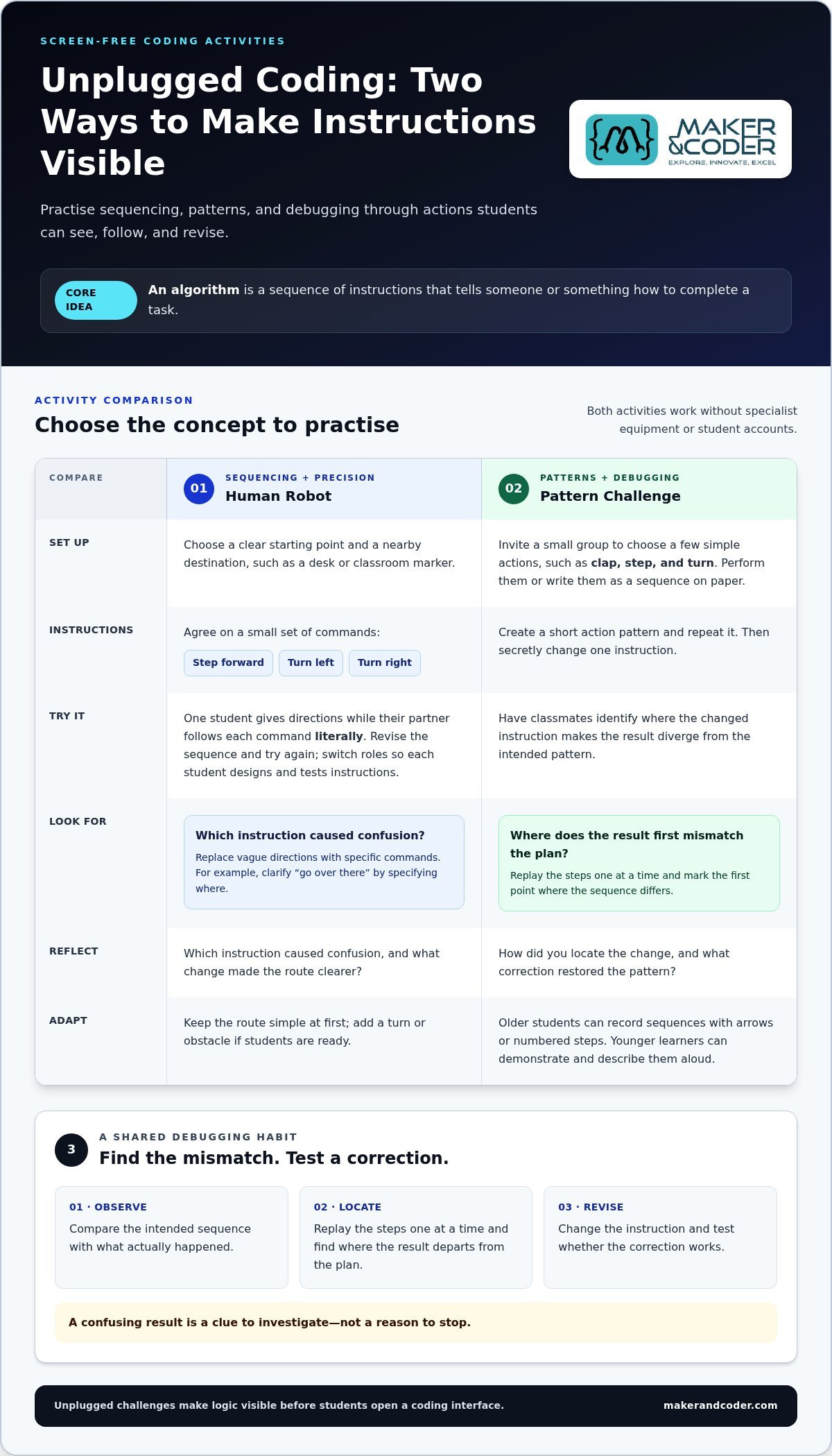
An algorithm is a sequence of instructions that tells someone or something how to complete a task. In these first day activities for a coding class, students practise writing clear instructions, following them in order, and checking whether the result matches their intention. For more screen-free ideas, Unplugged Coding Resources offers activities that introduce computer science through games and puzzles.
Human robot: practise sequencing and precision
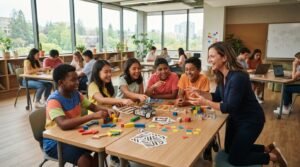
Concept: sequencing and precise instructions. Setup: Choose a clear starting point and a nearby destination, such as a desk or classroom marker. Agree on a small set of commands, such as “step forward,” “turn left,” and “turn right.” Action: One student gives directions while their partner follows each command literally. Then the pair revises the sequence and tries again. Reflect: Which instruction caused confusion, and what change made the route clearer?
Keep the route simple at first, then add a turn or obstacle if students are ready. The “robot” shouldn’t guess what the programmer meant. That’s what makes vague instructions visible. If a direction says “go over there,” the follower can pause and ask where, prompting the pair to replace it with a more specific command. Students can switch roles so each practises designing and testing instructions.
Paper or movement challenges for patterns and debugging
Concept: patterns, repetition, and debugging. Setup: Invite a small group to choose a few simple actions, such as clap, step, and turn. They can perform the actions or write them as a sequence on paper. Action: Create a short pattern, repeat it, then secretly change one instruction and have classmates identify where the result diverges. Reflect: How did you locate the change, and what correction restored the pattern?
Ask learners to compare the intended sequence with what actually happened instead of simply announcing the answer. They can replay the steps one at a time, mark the first mismatch, and revise only that instruction. This is debugging in an accessible form: observe the result, find where it departs from the plan, and test a correction. Older students can record the sequence with arrows or numbered steps; younger learners can demonstrate and describe it aloud.
Close either activity by asking students to explain one instruction they improved and why. That reflection reinforces a useful habit: a confusing result is a clue to investigate, not a reason to stop. Educators planning a progression from these playful challenges to hands-on STEM learning can explore support for classroom implementation, including teacher training programs.
First Coding Challenges: Create, Test, and Debug Together
Once students have practised giving precise instructions, carry that thinking into a short block-based program. Choose a task with an immediate, visible result, such as making a character move across the screen or changing a display when a key is pressed. Keep the goal modest. The purpose isn’t to produce a polished project, but to help learners connect instructions with outcomes and see that they can shape what a program does.
Before students run their code, ask them to predict what will happen. Afterward, have them change one block, test again, and describe the difference. This simple cycle makes thinking visible: learners plan, observe, compare, and revise. It also gives students with different experience levels a shared starting point. The challenge is to explain and improve a result, not to finish first.
A first block-based program students can finish
Offer one clear objective, such as “make the character move when you press a key.” Students select or arrange a few blocks, explain what they expect, then run the program. If the result differs from their prediction, invite them to change a single block and test again. Ask, “What changed, and what evidence helped you decide?”
Choose a class format to match the kind of participation you want. Individual work gives each learner direct control, while pairs make it easier to talk through predictions and share decisions. Small groups can combine different strengths, but give each student a clear way to contribute. Use this quick comparison to decide:
Individual | Every student builds and tests their own program. Useful for seeing each learner’s approach; requires a device for each participant.
Pairs | Partners alternate between arranging blocks and explaining the plan. Encourages discussion and peer support; establish turns so one student doesn’t take over.
Small groups | Learners contribute ideas, test the program, and discuss changes together. Offers shared problem-solving; assign roles such as builder, predictor, and tester to make contributions visible.
Make debugging a shared discovery, not a test
Show the class a short block sequence with one instruction in an unexpected place. Run it, invite students to describe what they notice, and ask where the result first differs from the intended outcome. Have them explain the evidence for a proposed fix, make the change, and retest. Celebrate careful reasoning and checking, not only a working final result.
Keep assessment focused on process, not speed or visual polish. Listen for students who can describe a prediction, identify an unexpected result, and explain why a change might help. A learner who tests thoughtfully has made meaningful progress, even if the program still needs work. These habits lay the groundwork for later projects, where block-based ideas can lead toward tangible creation with tools such as MC Blocks and the broader MC 4.0 ecosystem.
Plan a First-Day Coding Lesson That Fits Your Class
A strong first lesson has a clear arc, but it doesn’t need a rigid clock. Protect the learning goal and adjust the pace to your students, device access, and the time needed for discussion or setup. This flexible sequence connects first day activities for a coding class, from meeting one another to reflecting on what students discovered.
A flexible lesson sequence from welcome to reflection
Use the steps in order, shortening or extending each one as needed. If device setup takes longer than expected, keep the unplugged challenge and reflection. Students can still practise planning, testing, and explaining ideas without completing every step on a screen.
- Welcome and connect. Invite students to share a digital tool they enjoy and a feature they’d change. They can discuss with a partner or contribute a sketch if they’d rather not speak to the whole class.
- Agree on learning norms. Establish how students will share materials, ask for help, listen to different ideas, and respond when a first attempt doesn’t work. Make it clear that testing and revision are part of the work.
- Try one unplugged challenge. Choose a brief task that makes a coding idea visible, such as arranging instructions to reach a goal or identifying a repeated pattern. Ask students to explain the steps they used.
- Create and test. If devices are ready, move into a small block-based task with one visible outcome. Have learners predict what will happen, try it, and make one change. If access is limited, plan the blocks on paper or demonstrate a sequence for students to interpret.
- Share and reflect. Invite students to describe what they changed, what surprised them, or what they’d like to explore next. A quick partner share can preserve reflection time if the class discussion runs long.
Differentiate for mixed experience and classroom access
Keep the core goal consistent while adjusting the challenge. Beginners might arrange a short sequence of blocks or explain what a program should do; more experienced learners can add a condition, an extra instruction, or a second possible outcome. Offer visual directions alongside spoken explanations, and let students contribute by planning, describing, building, or testing. These options widen participation without sorting learners into fixed ability groups.
Device access shouldn’t determine who gets to think like a programmer. Students can work in pairs and alternate between planning and operating, sketch a sequence on paper before a device is available, or examine a teacher-led demonstration and predict the result. For younger learners, use pictures and movement to make each step concrete. Older learners can write pseudocode or explain why one instruction belongs before another. Keep the same central question: what should happen, and how can we check?
As your lesson develops into a broader STEM pathway, a K-12 curriculum and teacher training can connect introductory activities with sustained classroom learning. Discuss classroom STEM implementation and how to shape a progression around your learners and teaching goals.
Turn First-Day Coding Activities into a Learning Pathway
A first lesson can be more than a warm welcome. The questions students raise during first day activities for a coding class can become starting points for future coding and STEM projects. If learners wonder how a game responds to a button press, for example, return to that question as they explore inputs, instructions, and cause and effect. Their curiosity gives you a meaningful thread to build on.
Progression matters. Students can move from giving clear instructions to arranging code, testing a result, and revising a design. Each step builds on familiar thinking while introducing new possibilities. Low-pressure exploration helps learners take part; tangible creation gives them something real to investigate and improve. The goal isn’t to rush toward complex projects, but to help students see how small ideas develop through experimentation.
Build from first experiments to tangible projects
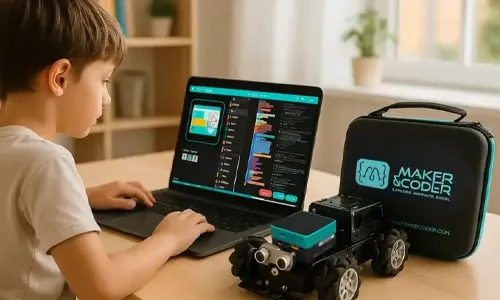
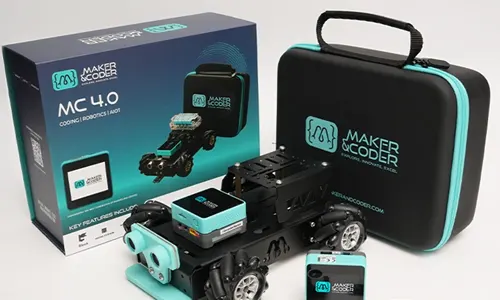
Use early challenges as foundations. Sequencing can lead into arranging actions in a program, while debugging can grow into testing and refining a larger creation. Bring back students’ opening interests as project prompts, then invite them to decide what their creation should do and how they’ll test it. MC Blocks and the MC 4.0 Controller can support continued hands-on experimentation as learners move from screen-based ideas toward tangible projects.
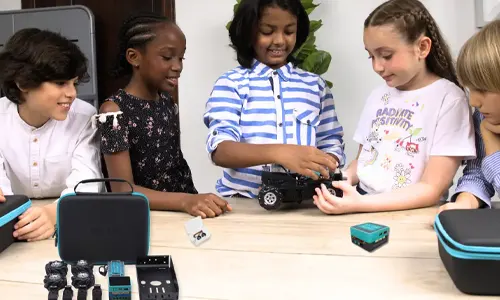
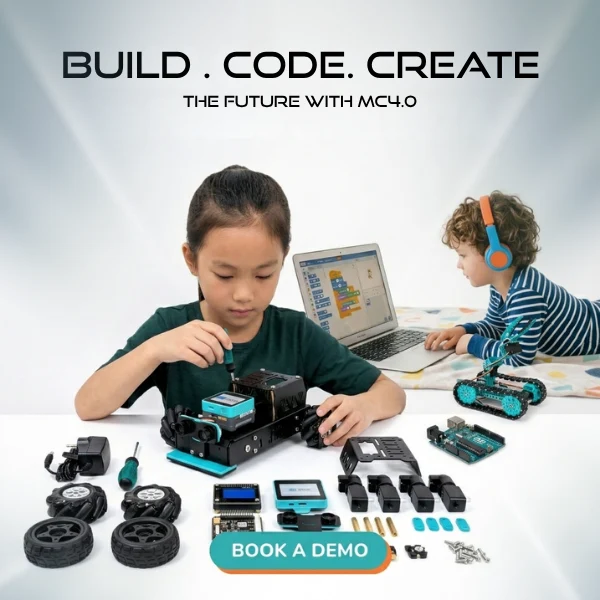
Maker & Coder’s MC 4.0 classroom kits bring together hardware for that next stage. The modular MC Blocks and MC 4.0 Controller extend introductory coding into hands-on STEM exploration. Explore the MC 4.0 classroom kits as one option for continuing that progression. Invite students to carry forward the same habits from their first tasks: predict, build, observe, and revise.
Support educators as classroom learning develops
For a sequence that grows with learners, the K-12 MC Curriculum offers a structured pathway for continued classroom learning. It helps educators connect introductory concepts with future lessons rather than treating the first activity as a one-off event. Professional teacher training supports educators implementing STEM technology and guiding students as activities develop from exploration into deeper creation.
Keep the pathway responsive. After each project, note what students chose to investigate, where they needed support, and what they’re ready to try next. A class interested in interactive stories might explore how instructions shape an outcome; another group may want to build and test a physical idea. The project can change while the learning cycle stays consistent: ask a question, make a plan, test it, and improve it.
That’s how a welcoming first day can become the beginning of sustained learning. Schools planning classroom implementation can connect with Maker & Coder to discuss how curriculum, hands-on tools, and teacher training support their STEM learning goals.
Turn Day-One Curiosity into What Comes Next
The first lesson can plant a question that grows into a student-led project. Capture the ideas learners are excited to explore, then use them to shape what the class investigates next. A thoughtful progression helps students move from wondering how technology works to designing, testing, and improving something of their own. That’s the lasting value of well-chosen first day activities for a coding class: they help learners see themselves as creators, not just users.
For educators planning that progression, Maker & Coder brings together the K-12 MC Curriculum, professional teacher training, and MC 4.0 hardware with modular MC Blocks. Together, these supports connect early classroom exploration to structured learning and hands-on experimentation.
Explore how Maker & Coder can support your classroom STEM learning. Your students’ next big idea can begin with the small question they’re ready to ask today.
Frequently Asked Questions
What age is appropriate for a first coding class?
There’s no single starting age; the right activities depend on students’ communication, reading, and problem-solving skills. Younger learners can explore patterns and instructions through pictures, movement, or spoken directions, while older students may be ready to plan a simple program. Keep the concept consistent and adjust how students engage with it. A useful first goal is for each learner to make or explain a choice.
How long should a first coding class be?
Use the time available in your regular class schedule rather than aiming for a universal lesson length. Allow room for students to settle in, understand the task, and share what they noticed. If the period is short, prioritize one activity and a brief reflection instead of rushing through several tasks. For a longer class, offer an optional extension for students who finish early while keeping the core goal unchanged.
Do students need prior coding experience for a first-day activity?
No. A well-designed introduction gives beginners a way to participate without knowing programming terms or tools. Students with experience can contribute by explaining how they approach a challenge or considering a different solution. For first day activities for a coding class, focus on what learners can observe, decide, or communicate rather than checking who has coded before. This creates a useful starting point for understanding the range of experience in the room.
Can you teach coding without computers on the first day?
Yes. Students can explore ideas such as order, repetition, and cause and effect through movement, spoken directions, or a paper sequence. For example, ask learners to write or draw instructions for a familiar classroom routine, then have a partner follow them exactly. The activity reveals whether a step is missing or unclear and gives students a concrete example to refer to when they later encounter code on a screen.
Should students work alone or in pairs during their first coding class?
Choose the format based on your learning goal and classroom setup. Individual work can help you notice each student’s independent approach; pairs make it easier to compare predictions and share a device. If partners have different experience levels, give them rotating responsibilities, such as explaining a plan and operating the controls. Switch roles during the activity so both learners can make decisions and describe their reasoning.
How can a teacher tell whether a first-day coding activity worked?
Look for evidence of engagement and thinking, not just a finished project. Can students describe what they tried, point out a result they didn’t expect, or suggest a next step? A quick exit prompt such as “What would you change if you tried again?” can reveal their understanding and questions. Use those responses to choose a suitable follow-up challenge and identify concepts that may need another example.
What should students bring to a coding class?
Usually, students can bring their regular classroom materials and a willingness to experiment. Ask them to bring a device only if your class instructions specifically request one; a first lesson may use activities that don’t require personal technology. If students are expected to use a school device, explain how it will be provided and whether they need login details. Clear expectations help prevent uncertainty before the lesson begins.