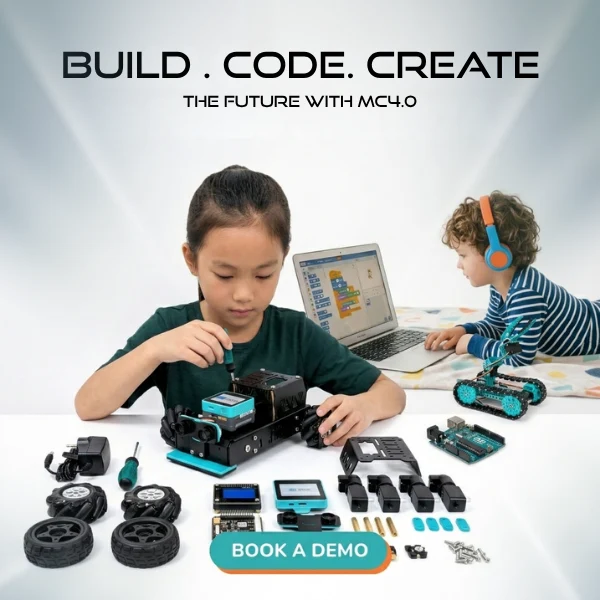
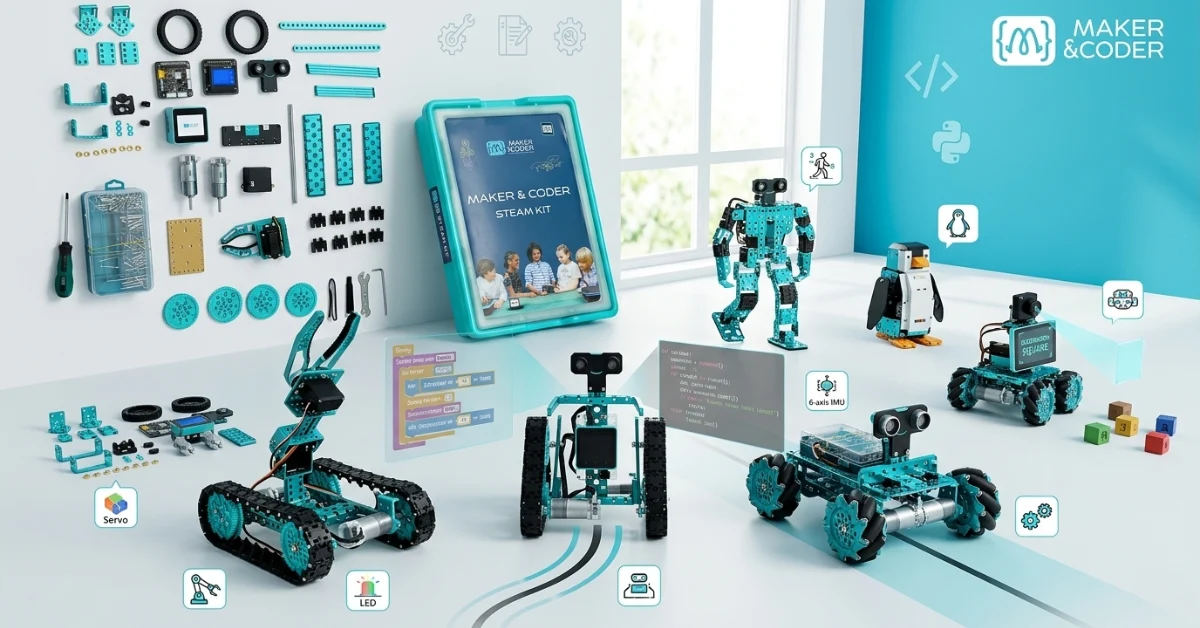
Robotics is much easier to understand when you can see what students will actually make.
That is often the big question for parents, teachers, and school buyers. A kit may sound impressive on paper, but what does it lead to in real learning? What can children build with it? What skills do they gain? And does it offer enough range to grow from beginner-friendly projects to more advanced work?
The MC4.0 STEAM Kit answers those questions with hands-on, buildable projects that connect coding, engineering, design, and problem-solving. It gives students a practical way to move from simple control tasks to intelligent robotics using sensors, motors, AI vision, and both block and Python coding.
In this guide, we will look at 6 real MC4.0 STEAM Kit projects, what each one teaches, and which features power each build. If you are comparing robotics projects for students or looking for STEAM robot builds ages 7+, this overview shows what the kit can do in a classroom or at home.
What the MC4.0 STEAM Kit includes
Before looking at the projects, it helps to know why the kit supports such a wide range of builds.
The MC4.0 STEAM Kit combines hardware, sensors, motors, and coding tools in one system. Students can use the MCLab app to code with visual blocks when they are new to robotics, then move into Python coding as their skills grow. That step-by-step path matters because it helps beginners start fast while still giving older or more confident learners room to advance.
Across different builds, students can work with features such as:
- Block coding and Python coding in MCLab
- DC encoder motors
- Servo motor control
- Ultrasonic sensors
- Line follower sensors
- AI Camera with object recognition (Add-on)
- I2C communication
- 4-wheel Mecanum drive
- 6-axis IMU for motion and orientation data
- RGB LED feedback for visual status and interaction
That mix makes the kit flexible enough for basic movement projects, engineering challenges, autonomous robots, and AI-based activities.
1. Penguin Robot
The Penguin Robot is a great example of how students can build something playful while learning real robotics concepts.
This project combines a gear mechanism, a DC encoder motor, an ultrasonic sensor, and I2C communication. Students build a character-style robot that can react to movement or distance in front of it. The design feels friendly and approachable, which is useful for younger learners, but the systems behind it are serious learning tools.
What students build
- A penguin-themed robot with movement and sensor response
- A project that can detect nearby objects
- A robot that uses coordinated parts to create motion and interaction
What students learn
- How gears transfer motion
- How encoder motors support more controlled movement
- How ultrasonic sensing helps a robot detect distance
- How components communicate through I2C
- How RGB LED feedback can show robot states or responses
MC4.0 features behind the project
- DC encoder motor
- Ultrasonic sensor
- I2C communication
- MCLab app
- Block coding or Python coding
- RGB LED feedback
This is one of the strongest robotics projects for students because it blends mechanical building with coding logic in a way children can see and enjoy.
2. Walking Robot
The Walking Robot introduces students to movement design that goes beyond wheels. Instead of rolling forward, this robot imitates the motion patterns seen in living creatures.
That makes it a strong project for biomimicry engineering design. Students learn how robotic movement can be inspired by nature, then controlled through code using motor control and timing loops.
What students build
- A robot that walks using programmed movement patterns
- A mechanical system that relies on coordinated motion
- A model inspired by how animals move
What students learn
- How motors work together to create a walking sequence
- Why timing matters in robotics
- How loops repeat actions in code
- How engineers use nature as a model for design
- How the 6-axis IMU can help students study balance and orientation
MC4.0 features behind the project
- MCLab app
- Block coding for beginners
- Python coding for extension work
- Motor control functions
- Timing loops
- 6-axis IMU
- RGB LED feedback
For teachers, this project connects robotics to science and design. For parents, it shows that students are not just assembling parts. They are learning how movement is engineered.
3. Line Follower
The Line Follower is one of the clearest examples of autonomous robotics for beginners.
Students build a robot that follows a path using a line follower sensor and decision-making code in MCLab. Instead of remote control, the robot reacts to input and adjusts its movement on its own. That is a major step in robotics learning because it introduces the idea that robots can sense, process, and respond.
What students build
- A robot that tracks a marked line
- A beginner autonomous vehicle
- A project that reacts in real time to sensor input
What students learn
- How sensors collect data
- How code can make simple decisions
- How conditional logic works
- How to test and refine autonomous behavior
- How RGB LEDs can give instant visual cues during debugging
MC4.0 features behind the project
- Line follower sensor
- MCLab app
- Block coding and Python options
- RGB LED feedback
- 6-axis IMU for added motion analysis
This is one of the most practical MC4.0 STEAM Kit projects because it helps students understand the core robotics cycle: sense, decide, act.
4. Smart Vehicle
The Smart Vehicle shows students how advanced mobility works in modern robotics.
This build uses a 4-wheel Mecanum omnidirectional drive, which means the robot can move forward, backward, sideways, and diagonally. That alone makes it exciting. Add ultrasonic obstacle detection, and students begin to explore smart navigation and mobile robotics in a much deeper way.
What students build
- A vehicle that moves in multiple directions
- A robot that can detect nearby obstacles
- A more advanced mobile robotics platform
What students learn
- How Mecanum wheels change robot movement
- How obstacle detection improves navigation
- How to code directional control
- How sensor feedback changes robot behavior
- How the 6-axis IMU can support orientation-aware movement
MC4.0 features behind the project
- 4-wheel Mecanum drive
- Ultrasonic sensor
- MCLab app
- Block coding and Python coding
- 6-axis IMU
- RGB LED feedback
For school buyers, this project shows clear value. It moves beyond simple toy-like builds and into real robotics concepts used in automation and engineering.
5. Robotic Arm
The Robotic Arm is one of the best projects for precision and control. It shifts student learning from basic movement to exact positioning.
This project uses servo motor integration, precise angle control, and Python programming. Students can program the arm to move through set positions, repeat actions, or carry out pick-and-place tasks. It is an ideal bridge into more advanced robotics and coding.
What students build
- A robotic arm with jointed motion
- A system that can move to specific angles
- A project that supports repeatable, precise tasks
What students learn
- How servo motors differ from regular motors
- Why angle control matters in robotics
- How Python can be used for structured robot commands
- How engineers build repeatable automated systems
- How visual feedback through RGB LEDs can signal task stages
MC4.0 features behind the project
- Servo motors
- Python programming in MCLab
- Angle control
- RGB LED feedback
- 6-axis IMU for motion reference and experimentation
Among STEAM robot builds ages 7+, this project has strong long-term value because it grows with the student. Younger learners can begin with guided movement tasks, while older students can develop more precise control routines.
6. AI Project
The AI Project shows what happens when robotics meets computer vision.
With the AI Camera, object recognition, and MCLab Python code, students can build a robot that responds to what it sees. This gives learners an early, practical entry into artificial intelligence. Instead of only hearing about AI, they can watch it work through recognition and response.
What students build
- A robot that uses a camera to identify objects
- A project that reacts based on visual input
- An introduction to AI-enabled robotics
What students learn
- How object recognition works at a basic level
- How visual data can trigger actions
- How Python supports more advanced robotics logic
- How AI can be applied in real machines
- How RGB LEDs can display recognition status or outcomes
MC4.0 features behind the project
- AI Camera
- Object recognition
- Python coding in MCLab
- 6-axis IMU
- RGB LED feedback
This is a standout project for parents and schools because it shows that the kit is not limited to entry-level robotics. It supports future-ready skills in AI, coding, and automation.
STEAM subjects covered across these projects
One reason the kit works so well is that each build connects to more than one subject area.
Students can explore:
- Science: motion, force, sensing, distance, balance
- Technology: coding, AI, sensor systems, device communication
- Engineering: design, prototyping, mechanisms, control systems
- Art: creative robot themes, design choices, visual feedback
- Math: angles, timing, measurement, sequencing, logic
That cross-subject value is important for both classrooms and home learning. It turns building into a broader learning experience.
Why these projects matter for parents and teachers
A good robotics kit should do more than entertain. It should help students build confidence, think clearly, and learn by doing.
These MC4.0 STEAM Kit projects show a strong learning pathway:
- Beginner-friendly builds with visual coding
- Sensor-based projects that teach logic and autonomy
- Mechanical builds that develop engineering thinking
- Python projects that support deeper coding growth
- AI-based activities that introduce advanced technology
That range makes the kit useful for different ages, skill levels, and learning goals.
Conclusion
If you want proof that a robotics kit offers real learning value, projects are the best place to look.
With the MC4.0 STEAM Kit, students can build a Penguin Robot, Walking Robot, Line Follower, Smart Vehicle, Robotic Arm, and AI-powered project. Along the way, they use the MCLab app, explore block and Python coding, and work with features like the 6-axis IMU and RGB LED feedback across multiple challenges.
For parents, that means more meaningful screen-to-build learning. For teachers and schools, it means flexible, hands-on robotics projects that support real STEAM outcomes.
Explore the STEAM Kit and see how students can move from first builds to advanced robotics with one connected system.
FAQ
The kit is well suited for STEAM robot builds ages 7+. Younger students can start with guided builds and block coding, while older students can move into Python and more advanced robotics concepts.
No. Students can begin with block coding in the MCLab app. As they grow more confident, they can progress to Python coding.
It supports a wide range of builds, including character robots, walking robots, line followers, smart vehicles, robotic arms, and AI vision projects.
Yes. It supports multiple STEAM subjects, different skill levels, and project-based learning. That makes it useful for classrooms, clubs, and lab settings.
It includes both. Students can start with simple motion and sensor tasks, then move into precise control, autonomous behavior, and AI-based projects.
They help students apply coding, engineering, and problem-solving in hands-on ways. Students do not just learn theory. They build working systems and test how they behave.
Author Bio
Maker and Coder is dedicated to inspiring the next generation of innovators through creative robotics and coding experiences. Our mission is to empower young learners by making STEAM education accessible, fun, and truly hands-on. We believe every child deserves the chance to build, invent, and explore technology in a supportive environment where curiosity leads to real skills. Through engaging projects and teacher-friendly resources, we help parents and educators foster both creativity and technical confidence—so every student can discover their potential as a maker and coder.