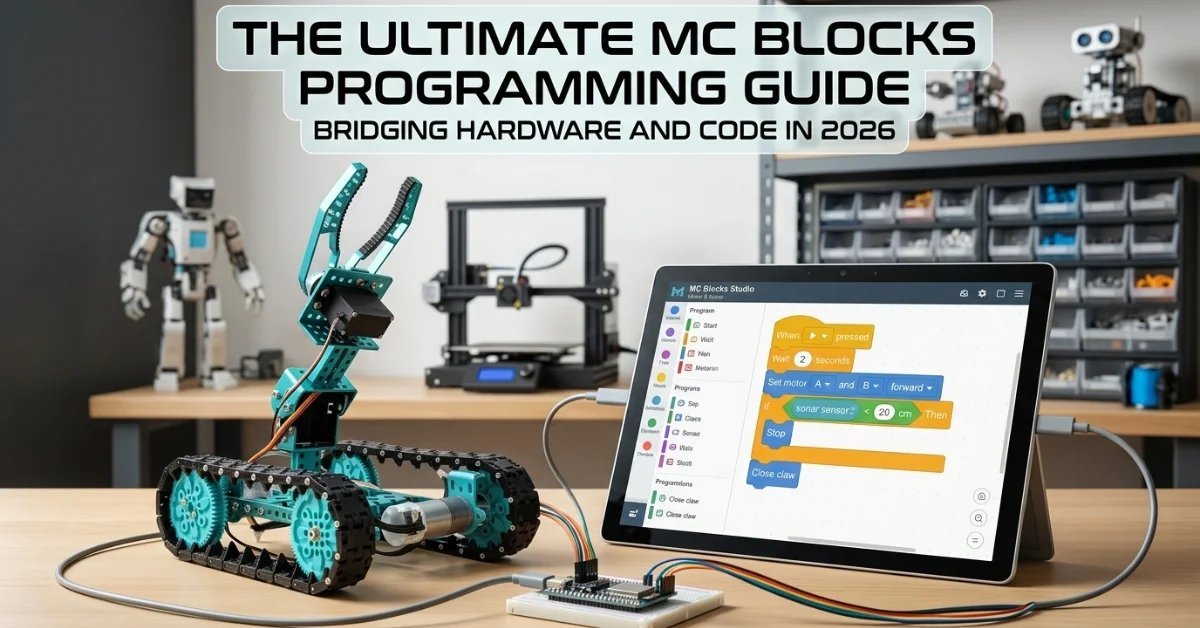
What if the boundary between a digital screen and a functional machine didn’t just blur, but disappeared entirely? For years, educators have struggled to help students move beyond the “game” phase of coding into the realm of real engineering. You’ve likely seen the spark of interest fade when abstract logic fails to produce a physical result. It’s a common hurdle, yet it’s one that no longer has to stall progress in your classroom.
This MC Blocks programming guide serves as your blueprint for bridging that gap. We understand that mastering the transition from screen-based blocks to hardware innovation is the key to unlocking true future-readiness. By the end of this guide, you’ll possess the clarity needed to lead complex hardware-coding projects and the knowledge to scale from basic logic to advanced applications using the MC 4.0 Controller. We’ll break down the MC Blocks ecosystem, explore the modular power of the STEAM and AIoT kits, and show you how to implement a structured curriculum that turns students into creators. Let’s build the future, one block at a time.
Key Takeaways
- Understand how to use this MC Blocks programming guide to bridge the gap between abstract screen-based logic and tangible hardware innovation.
- Learn to leverage the MC4.0 Controller as the central processing brain for modular systems, enabling complex automation and responsive device behaviors.
- Discover the “tactile advantage” and how physical interaction with hardware accelerates student comprehension of advanced STEM concepts.
- Master the blueprint for assembling AIoT-ready devices and mapping functional logic through structured behavioral flowcharts.
- Gain insights into scaling classroom success through the structured K-12 MC Curriculum and professional Teacher Training Programs.
What are MC Blocks? Understanding the Modular Programming Ecosystem
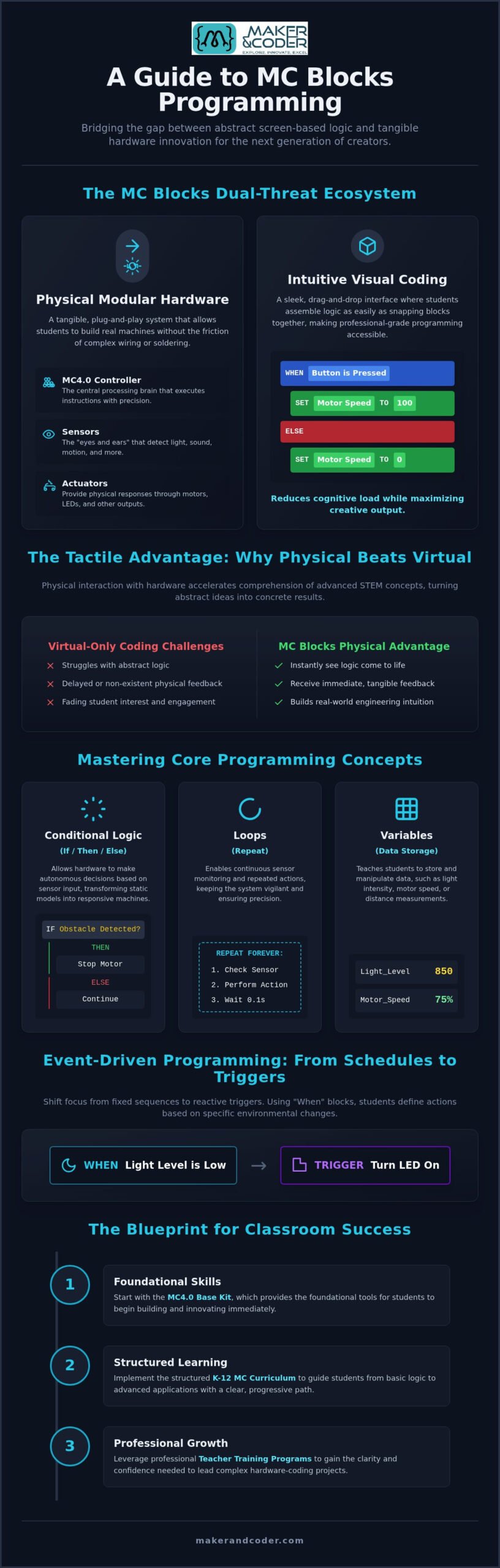
MC Blocks represents a paradigm shift in STEM education. It’s a dual-threat system that combines a physical modular hardware architecture with a sophisticated visual programming language. This MC Blocks programming guide explores how this synergy allows students to see their logic come to life instantly. The heart of this ecosystem is the MC4.0 Controller, a powerful central brain that receives, processes, and executes instructions with precision. By 2026, the educational focus has shifted from screen-only coding to integrated physical computing. This makes the MC 4.0 ecosystem the preferred choice for labs that prioritize real-world readiness and future-proof skills.
The beauty of this system lies in its modularity. Traditional engineering often stalls when students encounter the technical friction of breadboards or intricate circuitry. MC Blocks removes these obstacles. It allows learners to move from a state of curiosity to a state of action in minutes. It’s about empowering students to think like engineers without being slowed down by the limitations of fragile hardware connections.
The Hardware Components of MC Blocks
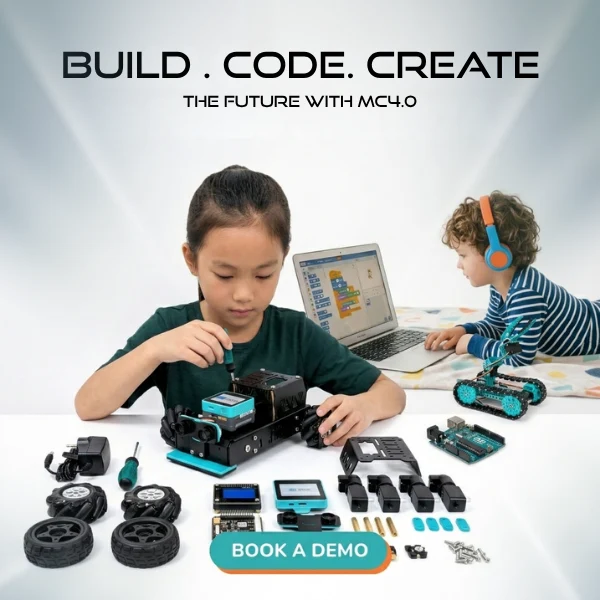
The system relies on a series of modular sensors and actuators that serve as the inputs and outputs of any project. Sensors act as the eyes and ears, detecting light, sound, or motion, while actuators like motors and LEDs provide the physical response. Because the design is entirely plug-and-play, students don’t need to worry about complex wiring or soldering. They focus on the engineering logic instead. This streamlined approach is a core feature of the MC4.0 Base Kit, which provides the foundational tools needed to start building and innovating immediately.
The Visual Coding Interface
Software shouldn’t be a barrier to entry. The MC Blocks interface uses a sleek, drag-and-drop workspace where students assemble logic as easily as snapping blocks together. Categories such as Logic, Math, and Variables are color-coded to help learners organize their thinking and visualize the flow of data. It’s the ultimate expert-as-enabler tool. It takes high-level technology and makes it accessible to beginners without stripping away the power of professional-grade programming. This MC Blocks programming guide highlights how this specific interface reduces cognitive load while maximizing creative output. Students aren’t just playing a game; they’re mastering the same logical structures used in modern software engineering.
Core Programming Concepts: Mastering Logic with MC Blocks
Mastering the logic behind physical hardware represents a significant leap from simple digital animation. This MC Blocks programming guide focuses on the journey from basic linear sequences to sophisticated, autonomous systems. It’s about moving from “do this, then that” to “do this only if a specific condition is met.” By utilizing the MC4.0 Controller, students transform static models into responsive machines that interact with their surroundings in real time. This transition is vital for building the mental models required for advanced robotics and automation.
Conditional logic serves as the cornerstone of this cognitive evolution. Implementing If/Then/Else statements allows hardware to make autonomous decisions, such as a robotic arm pausing instantly when an obstacle is detected. Loops further enhance this capability by enabling continuous sensor monitoring. Rather than checking a sensor once and stopping, the system stays vigilant, repeating the check hundreds of times per second to ensure safety and precision. Variable management rounds out this skillset, teaching students to store and manipulate data like light intensity or motor speed. If you need help tailoring these logic concepts for your specific lab setup, reach out to our team for a consultation.
Event-Driven Programming in MC Blocks
Event-driven programming shifts the focus from fixed schedules to reactive triggers. Using “When” blocks, students define actions based on specific environmental changes. For example, a “When light level is low” block can trigger an LED to illuminate, perfectly mimicking the behavior of an automated streetlamp. This approach to block-based programming in the classroom encourages students to envision potential outcomes and code proactively. It transforms the learning experience from a passive exercise into a visionary pursuit of discovery.
Data Handling and Math Operations
Real-world innovation requires precise data management and mathematical accuracy. By following the principles in this MC Blocks programming guide, students learn to capture numerical values from sensors, such as temperature or distance, and store them in variables. Math blocks then allow them to set specific thresholds and compare values. If a temperature sensor reads above a certain degree, the logic can trigger a cooling fan. This ensures that every hardware response is grounded in accurate, measurable data, bridging the gap between math theory and physical application.
From Screen to Machine: Why Physical MC Blocks Outperform Virtual Coding
Many educators start with virtual coding environments because they are accessible. However, the true breakthrough in student engagement happens when code leaves the screen. This MC Blocks programming guide emphasizes the “Tactile Advantage”; the cognitive boost that occurs when a student builds a physical machine. While virtual blocks in games offer a safe sandbox, they lack the sensory feedback of a spinning motor or a glowing sensor. Building with the MC 4.0 Controller forces students to confront real-world physics, gravity, and friction. It transforms abstract logic into a tangible achievement.
Critics often ask if block-based logic can truly handle professional-grade AIoT. The answer lies in the architecture of the MC 4.0 ecosystem. These aren’t just toys; they are sophisticated modular tools designed to execute complex operations. By starting with blocks, students master the underlying logic of engineering without getting bogged down by syntax errors. This foundation creates a direct bridge to prestige-tech careers in robotics and systems design. It’s about building the confidence to innovate before moving to text-based languages.
Real-World Feedback Loops
Physical hardware provides an immediate, unmistakable feedback loop. When a student codes a block to trigger a motor, the result is visible and audible. This instant gratification reinforces learning. More importantly, it introduces the vital skill of hardware troubleshooting. If a robot doesn’t move, is the logic flawed, or is a component misaligned? Solving these puzzles develops critical thinking and spatial reasoning in ways a digital simulation simply cannot. It’s a journey from passive consumption to active creation.
Scaling with MC4.0 AIoT and STEAM Kits
Growth doesn’t stop at basic sequences. The ecosystem is designed to scale with the learner’s ambition. By integrating the MC4.0 AIoT Kit, classrooms can move into advanced connectivity and internet-enabled projects. This kit introduces students to the Artificial Intelligence of Things (AIoT) era, where devices communicate across networks to solve complex problems. Whether it’s a smart garden that logs moisture levels or a weather station that syncs data to the cloud, these projects prepare students for a world where everything is connected. It’s the ultimate preparation for the high-tech demands of 2026 and beyond.
Project Blueprint: Building Your First AIoT-Ready Device
Moving from conceptual logic to a functional prototype is the ultimate fulfillment of the Maker & Coder philosophy. This MC Blocks programming guide outlines a methodical approach to building devices that don’t just sit on a shelf but actively solve problems. By following this structured blueprint, you move from a blank workspace to a fully functional automated system that interacts with the physical world in real time.
- Step 1: Hardware Assembly. Click your chosen sensors and actuators into the MC4.0 Controller. The secure, plug-and-play interface ensures immediate hardware recognition without the frustration of loose wires or complex soldering.
- Step 2: Logic Mapping. Designing a flowchart is the bridge between human intent and machine execution. It forces students to think through every possible scenario, such as what happens if a sensor fails or a value exceeds the expected range.
- Step 3: Programming. Open the workspace and drag the corresponding blocks into position. Align your code with the logic map created in the previous step, ensuring each block represents a specific hardware action or decision point.
- Step 4: Testing and Iteration. True engineering is found in the refinement process. Students learn to analyze physical results and return to the code to adjust thresholds, proving that failure is just a data point on the path to innovation.
This cycle of creation and refinement is what builds the confidence of an industry leader. It’s a journey that takes a student from a state of curiosity to a state of mastery, where they no longer see technology as a daunting challenge but as an accessible tool for expression.
Case Study: The Smart Classroom Garden
Using the MC4.0 STEAM Kit, students can build a self-sustaining ecosystem that monitors and maintains itself. By pairing soil moisture sensors with water pumps, the system tracks plant health around the clock. Time-based loops ensure that the pump only activates during optimal windows, preventing over-saturation and conserving resources. The integration of environmental data into block logic transforms a simple plastic model into a living, data-driven engineering project.
Advanced Extension: Cloud Data Logging
Scaling your project for the modern world requires connectivity and remote access. The MC4.0 AIoT Kit allows you to move beyond local control by using “Cloud Blocks” to send sensor data over Wi-Fi. This bridge connects a primary school garden to a professional-grade dashboard for remote monitoring, teaching students how industrial IoT systems operate in the real world. It prepares them for a future where data is accessible from anywhere and systems are managed globally. If you are ready to bring these advanced projects to your school, contact our educational consultants today.
Implementing MC Blocks in the Classroom: Curriculum and Support
Implementing a new technology platform can feel like a daunting challenge without the right structure. Maker & Coder eliminates this friction by providing a comprehensive K-12 MC Curriculum designed for immediate classroom integration. This MC Blocks programming guide serves as the foundation for a structured pathway that grows with your students. From basic tactile exploration in primary school to advanced AIoT projects in high school, the curriculum aligns with international academic standards, including the 2026 CSTA updates, to ensure every project contributes to measurable success. We provide ready-to-use lesson plans that remove the technical barrier. This allows you to focus on the joy of discovery rather than troubleshooting software.
Teacher Training: Empowering the Enablers
True innovation requires more than just hardware; it requires confident leaders at the front of the room. Our Teacher Training Programs bridge the gap between initial curiosity and professional mastery. During a Maker & Coder professional development session, you’ll engage in hands-on hardware interaction and logic mapping. You won’t just learn how to use the tools. You’ll learn how to lead a classroom through complex engineering challenges with authority. It’s about moving from a supportive mentor to a confident STEM leader who can inspire the next generation of pioneers. You’ll gain access to a community of forward-thinking educators who are equally invested in future-readiness and collaborative growth.
Scaling Your STEM Lab
Building a world-class STEM lab is a methodical process that rewards long-term vision. Start by planning your hardware rollout with the MC 4.0 Kit, which serves as the versatile core of your modular environment. Whether you’re running a dedicated engineering class or an extracurricular robotics club, the curriculum is fully customizable to fit your school’s specific goals. We understand that every educational environment is unique. This is why we offer tailored support to help you maximize your investment and achieve academic standards. This MC Blocks programming guide ensures that as your lab grows, your students’ capabilities scale alongside it. Contact our educational consultants to build your custom STEM roadmap and take the first step toward a more innovative, purposeful classroom environment today.
Empowering the Next Generation of Visionary Innovators
The transition from digital logic to physical engineering doesn’t have to be a daunting leap. This MC Blocks programming guide has demonstrated how modular, solder-less hardware removes technical friction, allowing students to focus on creative expression and real-world problem solving. By bridging the gap between a screen and a machine, you provide learners with the fulfillment of building something tangible and functional. Whether they are assembling an AIoT device or exploring basic automation, the MC4.0 Controller ensures their logic has a powerful physical impact.
Sustaining this momentum in the classroom requires a reliable partner and a clear roadmap. Our K-12 structured MC Curriculum and Professional Teacher Training Programs are designed to eliminate implementation barriers, giving you the peace of mind to lead with authority. It’s time to move beyond the abstract and start building the future of STEM in your school. Request a Teacher Training Demo or Curriculum Consultation to discover how we can support your journey. Let’s work together to inspire the bold pioneers of 2026 and beyond.
Frequently Asked Questions
What is the difference between MC Blocks and Minecraft coding?
MC Blocks focuses on physical modular hardware while Minecraft coding is entirely virtual. While both use block-based logic, MC Blocks allows students to control physical sensors and actuators in the real world through the MC4.0 Controller. This tactile interaction bridges the gap between screen-based games and actual engineering. Students move from manipulating pixels to managing physical environmental data and machine responses with tangible results.
Do I need prior coding experience to teach with the MC 4.0 Kit?
No prior coding or engineering experience is required to start teaching with the MC 4.0 Kit. The system is designed to be plug-and-play, removing the technical friction of complex wiring or syntax errors. Maker & Coder provides comprehensive Teacher Training Programs to ensure you feel like a confident STEM leader from day one. Our “expert-as-enabler” philosophy ensures that high-level technology remains accessible to every educator.
Can MC Blocks be used to teach text-based languages like Python later on?
Yes, MC Blocks serves as a direct gateway to text-based languages like Python. The logical structures students master in this MC Blocks programming guide, such as loops, variables, and conditional statements, are the same fundamentals used in professional coding. Once students understand the logic behind the physical hardware, the transition to text-based syntax becomes a natural and empowering progression in their cognitive development.
What age group is the MC Blocks programming guide designed for?
This MC Blocks programming guide and the associated ecosystem are specifically engineered for K-12 education. The modular nature of the hardware allows for varying levels of complexity across different grade levels. Primary students can focus on basic cause-and-effect sequences with the MC4.0 Base Kit. High school students can explore advanced Artificial Intelligence of Things (AIoT) concepts and remote data logging using more sophisticated kits and logic.
How does the MC4.0 Controller connect to my computer or tablet?
The MC4.0 Controller connects to computers or tablets via a standard USB cable or through wireless Bluetooth and Wi-Fi connections. This flexibility ensures that the system works seamlessly across various classroom environments, whether you’re using Chromebooks, tablets, or desktop PCs. The wireless capability is especially useful for mobile robotics projects, allowing students to test their code in real time without being tethered to a workstation.
Is the MC Curriculum aligned with CSTA or NGSS standards?
The MC Curriculum is fully aligned with current 2026 CSTA PK-12 Computer Science Standards and NGSS requirements. Every lesson plan is designed to meet specific academic benchmarks while fostering future-ready skills. We prioritize ethics, societal impacts, and the integration of AI within our hardware projects. This alignment provides educators with the peace of mind that their STEM lab activities are both engaging and pedagogically sound.
What happens if a student breaks a modular MC Block during a lesson?
MC Blocks are built with a durable, child-friendly design to withstand the rigors of a K-12 classroom. Because the system is entirely modular and solder-less, individual sensors or actuators are easily replaceable if damage occurs. This modularity ensures that a single broken component doesn’t stall an entire project. It’s a reliable, classroom-ready solution that minimizes downtime and maximizes the time students spend on active, physical discovery.
How much time does it take to set up a standard MC Blocks project in class?
A standard project can be physically assembled and ready for programming in under five minutes. The plug-and-play design eliminates the need for breadboards or complex circuitry that often eats into valuable lesson time. Most classroom sessions are structured to move from setup to logic mapping and execution within a single 45-minute period. This efficiency allows students to focus on the iteration and refinement of their engineering ideas.