Imagine a world where a student’s sculpture doesn’t just sit on a pedestal; it breathes, glows, and reacts to the viewer. In the modern classroom, code is no longer just a computer science requirement. It’s the new charcoal. You’ve likely seen the glazed look in students’ eyes when coding remains trapped behind a glass screen, or felt the weight of technical anxiety when trying to bridge the gap between traditional media and digital innovation. This guide provides robust STEAM lesson plans for visual arts that turn abstract logic into tactile, interactive masterpieces.
You’ll discover how to seamlessly integrate programming and specialized hardware into your curriculum to inspire a new generation of digital-physical creators. We’ll explore how to transform your art room into a future-ready laboratory of expression using the modular MC 4.0 Kit. It’s time to move beyond the screen and start building the future of creative expression, one block at a time. By the end of this article, you’ll have the confidence to lead your students from basic concepts to advanced, physical applications that bridge the digital and the real.
Key Takeaways
- Shift your perspective from functional programming to expressive coding, treating software as a versatile artistic medium like charcoal or clay.
- Explore how the MC 4.0 Controller and tool-less MC Blocks allow students to physicalize their code through interactive, tangible sculptures.
- Implement structured STEAM lesson plans for visual arts that bridge the gap between traditional art theory and modern generative logic.
- Discover actionable project ideas, from collaborative living murals to sound-reactive installations, specifically designed for the 2026 art classroom.
- Build a sustainable creative ecosystem using the MC Curriculum and specialized Teacher Training Programs to eliminate educator technical anxiety.
Table of Contents
What is Creative Coding in the Modern Art Classroom?
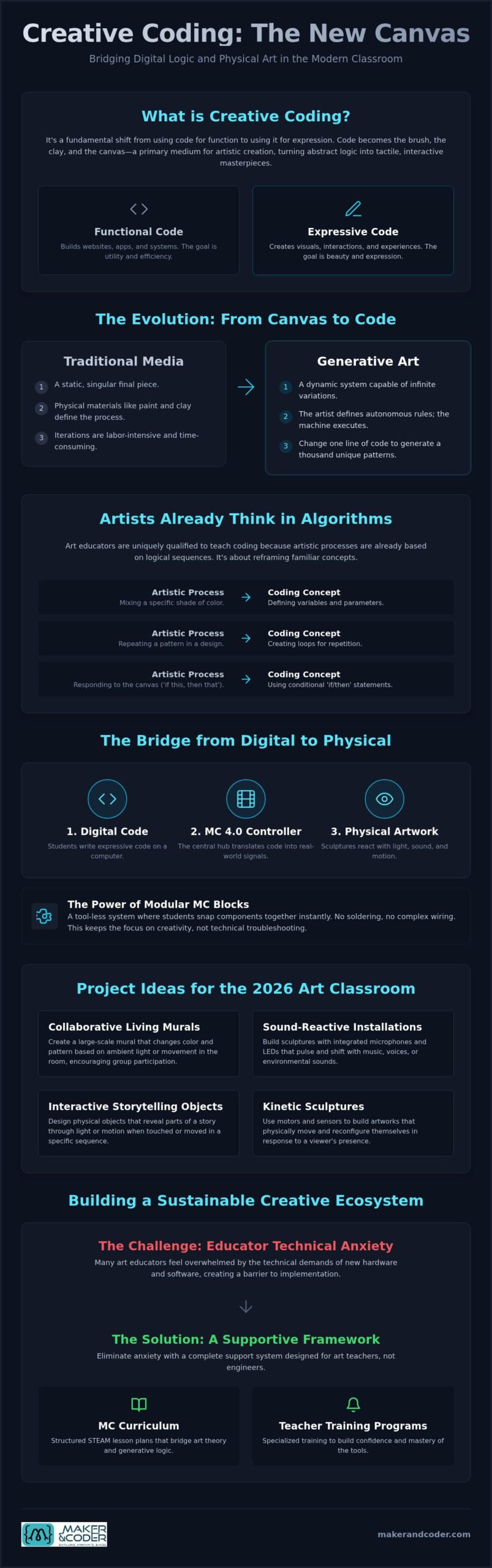
Creative coding is the intentional use of computer programming as a primary medium for artistic expression. It represents a fundamental shift in how we perceive technology in the studio. Instead of using a computer to simply document or digitize a physical work, the code itself becomes the brush, the clay, and the canvas. As we approach 2026, educational standards are increasingly prioritizing this fusion of computational thinking and digital literacy. This isn’t about training future software engineers; it’s about empowering the next generation of creators to master the digital-physical bridge.
Effective STEAM lesson plans for visual arts move the focus away from functional code, like building a website, and toward expressive code that prioritizes visuals and interactions. This evolution turns the classroom into a laboratory where logic meets intuition. It’s a space where students don’t just consume technology, they manipulate its very DNA to create something beautiful and unique.
The Evolution from Canvas to Code
The transition from traditional media to digital systems isn’t a replacement but an expansion of the artist’s toolkit. Early pioneers like Vera Molnár proved that computers could be used to explore geometric variation with a precision human hands could never achieve. Today, this has blossomed into the field of generative art. Generative art is a system-led creative process where the artist defines a set of autonomous rules and the machine executes the output. This allows for infinite iterations that traditional media simply cannot match. A student can change one line of code and instantly generate a thousand unique variations of a pattern, encouraging a level of experimentation that was previously impossible.
Why Art Teachers are the Best Coding Instructors
Art educators often feel a sense of technical anxiety when faced with programming, yet they are actually the most qualified people to teach it. Artists already think in algorithms. Every time you explain the steps to mix a specific shade or the layers required for a screen print, you are outlining a logical sequence. Reframing these concepts makes them accessible. Variables become brush strokes. Loops become rhythmic patterns. Conditionals become the ‘if-then’ choices an artist makes while responding to their work.
In the art room, we also value the ‘beautiful accident.’ When a student makes a mistake in their code, it often results in a visual outcome more interesting than the original plan. This mirrors the organic discovery found in traditional painting. By integrating the MC 4.0 Kit into your STEAM lesson plans for visual arts, you provide a tangible way for these digital experiments to enter the physical world. It turns abstract logic into something students can touch, feel, and manipulate. This approach builds confidence by proving that code is just another way to bring an idea to life.
Essential Tools for Creative Coding: Software vs. Hardware
Traditional digital art often remains trapped behind a glass screen. While libraries like p5.js or Processing are excellent for learning the fundamentals of What is Creative Coding?, students often crave a more tactile connection to their work. This is where physical computing changes the game. By moving from pixels to physical components, you transform a static lesson into an immersive experience.
The MC 4.0 Controller acts as the central hub for this interaction. It bridges the gap between code and the real world. Sensors for light, sound, and motion serve as the eyes and ears of the artwork. They allow a sculpture to react when someone walks by or a painting to change colors based on the volume of a room. This interactivity is a cornerstone of modern STEAM lesson plans for visual arts. It invites students to consider how their art exists in a physical space rather than just a digital one. Incorporating these elements into your STEAM lesson plans for visual arts helps transition students from passive consumers to active innovators. Modularity is key here. A clean workspace fosters a clear mind, and avoiding cable clutter ensures that the technology supports the art instead of distracting from it.
The Power of Modular Hardware: MC Blocks
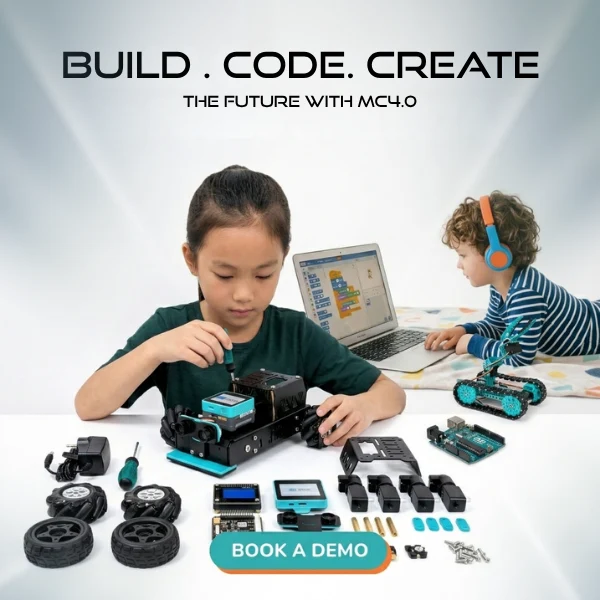
Organizing a high-tech art room can quickly become a logistical nightmare of tangled wires and delicate components. Using MC Blocks solves this by providing a tool-less, modular system. Students can snap components together instantly. There’s no need for soldering or complex wiring. This ease of use allows the focus to stay on the creative process rather than technical troubleshooting. Connecting a physical light sensor to a digital logic block provides a tactile satisfaction that a mouse click cannot replicate. The MC4.0 Base Kit is built for the rigors of the classroom, offering the durability needed for high-frequency use across multiple periods.
Choosing the Right Kit for Your Grade Level
Selecting the appropriate tools is essential for maintaining engagement. For primary school learners, focus on simple cause-and-effect projects using the MC4.0 Base Kit. It’s about spark and response. Middle school students can push further by integrating motion and robotics with the MC4.0 STEAM Kit, adding kinetic elements to their designs. High school students require more complexity. The MC4.0 AIoT Kit enables advanced, data-driven art that connects to the cloud or responds to environmental data. If you aren’t sure which path fits your classroom best, you can reach out to our team for expert advice on your specific needs.
Core Concepts: Bridging Art Theory and Generative Logic
Generative logic acts as a bridge, connecting mathematical precision with artistic intuition. When you design STEAM lesson plans for visual arts, you’re teaching students to see the underlying structures of the world. Logic isn’t a constraint; it’s an enabler for complex expression. It allows a creator to set a system in motion and then curate the results, shifting the role of the artist from a maker of objects to a designer of processes.
Consider repetition and pattern. In a traditional art class, creating a complex tessellation is a manual, time-consuming process. In a digital environment, a ‘for loop’ functions as a digital loom, weaving intricate textures and repeating motifs with perfect accuracy. This allows students to focus on the higher-level composition rather than the repetitive labor. They can experiment with thousands of iterations in seconds, finding the perfect balance of form and space.
Randomness vs. Intent is another critical concept. While computers are typically rigid, the random() function mimics organic variation. It replicates the slight tremors of a hand-drawn line or the chaotic distribution of stars in a galaxy. By adjusting the range of randomness, students learn to balance machine-led chaos with human-led intent. This logic evolves into interaction through ‘if-then’ statements. This simple logic turns a static canvas into a responsive installation that changes when a viewer approaches. Variables act as dynamic palettes. Instead of picking a single static color, students map data to control opacity, scale, and hue in real-time.
Generative Composition: The New Still Life
Coding allows students to analyze and reconstruct classic styles through a modern lens. They can use algorithms to mimic the fragmented perspectives of Cubism or the meticulous dot-work of Pointillism. By using seed values, students can generate unique yet related versions of a single artwork, ensuring that every output feels like part of a cohesive series. Variables allow students to sculpt with data, treating information as a physical material that can be bent, stretched, and colored.
Physical Outputs: Beyond the Screen
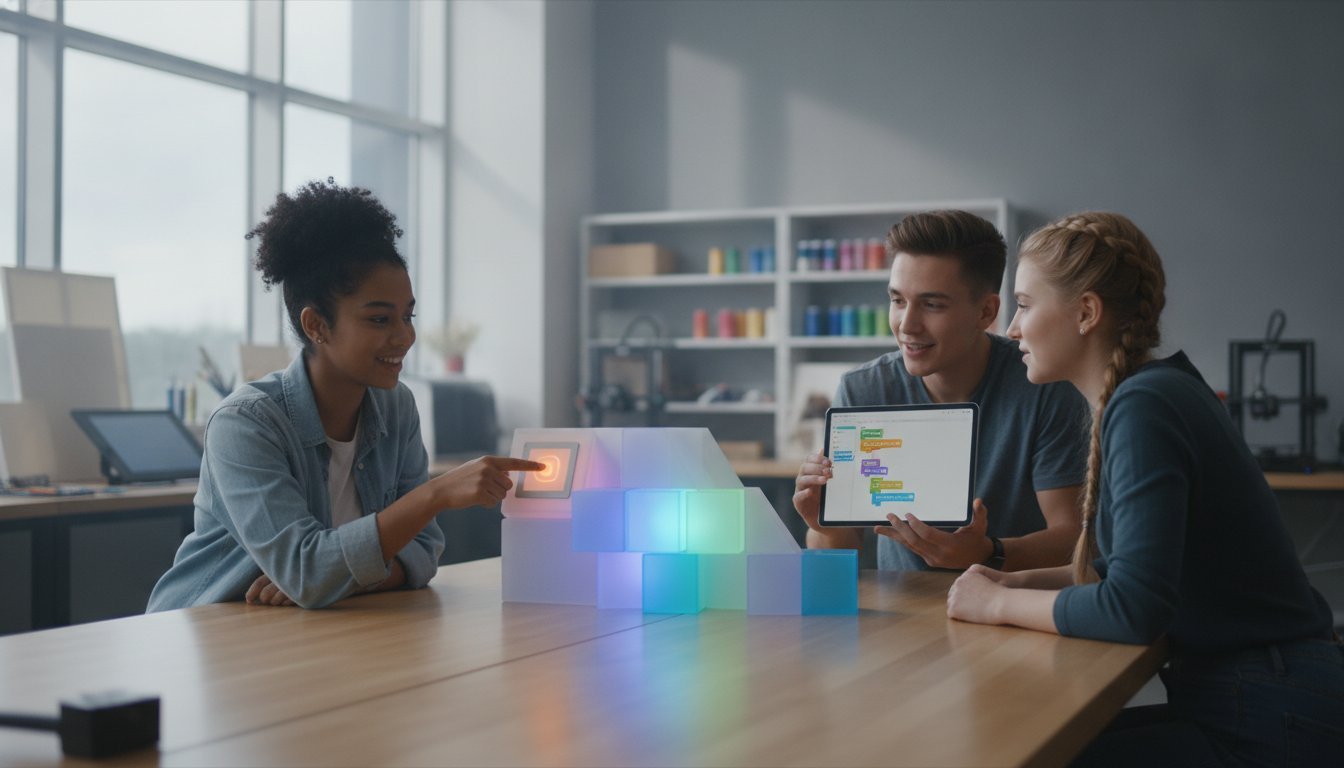
True transformation occurs when these concepts leave the monitor. Using the MC4.0 STEAM Kit, students can drive servos that physically paint or draw on paper, bridging the gap between digital logic and mechanical motion. Light-based art, or Lumia, comes to life when students use RGB LEDs and sensors to create glowing sculptures that react to their environment. This process, known as Data Physicalization, turns abstract numbers into tangible art. It moves the conversation from what art looks like to how it behaves, making STEAM lesson plans for visual arts deeply engaging and multisensory.
5 Creative Coding Projects for Your Art Class
Transitioning from theory to practice requires a roadmap. These projects move beyond the screen, transforming your classroom into a studio of the future. Each concept is designed to integrate into modern STEAM lesson plans for visual arts, ensuring that technology serves the aesthetic vision rather than overshadowing it. By using modular hardware like the MC 4.0 Kit, students can focus on the “why” of their creation while the “how” remains accessible and reliable.
- Project 1: The Living Geometric Mural. A collaborative exercise where students contribute code to a shared generative projection. Individual patterns overlap to create a massive, evolving digital tapestry.
- Project 2: Sound-Reactive Sculpture. Using the MC4.0 AIoT Kit, students build sculptures that pulse or rotate based on the ambient noise in the room. This turns sound into a physical, kinetic material.
- Project 3: The Robotic Sketchbook. Attach pens or charcoal to servos driven by the MC4.0 STEAM Kit. Students code the movement to explore the tension between mechanical precision and human texture.
- Project 4: Interactive Light Installations. Use proximity sensors on the MC4.0 Controller to trigger light sequences. The artwork remains dormant until a viewer approaches, making the audience an active participant.
- Project 5: Environmental Data Art. IoT sensors monitor classroom CO2 or light levels. This data is mapped to a color-changing light sculpture, visualizing the invisible health of the learning environment.
Project Deep Dive: The Sound-Reactive Sculpture
This project is a favorite for introducing interactivity. Start by connecting the sound sensor to the MC4.0 Controller using tool-less MC Blocks. Next, guide students to code the controller to map incoming volume levels to the rotation speed of a motor. Finally, attach physical materials like wire, translucent paper, or fabric to the moving motors. The result is a work of art that literally dances to the rhythm of the classroom, providing an immediate, visceral connection between logic and motion.
Scaling Projects for Different Skill Levels
Versatility is essential for successful STEAM lesson plans for visual arts. For primary students, keep the focus on simple cause and effect using block-based coding environments. They can snap together an LED and a button to learn basic logic. Middle schoolers can advance to complex motion, while high school students can utilize Python to process live data streams. When assessing these works, grade the logic of the system as much as the final aesthetic. A successful project is one where the code and the art feel inseparable. If you need help tailoring these projects to your specific grade level, contact our educational consultants for a personalized walkthrough.
Implementing a Sustainable STEAM Ecosystem
Success in the modern art room requires more than a single inspiring project. It demands a shift from isolated digital experiments to a cohesive, school-wide strategy. By adopting a structured K-12 MC Curriculum, you ensure that students build on their knowledge year after year, preventing the project fatigue that often occurs when technology is introduced without a long-term roadmap. This progression moves learners from basic cause-and-effect interactions to complex, data-driven installations.
Effective STEAM lesson plans for visual arts thrive when educators feel supported. Managing a busy art department means keeping hardware like MC Blocks and Controllers organized and accessible. These modular tools are designed for high-frequency use, but their true value is unlocked through cross-departmental collaboration. When Art and Computer Science teachers share resources and insights, they create a richer environment where technical logic and aesthetic vision are treated as equal partners. This synergy allows students to see that the boundaries between disciplines are often artificial.
Professional Development: The Key to Success
Art teachers possess a unique visual language. They don’t need generic IT support; they need training that respects their creative expertise. Maker & Coder Teacher Training Programs are designed specifically to bridge the technical gap for non-CS staff. These programs empower you to lead with confidence, transforming technical anxiety into creative momentum. By building a community of practice within your school, you can share project wins and troubleshoot challenges together, ensuring that digital innovation becomes a permanent part of your teaching culture. This shared knowledge base makes STEAM lesson plans for visual arts more resilient and scalable.
Investing in the Future of Your Students
The skills students gain from creative coding extend far beyond the classroom walls. This intersection of logic and design prepares them for future-ready careers in UX/UI design, architecture, and interactive media. Investing in the MC 4.0 Kit provides your department with a durable, versatile asset that will serve hundreds of students over many years. It’s a commitment to a new kind of literacy. Remember, coding isn’t replacing traditional art; it’s expanding the very definition of what an artist can achieve. You’re giving your students the tools to not only imagine the future but to build it.
Shaping the Future of Creative Expression
The art room is no longer limited by the edges of a canvas or the borders of a screen. By integrating code as a primary medium, you empower students to build responsive, kinetic works that interact with the real world. You’ve seen how modular hardware and generative logic transform abstract concepts into tangible masterpieces. Utilizing comprehensive STEAM lesson plans for visual arts ensures this transition is grounded in academic standards while sparking genuine curiosity in every learner.
Building a sustainable digital ecosystem requires the right tools and professional support. Our platform provides a K-12 Curriculum Aligned with global standards and Professional Teacher Training to build your staff’s confidence. With our modular, No-Solder MC Blocks, technical barriers disappear. This leaves only the joy of discovery and the fulfillment of building something real. It’s an evolution that prepares students for a world where technology and creativity are inseparable.
Start your STEAM journey: Contact us for bespoke classroom solutions and lead your students into the future of creative expression. It’s time to redefine what’s possible in your studio.
Frequently Asked Questions
Do I need to be a computer scientist to teach creative coding in art class?
No, you don’t need a computer science degree to lead these lessons. Our Teacher Training Programs are designed to translate technical concepts into the visual language art educators already speak. We focus on empowering you to see code as a medium, much like paint or clay, so you can guide your students with confidence. It’s about shifting from technical anxiety to creative momentum.
What age group is best suited for the MC 4.0 hardware kits?
The MC 4.0 ecosystem is designed for the entire K-12 spectrum. Primary school students thrive with the MC4.0 Base Kit’s simple cause-and-effect logic. Middle and high school students can progress to the MC4.0 STEAM Kit or AIoT Kit to explore complex robotics and data-driven art installations. This modular approach ensures the technology grows with the student’s cognitive development.
How do I grade a coding project in an art context?
Focus your assessment on both the technical logic and the final aesthetic impact. Effective STEAM lesson plans for visual arts use rubrics that reward creative problem-solving and the “beautiful accidents” that occur during the coding process. Grade how well the student’s code achieves their intended artistic vision rather than just looking for functional, bug-free software.
Can creative coding projects be done without expensive hardware?
While software-only platforms exist, physical hardware provides a tactile connection that screens cannot replicate. Investing in a modular MC 4.0 Kit ensures your department has a durable, reusable asset that lasts for years. This hardware moves art from a static image to a responsive, physical presence in the classroom, which significantly increases student engagement.
How much time should I allocate for a typical creative coding unit?
Allocate four to six weeks for a comprehensive creative coding unit. This provides enough time for students to grasp basic logic, experiment with sensors, and refine their final physical output. Shorter two-week introductory modules also work well for sparking initial interest in digital-physical creation before moving into more complex, long-term projects.
Is Python or block-based coding better for art students?
Block-based coding is ideal for beginners because it focuses on visual logic without the frustration of syntax errors. It allows students to see the structure of their ideas immediately. As students mature, transitioning to Python allows for more sophisticated control over data and complex interactions. Both methods are valuable depending on the student’s current skill level and project goals.
What are the best sensors to use for interactive art projects?
Light, sound, and motion sensors are the most effective tools for interactive art. These components allow a sculpture to react to a viewer’s proximity or a painting to change color based on the room’s volume. They act as the “eyes and ears” of a student’s digital-physical creation, turning a static object into a responsive experience.
How can I integrate creative coding into a traditional painting or sculpture unit?
Start by adding interactive light or kinetic elements to traditional works. You can use STEAM lesson plans for visual arts to teach students how to embed RGB LEDs into a sculpture or use servos to move a painted canvas. This approach expands traditional media rather than replacing it, allowing students to bridge the gap between classic techniques and modern technology.