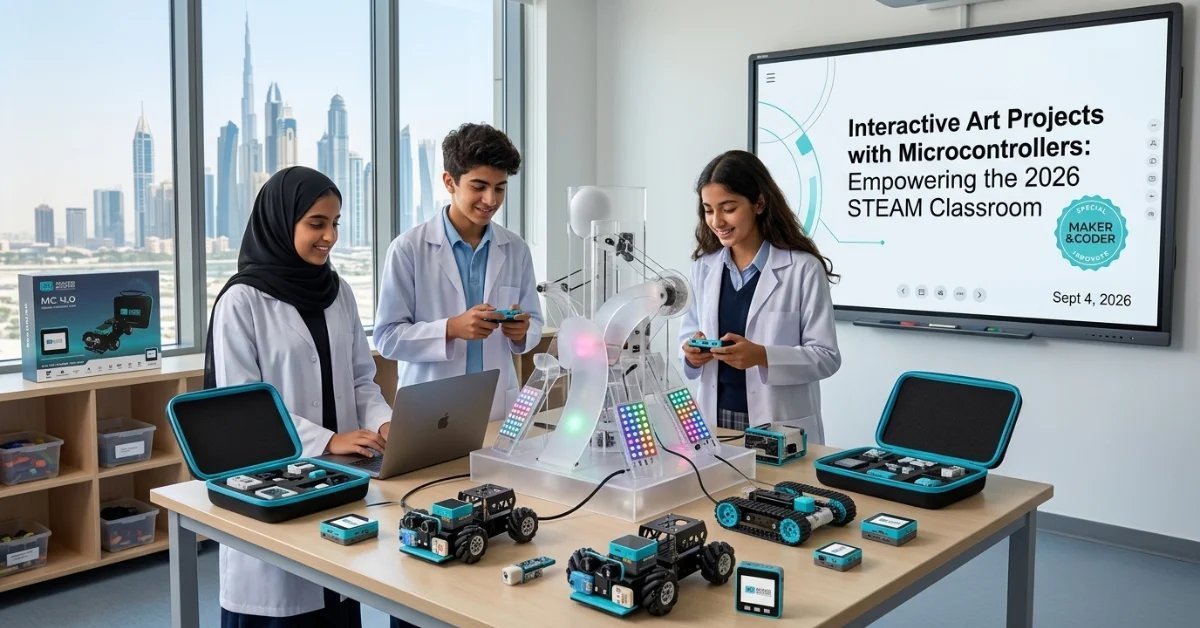
What if the next masterpiece in your classroom didn’t just hang on a wall, but reacted to the heartbeat of the person standing in front of it? In the 2026 STEAM environment, code is the new charcoal; it’s a tactile, expressive medium that physicalizes imagination through modular hardware. Implementing interactive art projects with microcontrollers shouldn’t feel like a pivot toward engineering, but rather a natural evolution of the artist’s toolkit. It’s about giving students the power to make their visions move, glow, and respond to the world around them.
You’ve likely felt the anxiety that comes with introducing high-level tech into a creative space. The fear of complex wiring, the time required to master new languages, and the concern that screens might replace sketchbooks are all valid hurdles for any dedicated educator. This article will show you how to bypass these technical roadblocks using modular kits that require zero soldering. You’ll learn to implement successful STEAM standards while keeping the focus on artistic expression. We’ll explore the transition from traditional crafts to smart installations, ensuring your students become confident creators who treat technology as a seamless extension of their own hands.
Key Takeaways
- Redefine your curriculum by treating code as a tactile medium, moving students from static observations to dynamic, responsive installations.
- Discover how to implement interactive art projects with microcontrollers using modular hardware like MC Blocks, which eliminate the need for complex wiring or soldering.
- Explore high-impact creative coding projects, including living murals and kinetic sculptures, that align with the latest 2026 STEAM standards.
- Transition from art educator to STEAM innovator by adopting an “expert-as-enabler” mindset supported by professional Teacher Training Programs.
- Build a durable, school-wide creative ecosystem using the MC 4.0 platform to ensure your technology investments survive years of rigorous classroom use.
The Evolution of the Art Room: Why Code is the New Medium
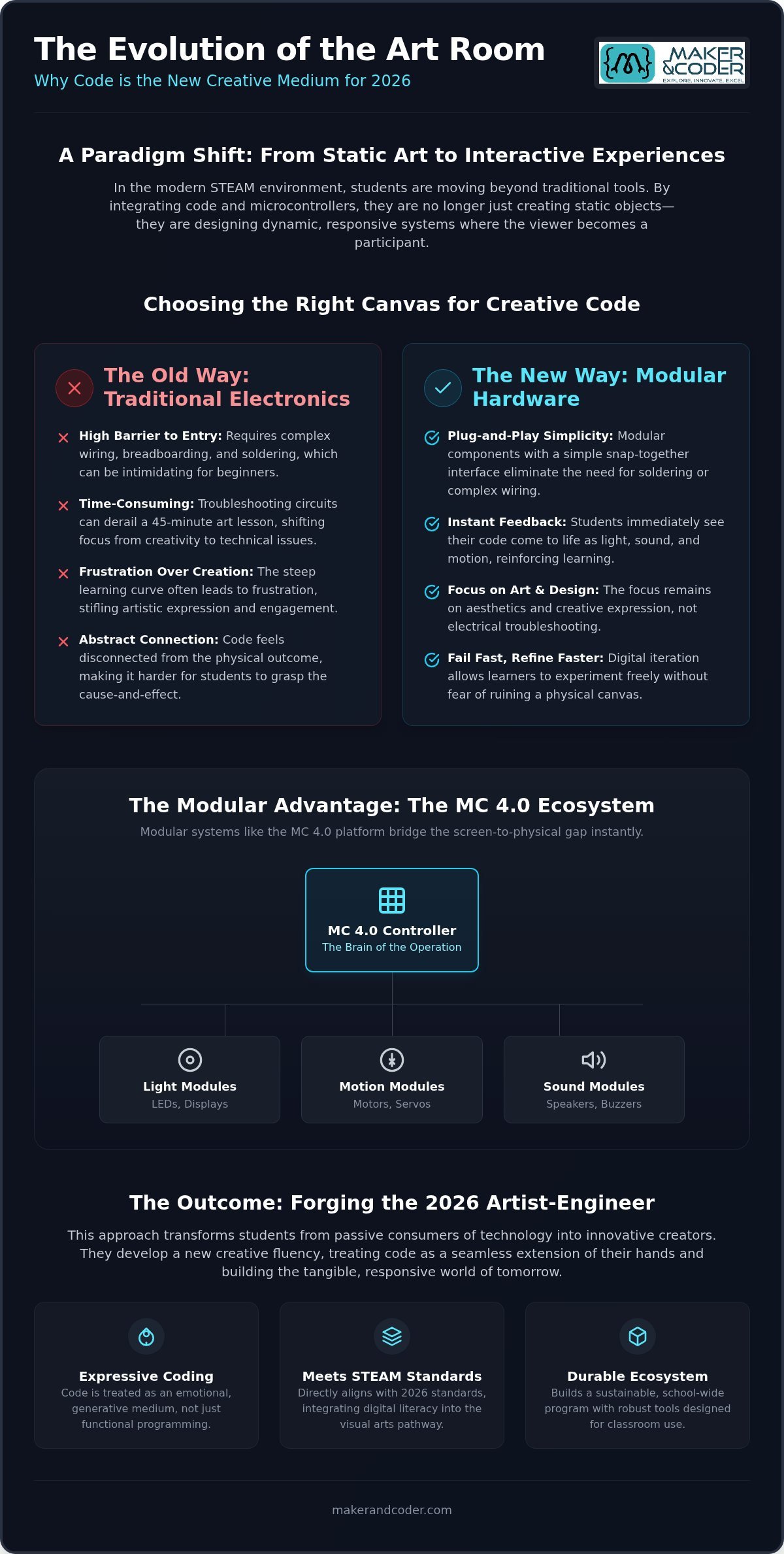
The traditional art studio is undergoing a radical upgrade. For centuries, artists mastered charcoal, oil, and clay to capture a moment in time. Today, the canvas is alive. By integrating interactive art projects with microcontrollers, students move from creating static objects to designing reactive systems. This shift redefines the artist as an architect of experience, bridging the gap between digital logic and physical beauty. In the 2026 creative economy, the “Artist-Engineer” is the new standard. These creators don’t just see a circuit; they see a rhythm. They don’t just see a sensor; they see a gateway for human connection.
From Canvas to Code: A Paradigm Shift
Think of code as a brush that never runs dry. Unlike traditional media, creative coding allows for infinite variations and real-time responses to the environment. This is the essence of Interactive Art, where the viewer becomes a participant rather than a spectator. Students learn that a line of code can represent a pulse, a color shift, or a mechanical movement. This isn’t functional programming designed for utility; it’s expressive, generative art designed for emotion. Digital iteration provides a unique psychological advantage. It allows learners to fail fast and refine their vision without the fear of ruining a physical canvas. They learn that a bug in the code is often just a happy accident in the aesthetic process.
Meeting 2026 STEAM Standards
Modern education demands the synthesis of technology and creative theory. The 2026 STEAM standards prioritize this cross-curricular approach, ensuring that digital literacy is woven into the visual arts pathway. Art teachers are uniquely positioned to lead this charge because they understand human-centric design. They teach computational thinking through the lens of beauty and purpose. Implementing interactive art projects with microcontrollers ensures that students don’t just learn to use tools, but learn to innovate with them. By utilizing the MC Curriculum, educators can align their lessons with these international standards while maintaining the integrity of their art instruction. It’s about moving from basic tech literacy to true creative fluency. Equip your studio for this new era by exploring the modular tools available at the Maker & Coder shop. The goal is to produce graduates who are ready to build the tangible, responsive world of tomorrow.
Modular Hardware vs. Traditional Electronics: Finding the Right Canvas
Digital art often feels trapped. When code stays behind glass, it can lose its tactile soul and fail to spark the same visceral reaction as a physical sculpture. Physicalizing code is essential for deep student engagement because it transforms abstract variables into tangible experiences. While software like p5.js, Processing, and Python are incredible for visual logic, these languages reach their full expressive potential only when they interact with the real world. For the 2026 classroom, the challenge isn’t just writing the code; it’s choosing the hardware that brings that code to life without the technical tax of traditional electronics.
Traditional components often demand a high entry price in time and frustration. Soldering irons and complex breadboards can quickly derail a 45-minute art lesson, shifting the focus from aesthetics to electrical troubleshooting. Research into tools and techniques for using microcontrollers in art suggests that treating electronics as a “material”-much like clay or paint-lowers the barrier for creative minds. This is why modular systems are the superior choice for interactive art projects with microcontrollers. They allow students to focus on the “what” and “why” of their creation rather than the “how” of the circuitry.
The Screen-to-Physical Bridge
Students often lose interest when their work is confined to a monitor. Using MC Blocks, educators can help students bridge this gap instantly. These modular components turn digital logic into light, sound, and motion through a simple snap-together interface. The MC4.0 Controller serves as the sophisticated brain of the operation, managing inputs and outputs with precision. This modular advantage means your class can build complex, responsive installations without requiring a degree in electrical engineering. It empowers the artist to stay an artist while gaining the capabilities of an engineer.
Selecting the Right Kit for Your Class
Sustainability in the art room means choosing hardware that grows with your students’ ambitions. Investing in durable, high-quality kits ensures that your STEAM ecosystem remains viable for years of repeated use. Consider these pathways for your curriculum:
- MC4.0 Base Kit: Ideal for introductory generative light projects and basic sensor interaction.
- MC4.0 STEAM Kit: The ultimate upgrade for expanding into AIoT and large-scale interactive art projects with microcontrollers.
- MC4.0 AIoT Kit: Perfect for advanced students looking to integrate artificial intelligence and environmental data into their work.
You can explore the full range of MC 4.0 Kits to find the perfect fit for your specific studio goals. If you’re unsure which hardware configuration best supports your 2026 curriculum vision, reach out to our team for expert guidance on kit selection.
5 Innovative Creative Coding Projects for the 2026 Art Class
Transitioning from theory to practice requires projects that center on aesthetic experience rather than just technical assembly. Instead of generic robotics, these interactive art projects with microcontrollers focus on how digital logic can enhance human emotion and physical space. By utilizing modular hardware, students spend less time troubleshooting wires and more time refining their creative vision. These five concepts provide a roadmap for a modern, responsive art curriculum.
- The Living Mural: Students use ultrasonic sensors to detect viewer proximity. As a person approaches, the mural shifts its color palette from cool blues to warm ambers using programmable LEDs.
- Kinetic Light Sculptures: By coding servos and LEDs, students create rhythmic movements in translucent materials. This mimics organic breathing patterns, turning a static object into a “living” entity.
- Sound-Reactive Data Art: This project visualizes classroom noise levels. Students map decibel data to physical modules, creating a sculpture that pulses or rotates in sync with the environment’s energy.
- AIoT Interactive Portraits: Using the MC4.0 AIoT Kit, students can integrate facial recognition. The portrait “reacts” when it detects a smile, triggering a specific light sequence or mechanical movement.
- Wearable Tech Narratives: Code becomes a thread in textile design. Students embed sensors into fabric to trigger light patterns based on the wearer’s motion, turning fashion into a storytelling medium.
Deep Dive: The Sound-Reactive Kinetic Sculpture
Art theory meets physics when students explore the relationship between audio frequency and visual form. In this project, learners connect sound sensors to the MC4.0 Controller to capture real-time environmental data. The coding logic involves mapping decibel levels to motor rotation or LED brightness. A sharp clap might trigger a sudden mechanical “shiver,” while a low hum produces a slow, glowing pulse. This process illustrates the core of Creative coding in the classroom, where data isn’t just a number, but a catalyst for performance.
Scaling Projects for Different Grade Levels
Effective STEAM integration requires a scaffolded approach that respects the learner’s developmental stage. You can adapt interactive art projects with microcontrollers to fit any age group by adjusting the complexity of the logic and hardware interface.
- Elementary: Focus on simple “if-then” logic. Students use MC Blocks to create light patterns that change when a button is pressed.
- Middle School: Introduce variables and feedback loops. Students learn to calibrate sensors so their art responds differently to varying light or touch levels.
- High School: Deploy complex AIoT integrations. Students write custom Python scripts to link their installations to web data or sophisticated vision sensors.
Ready to bring these projects to your studio? You can find all the necessary hardware, from the MC4.0 Controller to specialized sensors, at the Maker & Coder shop.
From Art Teacher to STEM Innovator: Overcoming Technical Anxiety
The transition from a traditional art background to a high-tech studio can feel daunting. Many educators worry that technical hurdles will overshadow the creative process or that a lack of coding expertise will undermine their authority. However, the most successful interactive art projects with microcontrollers aren’t born from perfect syntax, but from bold vision. You don’t need to be a master coder to lead this transformation. Instead, adopt the “expert-as-enabler” mindset. Your role is to facilitate the artistic narrative while the hardware handles the heavy lifting.
Collaborative learning is your greatest asset. When you allow students to explore the hardware alongside you, the classroom dynamic shifts. They become co-creators who solve technical puzzles through peer-to-peer sharing. This approach reduces the pressure on the teacher to have every answer. It turns troubleshooting into a design challenge rather than a point of failure. Consider these quick tips for maintaining a hardware-enabled studio:
- Encourage students to “debug” their physical circuits by swapping MC Blocks to isolate issues.
- Create a “logic wall” where students post successful code snippets for others to reference.
- Prioritize the “why” of the interaction before fixing the “how” of the hardware.
Structured Professional Development
Building confidence doesn’t happen in a vacuum. Dedicated Teacher Training Programs are designed to move you from hesitation to implementation in weeks. These workshops focus on the practical application of the MC 4.0 platform. Because modular MC Blocks require no soldering, the fear of damaging expensive equipment is eliminated. You’ll join a peer network of educators who are redefining what it means to teach digital-physical art. This community provides a safety net for sharing successes and refining classroom strategies.
Integrating the MC Curriculum
Time is the most scarce resource in any school. The K-12 MC Curriculum provides pre-aligned lesson plans that integrate seamlessly with your existing units. Whether you’re teaching Surrealism or Bauhaus principles, these plans help you map technological tools to art history. Assessment becomes clearer too. Instead of grading just the “working” code, you can evaluate how effectively the technology serves the artistic intent. This ensures that interactive art projects with microcontrollers remain firmly rooted in the fine arts. Schedule your professional development session today to start your journey from art teacher to STEAM innovator.
Building a Sustainable STEAM Ecosystem with Maker & Coder
Creating a lasting impact requires more than a single successful lesson. Sustainable STEAM integration means moving beyond one-off assignments toward a comprehensive school strategy that builds student confidence year after year. By establishing a robust ecosystem, you transform the art room into a laboratory of innovation where interactive art projects with microcontrollers become a standard part of the creative process. This long-term approach prepares students for future-ready careers in design, architecture, and creative technology. It teaches them that they don’t just consume the digital world; they have the agency to reshape it through logic and aesthetics. When code is integrated as a fundamental medium, students develop the cognitive agility required for the 2026 workforce.
The MC 4.0 Advantage
Invest in hardware that evolves alongside your curriculum. The MC4.0 Controller serves as the sophisticated heart of the modern STEAM lab, providing a reliable hub for every interactive art project with microcontrollers. Unlike consumer-grade toys that often fail after a few uses, the MC 4.0 platform is engineered for the rigors of the classroom. Its modular nature allows you to expand your studio’s capabilities over time without replacing your entire inventory. You might start with the MC4.0 Base Kit for fundamental lessons and eventually scale up to complex, reactive installations using the MC4.0 STEAM Kit or the MC4.0 AIoT Kit.
Maintaining your equipment is simple because of the interoperability of MC Blocks. These components are designed to be reused across different grade levels and project types, ensuring your department’s investment remains viable for years. This durability provides peace of mind to administrators while offering students a prestige-tech experience that mirrors professional design environments. By choosing modular systems, you eliminate the waste associated with disposable electronics and focus your budget on tools that truly grow with your learners.
Join the Global Community of Creators
Empower your students to share their visions with a wider audience. Through international Maker & Coder showcases, your classroom work gains visibility in a global network of digital-physical art educators. This community isn’t just about display; it’s about continuous growth and shared expertise. You’ll gain access to the latest curriculum updates and modular additions, ensuring your school stays at the forefront of pedagogical advancement. By participating in this ecosystem, you move from being an isolated instructor to a pioneer in a global movement of expressive technology. Facilitate a new era of discovery by implementing a trial program in your department this semester.
Ready to transform your art room? Contact us to start your journey and discover how a dedicated partnership can elevate your STEAM standards. Let’s build the future of expressive technology together.
Designing the Future of Expressive Technology
The 2026 art room is no longer a place for static observation. It’s a dynamic hub where logic and aesthetics converge to create responsive experiences. By embracing interactive art projects with microcontrollers, you provide your students with the agency to shape their environment rather than just observe it. We’ve explored how modular hardware and creative coding turn abstract variables into tangible light, sound, and motion. This shift doesn’t replace traditional artistry; it amplifies it for a new generation of digital-physical creators.
Building a sustainable STEAM program requires more than just high-tech tools. It demands a holistic ecosystem. Our modular, tool-less design ensures safe and efficient classroom use, while the comprehensive K-12 MC Curriculum alignment supports international school standards. Through professional teacher training, we eliminate the technical entry barriers that once made these innovations feel out of reach. It’s time to bridge the gap between imagination and execution. Equip your art room with the MC 4.0 STEAM Kit today and watch your students transform from learners into bold innovators. The canvas of tomorrow is waiting for their first line of code.
Frequently Asked Questions
What exactly is creative coding in an art context?
Creative coding is the practice of using computer programming as an expressive medium rather than a purely functional tool. In the art studio, this involves writing logic to generate visuals, control kinetic movements, or respond to environmental stimuli. It shifts the focus from software utility to human experience. By treating code as a material, students can create dynamic installations that change and evolve in real time.
Do I need prior programming experience to teach these projects?
Prior programming experience is not a requirement for educators. The Maker & Coder ecosystem is built to support non-technical teachers through professional Teacher Training Programs. These sessions provide the confidence to facilitate complex projects in just a few weeks. Because the hardware is modular and solder-less, you can focus on the artistic vision. You’ll find that learning alongside your students often leads to a more collaborative and inspiring classroom environment.
Which coding languages are best for art students in 2026?
Python and block-based logic remain the gold standards for the 2026 art room. Python is highly valued for its clear syntax and its ability to handle sophisticated AIoT tasks. Block-based environments are perfect for beginners to grasp the fundamentals of logic without getting bogged down by syntax errors. These languages are particularly effective for interactive art projects with microcontrollers, allowing students to bridge the gap between digital instructions and physical responses.
How do I justify the cost of hardware kits to my school board?
Justify the investment by emphasizing durability and curriculum alignment. The MC 4.0 ecosystem is designed for years of repeated use, offering a better long-term value than cheaper, fragile components. Point to the K-12 MC Curriculum as proof of a structured, standard-aligned educational pathway. Explain that these kits prepare students for the 2026 creative economy by fostering digital fluency. You’re building a sustainable STEAM lab that serves multiple grade levels and departments.
Can these projects be integrated into a traditional grading system?
Integration into traditional grading is straightforward when you focus on the design process. You can evaluate projects based on conceptual depth, technical execution, and how well the interaction serves the artistic goal. The MC Curriculum includes specific assessment strategies to help you measure student growth in both art theory and computational thinking. This dual-focus approach ensures that technical proficiency is recognized while keeping the primary emphasis on the quality of the creative output.
What is the recommended age group for the MC4.0 Controller?
The MC4.0 Controller is designed to grow with students across the entire K-12 pathway. For primary school learners, it supports simple “if-then” logic using visual blocks. In middle and high school, it handles advanced Python scripts and complex sensor data. This versatility makes it the heart of a unified STEAM strategy. It ensures that the technology remains challenging and relevant as students transition from basic light patterns to sophisticated, data-driven installations.
How do MC Blocks differ from standard electronic components?
MC Blocks differ from standard components by offering a tool-less, snap-together interface. Traditional electronics usually require soldering and breadboards, which are time-consuming and difficult for non-technical students to master. MC Blocks are durable and designed specifically for the classroom, reducing the risk of broken parts or short circuits. This modular approach lets students focus on the creative logic of their interactive art projects with microcontrollers rather than the intricacies of electrical engineering.
Where can I find pre-made lesson plans for these projects?
You can find structured lesson plans within the K-12 MC Curriculum. This resource is specifically designed for educators who need to integrate high-tech tools into their existing art units without extensive preparation. Each plan is pre-aligned to international standards and covers everything from basic setup to advanced AIoT concepts. These materials ensure that your projects are pedagogically sound while providing students with a clear, step-by-step path to creating their own responsive art.