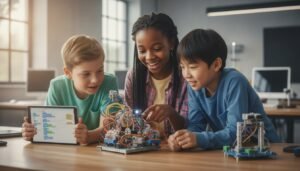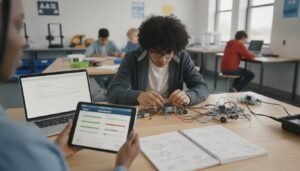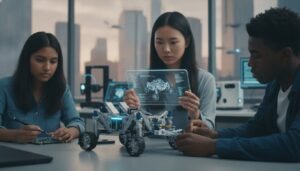
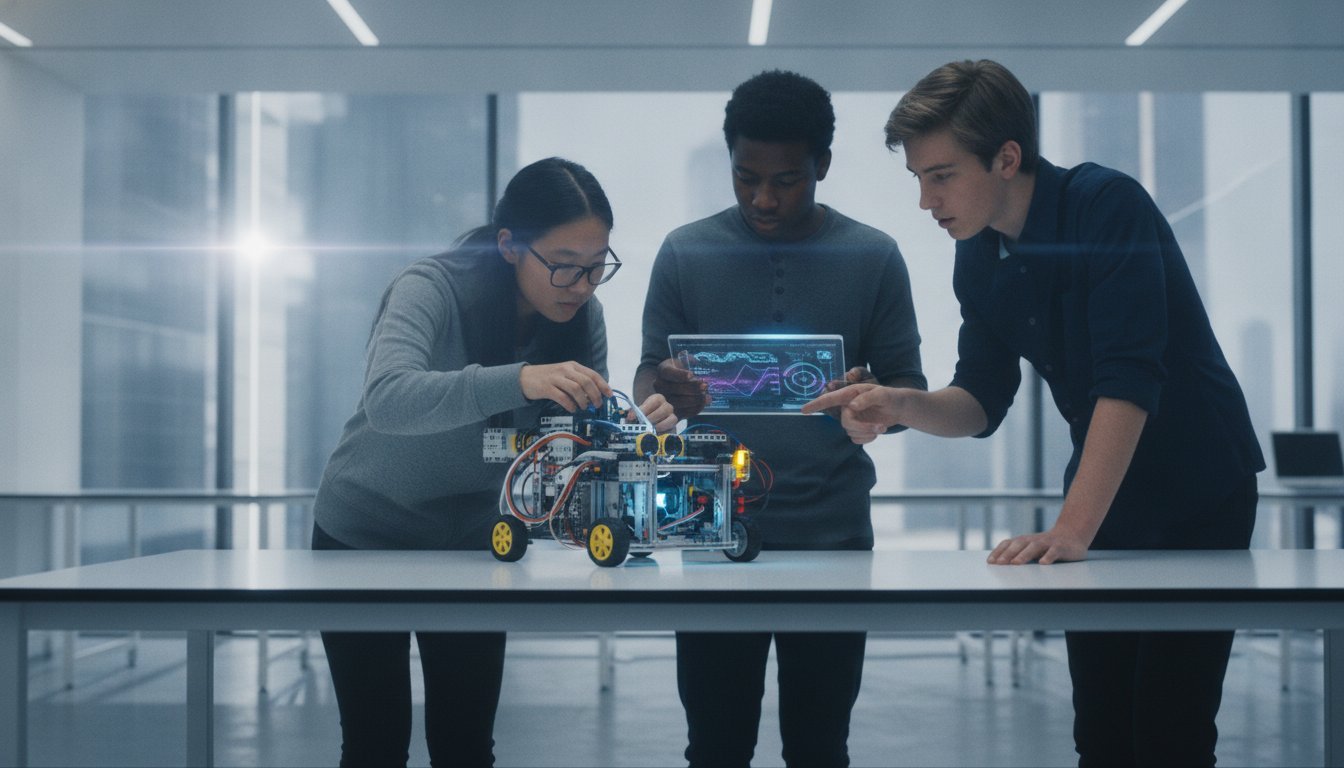
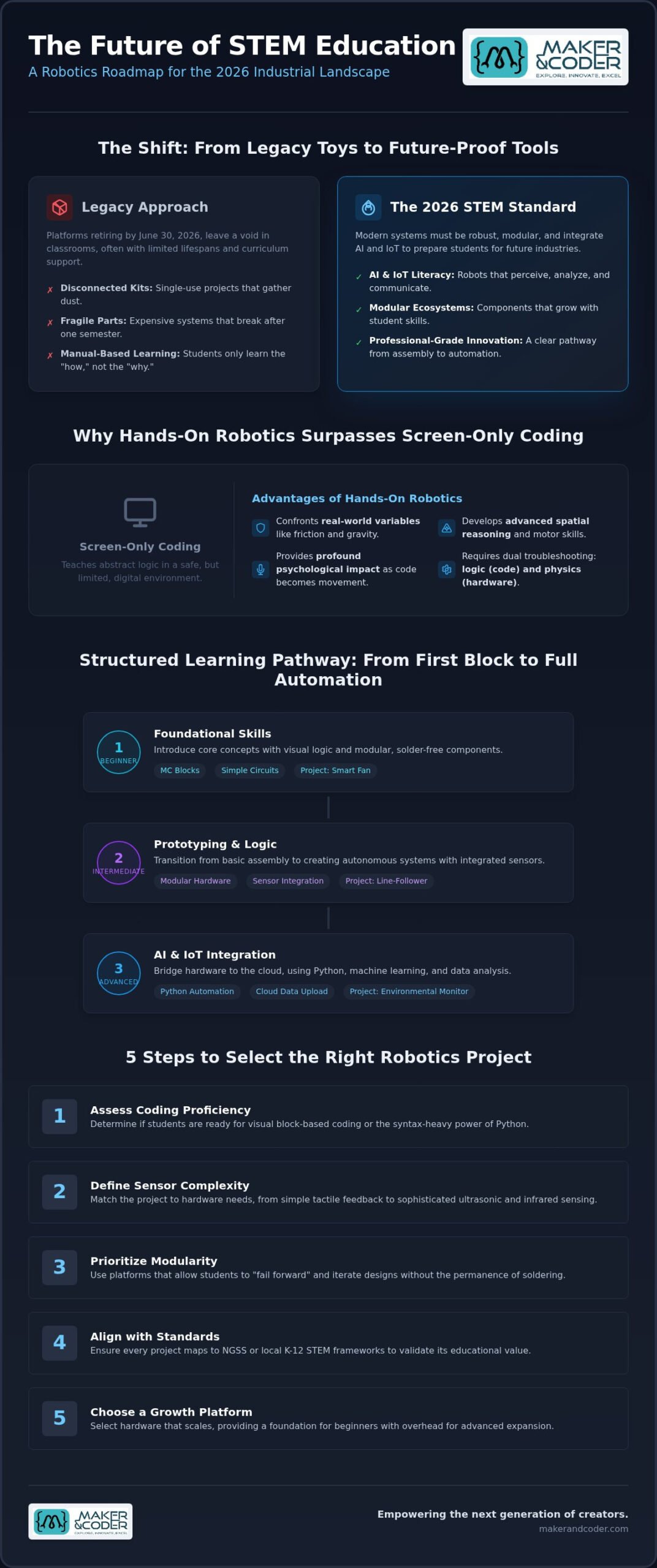
As of June 30, 2026, the retirement of legacy platforms like LEGO Education SPIKE Prime has left a massive void in STEM classrooms. Educators are now searching for more than just toys. They need robust, future-proof systems that don’t break after one semester. It’s frustrating when expensive kits arrive with fragile parts or lack a cohesive curriculum that supports teachers who aren’t engineers. You want your students to do more than just follow a manual. You want them to master the “why” behind the “how.”
This guide bridges the gap between basic block coding and advanced AIoT literacy. We’ll show you how to implement structured robot building projects for students that evolve alongside their skills. From modular MC Blocks to sophisticated Python-based automation, you’ll discover a clear pathway from beginner assembly to professional-grade innovation. We’ll explore how to leverage the MC 4.0 ecosystem to build tangible, real-world applications that prepare learners for the 2026 industrial landscape, ensuring your classroom remains at the cutting edge of technology.
Key Takeaways
- Understand how robotics projects serve as the ultimate intersection of logic and creativity to develop essential, future-ready cognitive skills.
- Discover how to select age-appropriate robot building projects for students by mapping hardware complexity to specific coding levels, from entry-level blocks to advanced Python.
- Transition from basic circuits to rapid prototyping with modular MC Blocks through engaging projects like smart fans and autonomous line-followers.
- Bridge the gap between physical hardware and the cloud by integrating AI and IoT sensors to create sophisticated environmental monitoring systems.
- Learn how a structured MC Curriculum and dedicated teacher training programs ensure a seamless, high-impact robotics experience in any classroom setting.
Table of Contents
Empowering Student Innovation Through Robotics Projects
Imagine the exact moment a student’s code breathes life into a physical machine. It isn’t just a science experiment; it’s the ultimate intersection of logic, creativity, and physical engineering. While screen-based coding teaches the syntax of the future, robot building projects for students provide the canvas where that logic meets reality. This hands-on approach transforms abstract algorithms into tangible solutions, developing critical cognitive skills that prepare learners for a rapidly evolving workforce. We’re moving beyond the era of “one-off” builds. The modern classroom requires a modular learning ecosystem that scales from simple mechanical movements to complex, data-driven automation.
The Maker & Coder philosophy centers on this transition. We believe in empowering students to become creators rather than just consumers of technology. By utilizing the MC 4.0 ecosystem, educators can move away from disconnected kits that gather dust after a single use. Instead, they can implement a structured journey where every motor, sensor, and line of code builds toward a larger, professional-grade understanding of how the world works. It’s about giving students the tools to build the future they envision.
Why Hands-On Robotics Beats Screen-Only Coding
Digital environments are safe, but they lack the productive friction of the physical world. Educational robotics forces students to confront real-world variables like friction, gravity, and sensor interference. When code manifests as physical movement, the psychological impact is profound. Students develop advanced spatial reasoning and fine motor skills through hardware assembly that no mouse-click can replicate. This process bridges the gap between abstract problem-solving and engineering reality. If a robot fails to turn, the student must troubleshoot both the logic in their script and the torque of their motors. This dual-layered challenge is where true innovation begins.
The 2026 STEM Standard: AI and IoT Literacy
In 2026, basic “moving parts” are no longer the benchmark for technical literacy. Modern robot building projects for students must integrate the Internet of Things (IoT) and Artificial Intelligence (AI) to remain relevant. We’ve shifted toward “Smart Systems” where a robot doesn’t just move; it perceives, analyzes, and communicates. The MC4.0 Controller is designed specifically for this high-level integration. It allows students to move from simple loops to advanced AIoT applications, such as robots that upload environmental data to the cloud or use machine learning for autonomous navigation. This is the new standard of STEM: preparing students to command the professional-grade tools they’ll encounter in the industries of tomorrow.
Selecting the Right Robotics Project for Every Grade Level
Identifying the ideal entry point for robot building projects for students is less about chronological age and more about the cognitive ladder. To ensure long-term engagement, educators must balance the thrill of construction with the rigor of logical progression. A project that’s too simple leads to boredom, while one that’s too complex results in abandonment. By following a structured selection process, you can transform a classroom into a high-energy innovation hub. Consider these five essential steps to align your hardware with your learning objectives:
- Assess Coding Proficiency: Determine if students are ready for the visual logic of block-based coding or the syntax-heavy power of Python.
- Define Sensor Complexity: Match the project to the hardware. Does the build require simple tactile feedback or sophisticated ultrasonic and infrared sensing?
- Prioritize Modularity: Use platforms that allow students to “fail forward.” Modular components like MC Blocks let learners iterate designs without the permanence of soldering.
- Align with Standards: Ensure every project maps to NGSS or local K-12 STEM frameworks to validate the educational value of the build.
- Choose a Growth Platform: Select hardware that scales. The MC4.0 Base Kit provides a foundation that supports beginners while offering the overhead for advanced expansion.
If you’re looking to scale your STEM program with hardware that grows alongside your learners, you can explore our modular hardware kits to find the perfect fit for your classroom.
Primary School: Building Foundations with MC Blocks
At the primary level, the goal is to demystify technology through tactile success. We focus on physical assembly and basic logic gates. By using modular connectors, we remove the frustration of complex wiring that often stalls young learners. A signature project for this stage is the “Smart Nightlight.” Students use light sensors and LEDs to create a device that responds to its environment. It’s a simple yet powerful way to introduce the concept of input and output logic while building confidence in their ability to create functional tools.
Middle and High School: Transitioning to Python and AIoT
As students mature, robot building projects for students should mirror professional engineering workflows. This means transitioning from drag-and-drop blocks to text-based coding using the MC4.0 Controller. At this stage, we integrate real-world data through the MC4.0 AIoT Kit, allowing for “Smart Systems” that communicate with the cloud. A high-impact project for older students is an autonomous waste-sorting system. By utilizing machine vision and advanced motor control, students solve a modern environmental challenge, proving that their skills have moved from the classroom to the real world.
From Simple Circuits to MC Blocks: Beginner Projects
Beginner robotics often falls into two extremes. On one side, you have fragile cardboard crafts that lack real logic. On the other, you find intimidating breadboards cluttered with tangled jumper wires. We believe there is a better way. By utilizing the MC4.0 Base Kit, educators can introduce robot building projects for students that are both durable and intellectually stimulating. These projects focus on core engineering principles without the mechanical frustration that typically derails early learners. They provide a sturdy middle ground where students can focus on logic rather than loose connections.
Consider the “Smart Fan” project. It’s a perfect introduction to input and output logic. Students connect a temperature sensor and program the fan to activate only when a specific threshold is met. This teaches them how robots “perceive” the world. From there, they can move to classic line-following robots. We’ve reimagined this staple project using modular MC Blocks, allowing students to snap together infrared sensors and motors in seconds. Finally, obstacle avoidance bots introduce ultrasonic sensors. This project forces students to think about spatial awareness and nested logic loops, creating a machine that “decides” which way to turn when it encounters a wall.
The Magic of Modular Prototyping
Traditional breadboarding is a barrier to student success. One loose wire can lead to hours of troubleshooting, which kills the momentum of a lesson. MC Blocks solve this. They are superior because they use secure, modular connectors that ensure a perfect connection every time. This reduces technical troubleshooting and shifts the focus back to creative logic. We encourage a “plug-and-play” mindset. Students can rapidly experiment with different configurations, swapping a light sensor for a sound sensor to see how it changes their robot’s behavior. This speed of iteration is where true discovery happens.
Coding Your First Robot: A Step-by-Step Approach
Setting up the MC4.0 Controller for the first time is a milestone for any young engineer. It starts with a simple connection, but it leads to complex mastery. We teach students to write their first “loop” function. In robotics, the loop is the heartbeat of the machine; it’s a repeating set of instructions that tells the robot to check its sensors and adjust its motors indefinitely. Our platform allows students to visualize sensor data in real-time. If a robot isn’t stopping for an obstacle, the student can look at the live data stream to see exactly what the ultrasonic sensor is “seeing.” This transparency makes debugging an empowering part of the process rather than a source of confusion.
Integrating AI and IoT: Advanced Student Robotics in 2026
By 2026, the definition of technical literacy has shifted. It’s no longer enough for a robot to simply move; it must think and communicate. This is the essence of AIoT, the powerful convergence of Artificial Intelligence and the Internet of Things. Advanced robot building projects for students now leverage this synergy to create autonomous systems that interact with the digital world. While competitors often suggest expensive, power-hungry industrial hardware that strains classroom budgets, the Maker & Coder ecosystem provides a streamlined path to high-level automation without the prohibitive cost or complexity.
One of the most impactful projects at this level is the ‘Environmental Guardian.’ Students build a mobile robot that monitors local climate data, such as humidity and air quality, and reports those findings directly to the cloud in real-time. For those ready to explore machine vision, the MC4.0 AIoT Kit enables facial recognition and color tracking. These aren’t just toys. They are sophisticated tools that allow students to experiment with the same technology used in self-driving cars and smart city infrastructure. When projects require a multi-disciplinary approach, the MC4.0 STEAM Kit serves as the ultimate resource for complex, high-stakes engineering challenges.
The Power of the MC4.0 Controller in AI Applications
The MC4.0 Controller acts as the brain of these advanced systems, handling intensive data processing for smart automation. It connects students to the cloud through secure educational IoT protocols, ensuring a safe environment for data exchange and remote monitoring. Edge computing in student robotics allows the machine to process sensor data locally for immediate action rather than relying on a distant server. This capability is vital for low-latency tasks like autonomous navigation or real-time object detection. It empowers learners to understand the backend of modern tech, from data packets to predictive algorithms.
Real-World Problem Solving: The AIoT Challenge
The true value of robotics lies in its application to local community issues. We encourage students to tackle the AIoT Challenge by designing solutions for smart agriculture or urban management. Imagine a fleet of collaborative robots where multiple MC 4.0 units communicate to optimize a harvest or manage a warehouse floor. This collaborative robotics approach mirrors the industrial standards of the late 2020s. By mastering these systems now, students don’t just learn to code; they prepare for a high-tech workforce where AI and IoT are the baseline of innovation.
Ready to bring the future of AIoT into your classroom? Contact our team today to discuss how we can support your advanced STEM initiatives.
Implementing Robotics: A Guide for Educators
Successful STEM integration requires more than just high-tech hardware. It demands a strategy that connects individual robot building projects for students into a cohesive educational journey. Without a structured framework, even the most advanced kits risk becoming expensive distractions rather than transformative learning tools. The K-12 MC Curriculum provides this essential structure, ensuring that every motor connected and every line of code written serves a specific learning objective. By shifting the focus from isolated builds to a multi-year technical pathway, schools can cultivate a culture of sustained innovation that prepares students for the complexities of the modern workforce.
Confidence in the classroom is the primary driver of student success. We recognize that many educators feel a “fear factor” when hardware fails or code doesn’t execute as expected. This is why Professional Teacher Training is a cornerstone of our ecosystem. It transforms teachers from passive facilitators into expert enablers who can troubleshoot with ease. Beyond the technical skills, managing a successful ‘Maker Space’ involves practical logistics. Effective storage solutions, routine hardware maintenance, and fostering a collaborative environment where students share components are vital for longevity. Scaling these initiatives from a small after-school club to a school-wide standard requires a commitment to both hardware durability and pedagogical support.
Aligning Projects with the K-12 MC Curriculum
The Maker & Coder platform ensures that hardware projects map directly to academic standards. We emphasize vertical alignment; this means a third-grade student exploring basic logic with MC Blocks is building the exact foundation they will need for Python-based automation in high school. This progression prevents the “reset” that often happens when students switch platforms between grades. To support this journey, educators can utilize our Teacher Training Programs to master the MC 4.0 ecosystem. These programs empower staff to lead complex robot building projects for students with the confidence of an industry professional, ensuring that the technology remains a tool for expression rather than a source of frustration.
Evaluating Student Success in Robotics
Traditional grading often fails to capture the depth of engineering. We encourage educators to move beyond the binary question of “does the robot work?” and instead ask “how did you solve the problem?” Project-based assessments and digital portfolios allow students to document their iterative process, highlighting the moments where they failed, pivoted, and eventually succeeded. This approach prioritizes the development of essential soft skills, including teamwork, technical communication, and detailed documentation. By evaluating the logic and the journey rather than just the final product, you foster a classroom environment where students are unafraid to tackle the high-stakes challenges of the future.
Leading the Charge in 2026 STEM Education
The shift toward advanced automation and AIoT literacy isn’t a distant goal; it’s the current standard for technical excellence. By integrating modular MC Blocks and the powerful MC4.0 Controller into your classroom, you provide a foundation that is as durable as it is sophisticated. These robot building projects for students transform abstract coding concepts into tangible, real-world solutions that solve genuine community challenges. You’re giving learners the power to see their logic manifest in physical movement and data-driven action.
From early foundations in logic to high-level cloud-connected systems, the journey of discovery is now more accessible than ever. Our ecosystem supports this growth through a complete K-12 educational pathway and Professional Teacher Training that builds lasting classroom confidence. You aren’t just teaching a lesson; you’re enabling a future-ready generation to command the tools of tomorrow with precision and creativity. Explore our MC 4.0 Kits and K-12 STEM Curriculum to see how our modular hardware and structured pathway can elevate your program. The future belongs to the creators. Let’s build it together.
Frequently Asked Questions
What is the best age to start robot building projects for students?
Students can begin engaging with robot building projects for students as early as primary school, typically around age six or seven. At this stage, the focus is on tactile assembly and basic input-output logic using modular components like MC Blocks. This early start builds the spatial reasoning and fine motor skills necessary for more complex engineering challenges in later years.
Do I need to know how to code to teach robotics to my students?
You don’t need to be a computer scientist to lead a successful robotics classroom. Our Teacher Training Programs are specifically designed to empower educators of all backgrounds with the confidence to troubleshoot and guide student innovation. We provide the technical support and structured lesson plans required to move from a beginner level to advanced applications without the stress of hardware failure.
What are the essential components needed for a beginner robotics kit?
A beginner kit requires a central processor, a reliable power source, motors for movement, and basic sensors like light or ultrasonic units. The MC4.0 Base Kit simplifies this by providing modular blocks that snap together without complex wiring. This setup allows students to focus on logic and creativity rather than getting bogged down in electrical troubleshooting or fragile connections.
How can robotics projects be integrated into a standard school curriculum?
Integration is most effective when robot building projects for students are mapped directly to existing learning standards like NGSS. The K-12 MC Curriculum does the heavy lifting for you by aligning hardware builds with specific grade-level objectives. This ensures that robotics isn’t just an “add-on” but a core component of the student’s technical development and academic growth.
Is Python or Block-based coding better for student robotics in 2026?
Block-based coding remains the gold standard for introducing logic, but Python is the industry standard for 2026 technical literacy. Our ecosystem supports a seamless transition between the two. Students start with visual logic to understand the “how” before moving to the MC4.0 Controller to master text-based Python, which is essential for advanced AI and machine learning tasks.
How much does it cost to set up a robotics program for a classroom?
Setting up a program depends entirely on your school’s scale, ranging from a single classroom kit to a comprehensive technical pathway. We recommend starting with a foundation like the MC4.0 Base Kit and expanding as student proficiency grows. Since every school has unique requirements, checking current platform options and curriculum bundles is the best way to determine your specific budget needs.
What is the difference between a standard coding kit and an AIoT kit?
A standard coding kit focuses on local logic and basic movement, while an AIoT kit bridges the gap between hardware and the cloud. The MC4.0 AIoT Kit includes vision sensors and secure internet protocols to allow for facial recognition and remote data reporting. It transforms a simple machine into a smart system that perceives and communicates with the wider digital world.
Can robotics projects help students with other subjects like Math and Science?
Robotics provides a physical canvas for abstract concepts in math and physics. When students program a robot to turn ninety degrees or calculate the speed of a motor, they’re applying geometry and algebra in real-time. This hands-on application makes complex scientific theories tangible, significantly improving student retention and interest in core STEM subjects.