Cloud computing can feel like a big leap for secondary classrooms. Many teachers are comfortable teaching coding, robotics, and basic electronics, but the moment lessons move to cloud dashboards, MQTT, AWS, or Azure, the topic can seem too advanced. The good news is that it does not have to be.
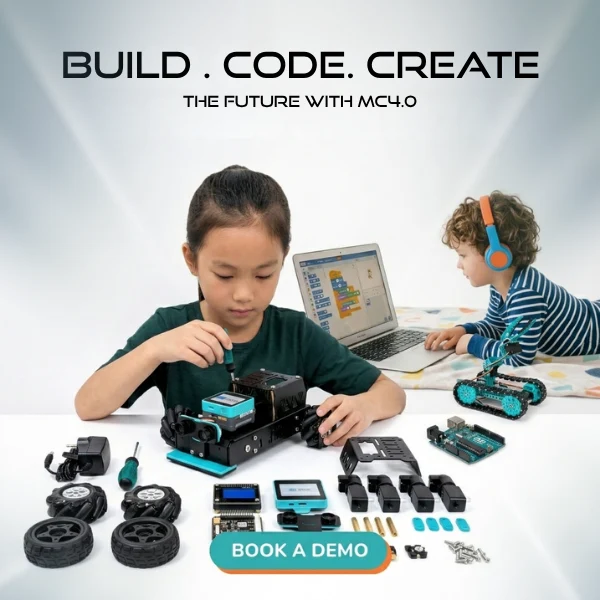
The MC4.0 AIoT Kit helps teachers teach IoT in school through practical, visible projects. Students do not just hear about cloud systems. They connect a real device, send live data, and watch it appear on a dashboard. That makes cloud computing easier to understand and far more engaging.
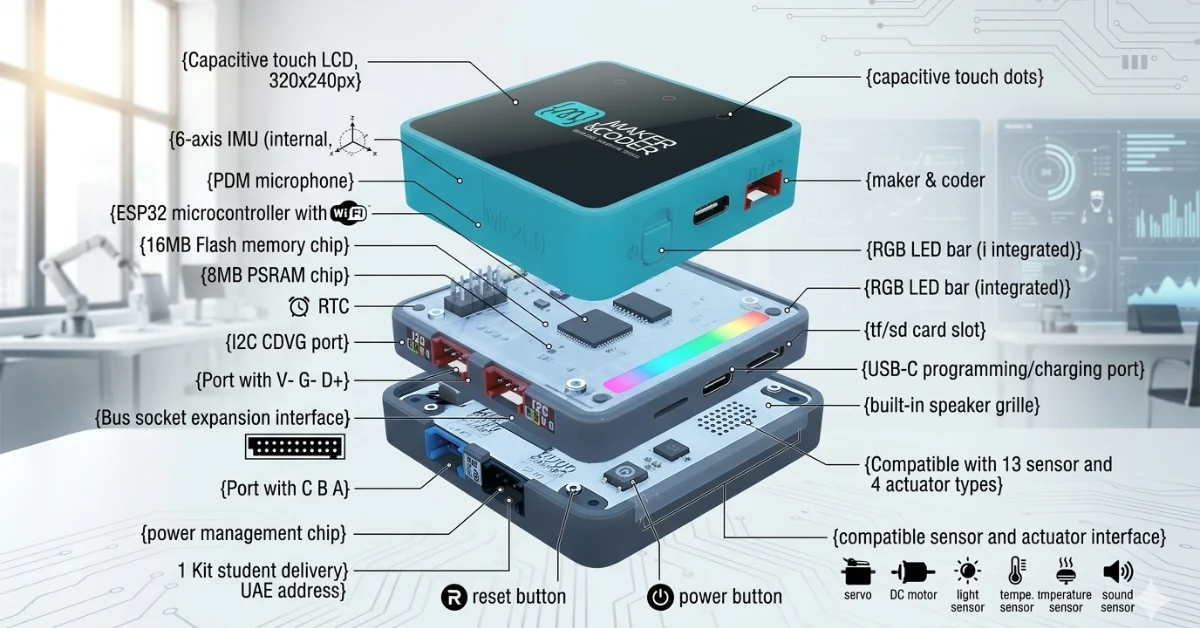
In one lesson sequence, students can use the ESP32 WiFi inside the MC4.0 Controller to connect online, write Python code in MCLab, stream temperature and humidity data, visualize 6-axis IMU motion data, and even send AI Camera object recognition results to the cloud. Teachers can also introduce industry-facing platforms such as MCLab IoTCloud, Azure IoT Plug and Play, and AWS IoT Core in a way that feels manageable.
If you are looking for an MC4.0 AIoT classroom lesson that makes AWS Azure for students feel accessible, this guide walks you through the process step by step.
Why cloud computing matters in secondary education
Cloud computing is no longer a niche skill. It sits behind smart homes, logistics systems, wearable devices, environmental monitoring, and modern manufacturing. Students who learn how devices collect, send, and display data are building useful digital skills for future study and work.
For secondary students, cloud lessons also support several curriculum goals at once:
- Programming and debugging
- Data handling and visualization
- Networking basics
- Automation and sensing
- Problem solving through real-world systems
Most importantly, cloud computing gives coding a clear purpose. Instead of writing code that only runs on one screen, students build systems that connect devices, dashboards, and live data streams. That shift helps them see how computing works in the real world.
Lesson overview: what the classroom project looks like
A strong starting lesson is simple: students connect the MC4.0 AIoT Kit to WiFi, collect sensor data, and send it to a cloud dashboard.
Here is what that can include in one practical teaching sequence:
- Environmental sensors send live temperature and humidity readings
- The 6-axis IMU sends motion or tilt data
- The AI Camera identifies an object and pushes that result to the cloud
- Students use Python code in MCLab to manage data flow
- Data appears in MCLab IoTCloud through an MQTT dashboard
- Extension groups connect to AWS IoT Core
- Advanced classes explore Azure IoT Plug and Play for simple onboarding
This gives students a complete view of an AIoT pipeline: sense, process, transmit, visualize, and interpret.
Step-by-step setup guide
1. Prepare the hardware
Start with the MC4.0 Controller and connect the required modules:
- Environmental sensor for temperature and humidity
- 6-axis IMU input on the main controller
- AI Camera module
- USB-C cable for power and programming
Because the MC4.0 is based on an ESP32 with built-in WiFi, you do not need a separate wireless board. That keeps the setup cleaner and easier for classroom use.
2. Connect the device in MCLab
Open MCLab on the classroom computer. Make sure the MC4.0 board is recognized. Once connected, students can begin writing or loading Python code.
This is a good point to explain that MCLab is doing two jobs:
- Helping students write and upload code
- Acting as the bridge between hardware behavior and cloud communication
For teachers new to this area, this matters. A single environment reduces friction and helps students stay focused on the lesson rather than switching between too many tools.
3. Set up WiFi on the MC4.0
Students enter the classroom WiFi credentials in the MCLab project. Once the ESP32 connects, the board can begin sending data outward.
This is a key teaching moment. You can explain that the controller is now acting like a connected edge device. It reads local data, then passes it to a remote service.
4. Build an MQTT dashboard in MCLab IoTCloud
Next, open the MCLab IoTCloud interface and create a basic MQTT dashboard. Add widgets for:
- Temperature
- Humidity
- Motion or tilt
- Object recognition label
MQTT is useful in school because it is lightweight and built for device communication. Students do not need to master the full protocol. They only need to understand the basic model:
- A device publishes data
- A cloud service receives it
- A dashboard displays it
That simple pattern helps make cloud computing much less intimidating.
5. Introduce Azure IoT Plug and Play
For teachers who want to show a more enterprise-style example, Azure IoT Plug and Play is a helpful next step. It supports low-friction onboarding, which means devices can be recognized with less manual configuration.
In the classroom, this is useful because students can see that cloud platforms are designed to simplify deployment. Instead of spending a whole lesson on setup, you can focus on what the data means and how connected systems are built.
6. Connect to AWS IoT Core
After students succeed with the MCLab MQTT dashboard, you can extend the lesson by linking the MC4.0 Controller to AWS IoT Core.
This step helps older secondary students or university learners see how school projects relate to industry tools. Once connected, sensor values from the MC4.0 can feed a live AWS dashboard, showing students that the same device can work across different cloud environments.
Python coding breakdown
The coding side should stay simple and readable. In Python code in MCLab, students usually need to do four things:
- Import the right libraries
- Connect to WiFi
- Read sensor values
- Publish data to the cloud
A basic classroom script might:
- Read temperature and humidity every few seconds
- Capture IMU tilt data
- Detect a recognized object from the AI Camera
- Package the values into a message
- Send the message through MQTT
What students learn from this code is powerful. They see that cloud computing is not magic. It is a clear process made of small steps.
You can guide students through the logic in plain English:
Connect to the network
The device uses the ESP32 WiFi hardware to join the internet.
Read live inputs
The controller gathers values from the environmental sensor and motion sensor.
Add AI data
The AI Camera provides an object label, such as bottle, person, or chair.
Send the data
The code publishes the data to a cloud topic, where the dashboard can read it.
This kind of coding is ideal for teaching because each block has a visible result.
What the dashboard shows
Once the data is flowing, the lesson becomes exciting very quickly. Students can see live values move on screen as they interact with the device.
A simple dashboard might show:
- A gauge for room temperature
- A humidity chart updated in real time
- A motion graph based on tilt or acceleration
- A text field showing the latest AI Camera recognition result
This is where the project feels real. If a student tilts the controller, the graph changes. If they move the AI Camera toward an object, the recognized label updates. If the room warms up, the sensor reading shifts.
That feedback loop is one of the strongest reasons to teach IoT in school. Students are not guessing whether their code works. They can see it.
What students learn from the lesson
A well-run MC4.0 AIoT classroom lesson teaches more than device setup.
Students learn:
- How connected devices send data
- How MQTT supports cloud communication
- How dashboards turn raw data into useful information
- How Python can control hardware and cloud tasks together
- How AWS Azure for students can connect classroom learning to industry tools
- How AI, sensing, and cloud systems work as one pipeline
Teachers also gain something important: confidence. Once you run this kind of lesson once, cloud computing becomes much easier to teach again.
Sample lesson plan outline
Lesson 1: Introduction to cloud-connected devices
- Define IoT, AIoT, and cloud dashboards
- Show a working MC4.0 example
- Discuss real-world uses
Lesson 2: Hardware and WiFi setup
- Connect sensors and AI Camera
- Configure ESP32 WiFi in MCLab
- Test device connectivity
Lesson 3: Python coding in MCLab
- Read temperature and humidity
- Capture IMU motion data
- Send MQTT messages
Lesson 4: Build the cloud dashboard
- Create widgets in MCLab IoTCloud
- Map live data feeds
- Interpret the results
Lesson 5: Extend to AWS or Azure
- Demonstrate AWS IoT Core connection
- Show Azure IoT Plug and Play onboarding
- Compare platforms at a basic level
Lesson 6: Reflection and assessment
- Ask students to explain the data pipeline
- Review code structure
- Discuss how cloud systems support modern technology
FAQ
Yes. It is well suited to first-time cloud lessons because students can move from device setup to live dashboards in clear steps.
The MCLab IoTCloud MQTT dashboard is usually the easiest place to begin. It gives fast visual results and keeps the workflow simple.
No. They only need a basic understanding of variables, reading values, and running simple code blocks.
Using AWS IoT Core and Azure IoT Plug and Play helps students see how classroom projects connect to real industry platforms.
They can send temperature, humidity, motion data from the 6-axis IMU, and object recognition results from the AI Camera.
Author bio
Maker and Coder writes about educational robotics, coding, AIoT, and classroom technology. They focus on helping teachers turn complex hardware and cloud topics into practical lessons students can understand and enjoy.
Key points at a glance
- The MC4.0 AIoT Kit helps teachers teach IoT in school through hands-on cloud projects
- The ESP32 WiFi in the controller makes live device connectivity possible
- MCLab supports Python coding and device setup in one place
- MCLab IoTCloud offers a practical MQTT dashboard workflow
- Azure IoT Plug and Play helps demonstrate easy device onboarding
- AWS IoT Core connects classroom devices to industry-style cloud systems
- Environmental sensors stream temperature and humidity in real time
- The 6-axis IMU sends live motion data to a dashboard
- The AI Camera can push object recognition results to the cloud
- Students learn coding, networking, data visualization, and system thinking in one lesson sequence
Bring cloud computing into your classroom
If you want students to see how connected technology works beyond the screen, the MC4.0 AIoT Kit offers a clear and practical path. It turns cloud computing into something students can build, test, and understand.
Request an AIoT Kit demonstration.