A robot’s most powerful upgrade may not sit inside its chassis. Cloud Connected Robotics Kits link robots to computing resources beyond the device, allowing demanding processing to be shared with nearby or remote computers and useful models or maps to be reused. Cloud services are not essential for smaller or simpler projects, but they become more relevant when robots need to share resources, support AI tasks, or scale into a larger fleet.
It’s reasonable to ask whether a cloud connection creates useful learning opportunities or simply adds complexity. The answer depends on what the robots need to do, how they communicate, and how much processing can happen on the device. This article explains how cloud robotics works, how shared resources and AI can support robot projects, and which benefits and integration challenges to consider. It also covers why planning for connectivity early matters when a project may scale, and how to weigh the trade-offs before choosing an approach.
Key Takeaways
- Decide whether cloud access suits your robotics project by weighing its processing needs, connectivity, and plans to scale.
- Explore how shared computing resources can support robot tasks that exceed what an individual device can handle.
- Consider where AI can add value to robotics activities, while accounting for the complexity of connecting systems.
- Connect classroom robotics learning with the MC 4.0 Kit, K-12 curriculum, modular coding, and teacher training.
- Use the article’s integration considerations to shape a practical path from initial robot projects to more connected learning.
Maker & Coder
Maker & Coder is a practical next step when you want robotics learning to connect clear teaching goals with hands-on building and programming. The key decision is not simply whether a robot can connect to the cloud. It is whether learners have the right sequence of concepts, tools, and guidance to understand what that connection does, what it does not do, and when it makes sense in a project.
A cloud feature can sound advanced, but students can approach the idea through practical questions: What information does a robot produce? Which tasks can it handle on its own? What might another computer contribute? How could a shared resource help more than one robot? These questions turn an abstract system into a design problem learners can investigate. Maker & Coder’s MC 4.0 Kit, MC Curriculum (K-12), MC Blocks, and Teacher Training Programs can support different parts of that learning pathway without making a cloud connection the only measure of a successful robotics project.
That distinction matters in education. A robotics kit is not automatically a cloud robotics platform, and a cloud-computing lesson does not have to rely on a particular product supporting a particular online service. Educators can teach connected-robotics principles by helping learners reason about processing, data sharing, communication, and system design. They can then decide which ideas belong in a physical build, which are better explored through discussion or planning, and which require capabilities beyond the project.
Start with the learning goal
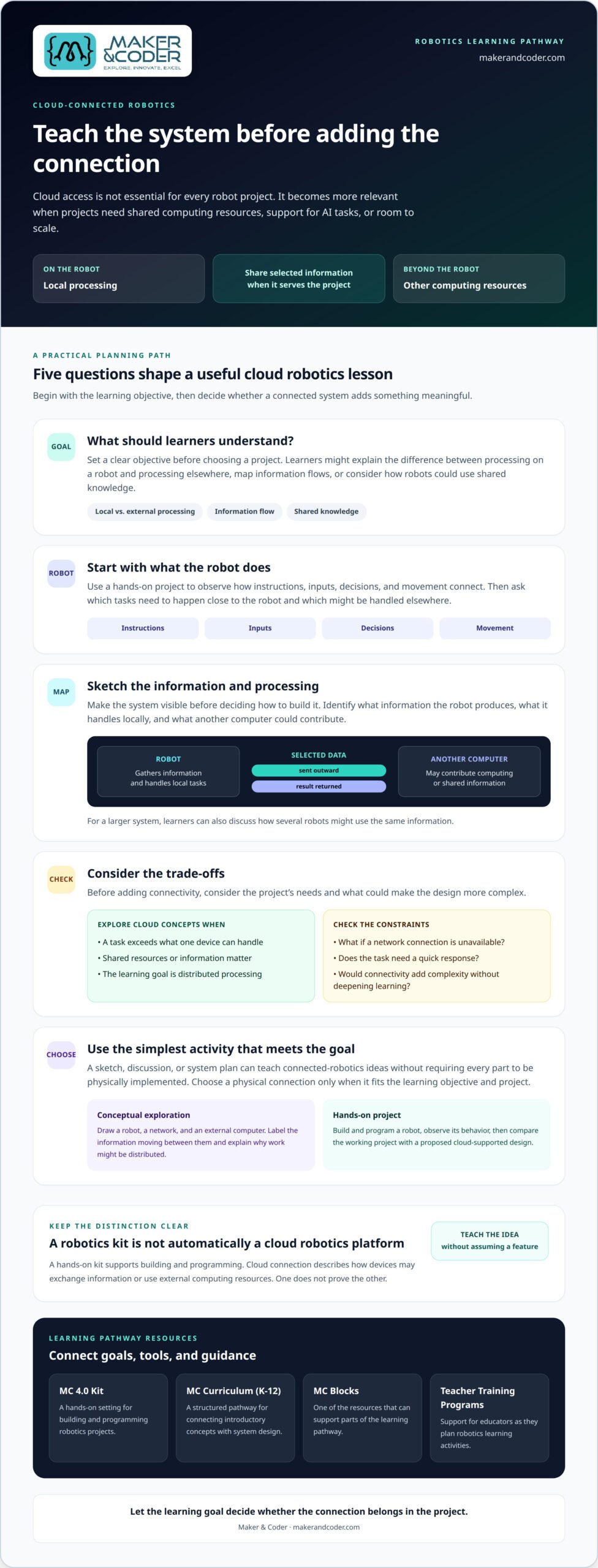
Before choosing a project, clarify what learners should understand or be able to explain by the end. They might describe the difference between processing on a robot and processing elsewhere, map information flows between connected devices, or consider how several robots could use shared knowledge. A specific learning goal keeps cloud concepts purposeful instead of adding connectivity simply because it sounds advanced.
Then connect the goal to an activity learners can make sense of. For instance, a class might sketch a system in which a robot gathers information, sends selected data to another computer, and receives a result. Students can discuss what the robot needs to do locally and what could happen elsewhere, even if the classroom build does not perform every step. The exercise strengthens systems thinking without implying that the MC 4.0 Kit offers a particular cloud feature or integration.
A clear goal also helps educators adjust complexity. Beginners can identify system components and describe their roles. More experienced learners can examine trade-offs, such as what happens when a network connection is unavailable or a task needs a quick response. The same scenario can support different levels of analysis while keeping the learning objective in view.
Use hardware to make concepts tangible
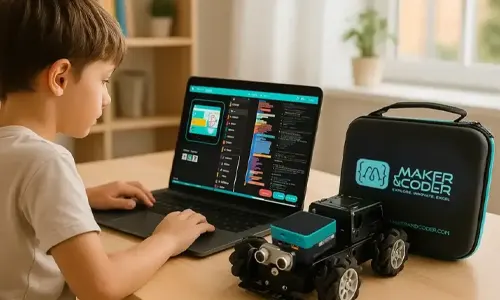
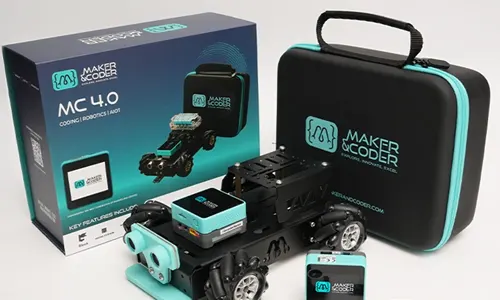
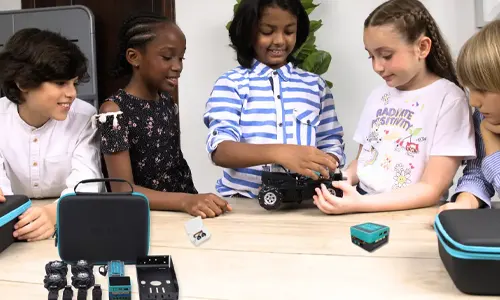
The MC 4.0 Kit can give learners a concrete setting for exploring how a robot is built and programmed. Physical projects make it easier to connect instructions, inputs, decisions, and movement to something students can observe. That creates a starting point for discussing which computations or decisions must happen close to the robot and which could, in a larger system, be handled elsewhere.
Keep the distinction clear: a hands-on robotics kit supports learning through building and experimentation, while a cloud connection describes how devices may exchange information or use external computing resources. One does not prove the other. Educators can use a kit to build foundational robotics and programming skills, then extend the lesson conceptually to explain what additional components and design decisions a connected system may involve.
Consider a classroom activity in which teams plan how a robot might respond to an observation. Learners can outline the sequence: the robot receives information, a program makes a decision, and the robot performs an action. Then ask what would change if another computer handled more demanding analysis or several robots needed access to the same information. Students can compare system designs on paper before deciding whether a physical implementation fits the learning objective.
This planning helps avoid a common teaching trap: treating connectivity as an automatic upgrade. If an activity is already clear and meaningful without a cloud connection, adding one may create complexity without deepening learning. If the objective is to understand distributed processing or shared resources, however, cloud computing becomes a useful subject of inquiry. The question is not “How do we connect every robot?” but “What should learners understand about this system, and what is the simplest way to explore it?”
Build progression with the MC Curriculum (K-12)
The MC Curriculum (K-12) can help educators place hands-on work within a structured learning pathway. A sequence matters because students need to understand the components and logic of a system before they can reason confidently about more complex arrangements. Teachers can use the curriculum as a framework for connecting introductory robotics concepts with increasingly sophisticated questions about programming and system design.
A connected-robotics unit might progress from identifying a robot’s parts and describing its behavior to drawing a system diagram with a robot, a network, and an external computer. Learners can label the information flowing between those parts and explain why the design might distribute work. The curriculum supports structured learning with the hardware, while educators decide how cloud concepts fit the objectives and teaching context.
A sequence also helps students distinguish what they have observed from what they are proposing. They might first describe how a classroom robot behaves in a project, then draw a hypothetical cloud-supported version and explain the differences. This makes the boundary between a working demonstration and a system-design idea explicit. Students can explore an ambitious concept without being led to believe every part of their sketch is implemented by the equipment in front of them.
Educators can reinforce these distinctions through reflection. After a project, ask learners which actions happened on the robot, what information another system might need, and why sharing it could be useful. Also ask them to identify a reason not to send every task to the cloud. This encourages balanced thinking: external computing may offer shared resources, but local processing, communication, and project requirements all shape the design.
For schools planning a longer sequence, a curriculum can connect individual activities instead of presenting each as a separate novelty. A build can introduce how a robot receives instructions. A later lesson can ask students to represent information moving between devices. Then a design task can challenge teams to explain whether shared computing would solve a specific problem. Each stage prepares learners for the next while keeping the focus on what they can demonstrate and explain.
Make programming ideas visible with MC Blocks
MC Blocks can provide a visual route into programming concepts. In a connected-robotics discussion, visual programming can help learners represent the logic of an imagined system: receive information, evaluate a condition, choose an action, or communicate a result. The learning value lies in making the sequence understandable, not in claiming that a particular block connects to a cloud service.
For example, students could create a flow diagram or programming sequence for a robot that responds to an input. They can mark where an external computer might contribute and discuss what the robot would need to receive in return. If the classroom activity does not implement that exchange, the teacher can make the distinction clear and use the design to develop reasoning, not to claim a product feature.
This approach gives learners useful language for discussing complex behavior. Instead of calling a project “smart” without explaining why, they can identify an input, a rule or decision, and an output. They can also consider where a task belongs and how information moves through the system. These explanations help educators assess understanding even when an activity focuses on planning rather than a complete connected deployment.
MC Blocks can also help learners revise their thinking. A student might start with a simple sequence, then realize a decision requires information the robot does not have. The team can update its design, identify where the missing information could come from, and explain the consequences of relying on another system. Iteration becomes part of learning: students refine a model, describe the change, and connect it to the project’s purpose.
- For a first exploration: have learners describe the robot’s input, decision, and action in plain language.
- For a system-design task: ask teams to show where shared information or external processing could fit.
- For reflection: invite students to explain what their design demonstrates and what remains a proposed extension.
These activities connect programming with reasoning. Learners do not need to begin with the most technically demanding implementation to think carefully about connected systems. A clearly explained model can show whether they understand how a robot, a program, and a shared resource relate to one another.
Support educators as well as learners
Teachers shape whether advanced robotics topics feel approachable. A lesson may involve hardware, programming, communication, and system design, so educators benefit from a clear path through the concepts. Maker & Coder’s Teacher Training Programs support educators in building confidence with robotics learning and connecting activities to their teaching goals.
For a cloud-related topic, useful preparation includes deciding what the lesson presents as fact and what it uses only as a model. Educators can plan how to explain the difference between a robot processing information locally and a system using external resources. They can also prepare questions that guide learners through the design: What information is needed? Where could processing happen? What might be shared? What would the project need to work as intended?
This preparation is valuable even when a class is not implementing cloud services directly. A teacher can present a diagram, compare two proposed designs, or ask students to explain how a robot fleet might reuse information. The aim is accurate understanding, not making every activity depend on network access. Training can help educators choose an appropriate level of technical detail and guide discussion without overstating what a classroom kit does.
Preparation can also help teachers plan for different starting points. Some students may be ready to reason about distributed systems, while others are still building confidence with robot behavior and programming logic. An educator can set a shared scenario, then vary the task: one group identifies the components, another traces the information flow, and another evaluates where processing might happen. The exercise stays connected while giving students different ways to engage with the idea.
Good facilitation makes room for uncertainty in the design process without creating confusion. Students can compare possible architectures, explain the assumptions behind each, and identify what each would require. Teachers can prompt them to distinguish a diagrammed idea from a working feature. This builds technical judgment: learners understand not only what a system is intended to do, but also what must be in place for it to work.
For an institution, combining curriculum with teacher preparation can support more consistent learning across lessons. Educators can align projects with objectives, use shared language for core ideas, and choose activities that match learner readiness. That coherence is especially useful when cloud robotics is one topic within a broader coding and robotics program, rather than a one-off demonstration.
Choose a practical next step
Start from the educational need. If learners need to develop hands-on understanding of robotics, begin with a suitable build and programming activity. If the objective is to explain shared resources or distributed processing, plan a system-design exercise that makes information flows visible. If educators need support shaping the pathway, consider how the MC Curriculum (K-12) and Teacher Training Programs can help organize learning and delivery.
Maker & Coder’s AIoT kits can be a relevant reference when planning a learning pathway that explores connected-device concepts. The important step is to align the equipment, lesson goals, and classroom approach without assuming that a kit supports every cloud service or integration. A clear plan identifies what students will build, what ideas they will discuss, and what they should be able to explain afterward.
As you shape the plan, keep the project manageable. Choose a single learning question, such as where a robot’s processing takes place or why devices might share information. Decide what learners can observe directly and what they will explore through a diagram or discussion. Then connect the activity to the programming and robotics concepts students are ready to practice. A focused question gives the lesson direction and makes the outcome easier to assess.
That approach leaves room to grow. A class can move from describing a robot’s behavior to representing a connected system, then to evaluating how the design might change as its needs change. Each new step should add a purposeful idea rather than technical complexity for its own sake. With the MC 4.0 Kit, MC Curriculum (K-12), MC Blocks, and Teacher Training Programs, Maker & Coder can help educators connect practical robotics learning with structured teaching and thoughtful exploration of connected systems.
If you’re planning a robotics learning pathway and would like to discuss how Maker & Coder’s offerings may fit, contact Maker & Coder.
Maker & Coder Connects Robotics Learning With Hardware and Curriculum
Maker & Coder provides a learning platform centered on the MC 4.0 hardware platform and modular MC Blocks. Its lineup includes the MC4.0 Controller and Base, and AIoT kits for technical learning.
If you’re choosing a cloud-connected robotics kit for a structured learning pathway, Maker & Coder’s K-12 MC Curriculum is designed to integrate directly with its hardware. Consider the platform when you want curriculum and robotics components from the same platform.
Frequently Asked Questions
Why would I connect my robots to the cloud?
A cloud connection can help learners explore how information is collected, organized, and used across a class. For example, students could compare results from separate project teams and discuss how shared findings might inform a design. Keep the activity focused: decide what information is appropriate to use and what students should learn from comparing it. If a project does not need shared information, it may be clearer without cloud access.
What are cloud-connected robotics kits and how do they work?
Cloud-connected robotics kits bring together a robot, programming tools, network access, and a cloud service configured for a task. Before building an activity, identify what the cloud service is responsible for and what information the project uses. For classroom work, keep examples focused on the robotics task and avoid putting personal learner information into project data. The setup and capabilities vary by kit and service.
What are the best cloud-connected robotics kits for beginners in the US?
For younger beginners, the MC4.0 Base Kit is suitable for ages 07-15 and supports block-based coding, with Python and Arduino available as skills develop. For learners aged 15+, the AIoT Robotics Kit can link to AWS and Azure. Choose based on the learner’s age, experience, and whether cloud-platform work is part of the activity. Cloud compatibility should be a purposeful learning feature, not a requirement for every beginner project.
How do you set up and program a cloud-connected robotics kit?
Plan which tasks happen on the robot and which could use an external computer, then map the information exchanged. Programming can represent the sequence of receiving information, making a decision, and performing an action.
Do cloud-connected robotics kits require an internet connection or paid subscription?
Cloud functions require a network connection to use external computing resources, but cloud services are not essential for smaller or simpler projects. Systems may use nearby edge servers or remote data centers.