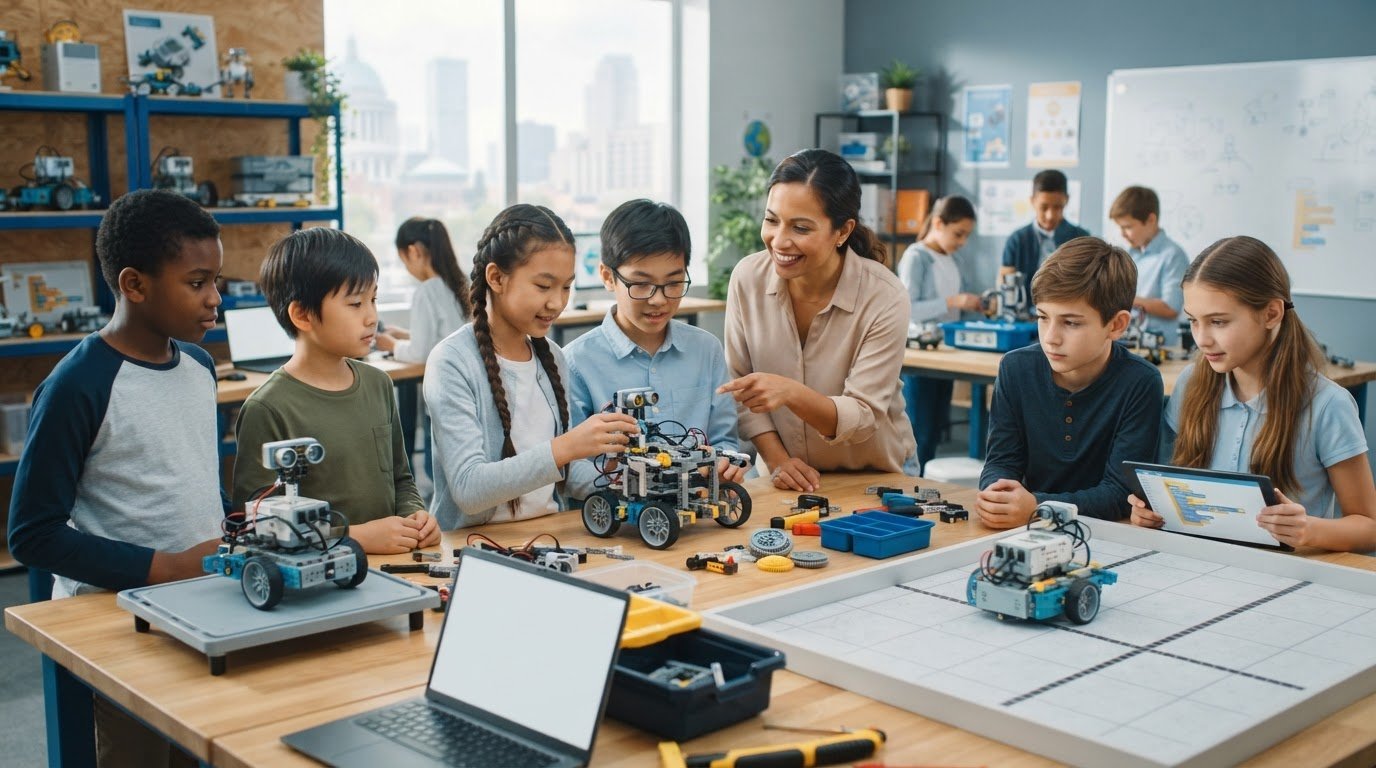
The most scalable robotics platform for a district isn’t necessarily the one with the highest payload or the longest feature list. Choosing a scalable robotics platform for a district means matching its modularity and programming options to what students will build, while considering payload, stability, and deployment needs. A platform that supports today’s activities but not future learning may limit what students can do next.
It’s natural to look for one system that can serve every classroom, but scalability means more than buying the same robot in larger quantities. It depends on whether students can extend their projects, whether the hardware remains stable with its components, and whether teachers can use it effectively. This guide explains how these factors shape a district-wide choice. You’ll learn how platform types compare, what payload and stability mean in schools, and which deployment trade-offs to consider before expanding an initial program.
Key Takeaways
- Match platform capabilities to the applications students will explore, then consider how easily those activities can expand across classrooms.
- Compare modularity and hardware compatibility by looking at how components support different learning goals and future projects.
- Assess payload alongside mechanical stability: added equipment can affect sensor performance, movement, and the reliability of robot behavior.
- Weigh each platform’s strengths against its deployment needs, including the learning environment, terrain, and level of technical complexity.
- Choose a platform type that fits the district’s intended use, from classroom learning and mobile robots to projects that require stronger traction.
Expanding robotic applications and access platforms
Districts can expand robotics by choosing platforms that support multiple learning activities and offer a clear path from introductory builds to advanced projects. Compare programming options, compatible components, and teaching resources with projects such as sensor-based navigation, automated sorting, and environmental monitoring.
For student data privacy, cybersecurity, accessibility, and safety, apply existing school policies and applicable requirements to each platform. Before classroom use, map the data collected, account access, network connections, accessible participation options, and supervision required while robots move.
Programming options determine whether a platform can grow with instruction. Block-based coding can introduce sequencing; adding sensors supports data-driven decisions, while a programmable controller can extend learning into system design. These steps make growth tangible through classroom projects, rather than relying on a feature list.
- Begin with a defined learning task. For example, students can program a wheeled robot to follow a route, then add a sensor to respond to an obstacle.
- Compare programming entry points. A visual coding interface can offer an alternative for early learners, while text-based coding can deepen later work.
- Check component access. A camera, sensor, or actuator matters when it supports a planned activity, not simply because it is available.
- Plan for teacher use. A curriculum sequence and teacher training can connect platform features to lessons and classroom routines.
To integrate robotics with district curricula, learning systems, and existing devices, connect each project to a curriculum objective and the tools students already use. Then test how learners access instructions, submit work, and program robots using district-supported devices.
Simulation can help students test a navigation sequence before running a physical robot. For example, a virtual route lets a class spot a turning error, adjust the program, and test the result on the classroom floor. A robust platform supports the transition from simulated testing to hands-on learning without changing the project’s core goal.
U.S. districts can explore federal or state education grants, state STEM programs, and cooperative purchasing arrangements as potential funding paths. Match each option to the project’s purpose, eligible expenses, and purchasing process. Cooperative purchasing can support group procurement when district rules permit.
Expansion also depends on access for different learners and classrooms. A district can introduce a shared project, such as a robot delivering classroom materials, then adapt roles so students contribute through coding, testing, design, or data interpretation. This broadens participation without requiring everyone to perform the same task.
Modular and hardware-agnostic robot platforms
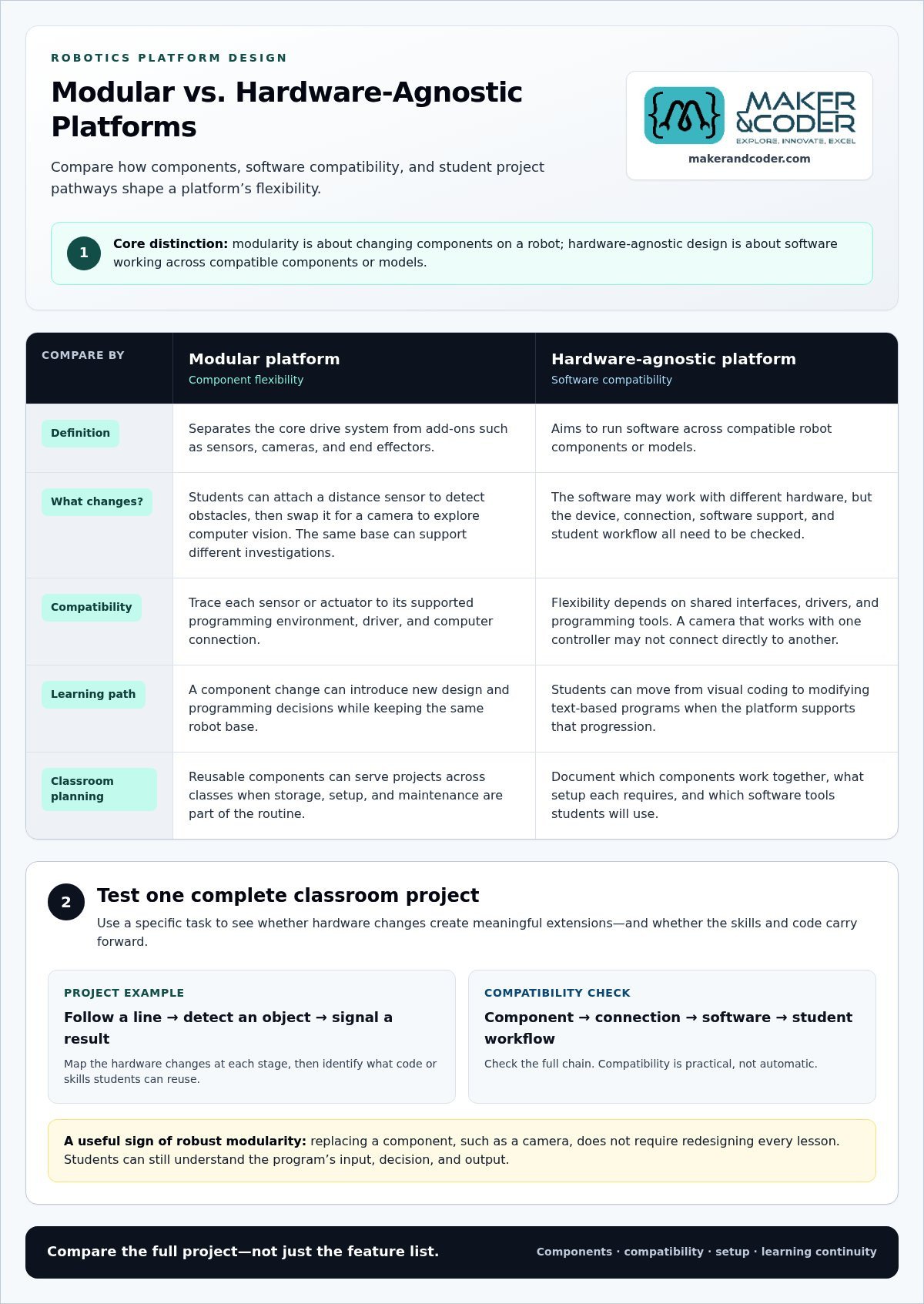
A modular robot separates its core drive system from components such as sensors, cameras, and end effectors. For a classroom project, students might attach a distance sensor to detect obstacles, then swap it for a camera to explore computer vision. The same base supports different investigations, and each component introduces new design and programming decisions.
Hardware-agnostic platforms aim to run software across compatible robot components or models. That flexibility depends on shared interfaces, drivers, and programming tools. A camera that works with one controller may not connect directly to another, so compare the entire chain: the device, its connection, software support, and student workflow. Compatibility is practical, not automatic.
Assess modularity through a specific classroom task. For example, map how students would build a robot that follows a line, detects an object, and signals a result. Identify which hardware changes at each stage and which code or skills carry forward. This shows whether the platform enables meaningful extensions or merely offers separate accessories.
- Separate essentials from add-ons. A drive base, controller, and basic programming access form one learning setup; a camera or gripper can introduce another application.
- Trace software dependencies. Match each sensor or actuator to its supported programming environment, driver, and computer connection.
- Compare student pathways. A visual coding activity can demonstrate logic before learners progress to modifying text-based programs.
- Plan shared use. Reusable components can support projects across classes, provided storage, setup, and maintenance are part of the routine.
Districts also need consistency in how educators introduce components. A common project template helps students recognize familiar concepts as they move from a sensor task to computer vision. Teacher training should link each hardware change to the learning objective, setup process, and troubleshooting routine. This builds staff confidence without turning experimentation into a fixed recipe.
Robust modularity means changing one component doesn’t require redesigning every lesson. If a camera is replaced, for instance, students should still be able to understand the program’s input, decision, and output. Documenting those relationships helps educators adapt activities across classroom environments and skill levels.
Before expanding a platform, compare one complete project across the district’s intended hardware and software environments. Record which components work together, what setup each requires, and what learning goal it serves. To discuss how modular robotics could fit district learning plans, connect with the team.
Payload capacity and mechanical stability
Payload capacity describes the equipment a robot can carry while performing its intended task. A classroom robot carrying a sensor array has different demands from one carrying a lightweight marker. Consider the full configuration, including batteries, brackets, cables, and every attachment. Added mass can affect acceleration, stopping distance, turning, and battery use.
Weight alone doesn’t tell the whole story. Placement matters, too. A camera mounted high on a mobile robot raises its center of gravity, while a low-mounted sensor may provide a steadier view of the floor. When students add components, observe whether the robot wobbles, tips during turns, or struggles on the classroom surface.
Mechanical stability also affects the quality of a robot’s measurements. Unstable sensor mounting can make measurements and robot movements less consistent. A loose bracket can make the same route appear different on repeated runs. Secure mounting supports more consistent tests and helps students distinguish a coding issue from a hardware problem.
- Define the task. For a line-following robot, identify the required sensors, controller, and attachments before comparing platform capacity.
- Check the complete load. Include mounting hardware and cables in the planned configuration, not only the visible sensor.
- Place components deliberately. Keep heavy parts low and balance equipment across the chassis where the design allows.
- Test movement under load. Run the robot through turns, stops, and changes in direction on the surface students will use.
A robotic arm creates different challenges from a wheeled platform. Extending an arm shifts force away from the base, so the robot must support the arm’s position and movement. In a classroom demonstration, students can compare the same arm reaching forward with moving close to its base, recording changes in vibration, base movement, and end-effector precision.
For district planning, compare platforms in representative classroom configurations, not just by empty-base specifications. A camera-and-sensor project, a small gripper task, and a mobile navigation exercise reveal different limits. Document which components stay secure, whether movement remains controlled, and how sensor readings change. This evidence helps teams choose hardware for planned activities instead of treating payload capacity as a single number.
Platform trade-offs and deployment checklist
Deployment choices connect classroom goals to platform design, staffing, and ongoing use. Choosing a scalable robotics platform for a district means weighing these trade-offs against a real learning activity, such as programming a mobile robot to navigate a hallway.
Comparing District Robotics Platforms
District robotics platforms combine hardware, software, and teaching resources for different learning activities. U.S. districts can compare classroom coding robots, mobile platforms, tracked robots, and robotic arms based on their intended use, programming options, movement, and setup needs.
For most indoor ROS 2, SLAM, and Nav2 projects, a differential-drive platform is the simplest starting point. Tracked robots can provide stronger traction on rough terrain, while wheeled systems suit smoother indoor routes. Choosing a scalable robotics platform for a district means matching that trade-off to where students will use the robots and what they’ll learn.
Upfront Costs and Total Ownership
Upfront costs include the robot, controller, sensors, attachments, and any required software access. Ongoing costs may include replacement components, maintenance, storage, staff training, and support, so the purchase price alone doesn’t show the full commitment.
To calculate total cost of ownership, list expenses across the district’s planned use period, including deployment, upkeep, and eventual replacement. Compare totals for the same number of classrooms and learning activities, using consistent assumptions about component reuse and staff time.
Hardware and Technical Requirements
Technical requirements include the robot’s controller, sensors, batteries, compatible computers, programming environment, network access, and data storage. A camera-based project, for example, needs compatible hardware and software, as well as a district-approved way to manage captured data.
Map each component to the district’s existing devices and network architecture. Identify whether programming runs locally or uses network services, what data is collected, and where student files are stored. This helps IT teams plan access, security, and classroom setup before expansion.
Teacher Training and Technical Support
Teacher training should prepare educators to launch a lesson, guide student programming, and troubleshoot common issues, such as a disconnected sensor or incorrect motor direction. District IT staff need separate guidance on device setup, network access, account administration, and software deployment.
Plan support around a sample lesson: teachers test the activity while IT staff resolve setup and access issues. Clear roles and troubleshooting steps support consistent use across classrooms, rather than leaving each educator to solve hardware and software problems alone.
Use this deployment checklist to connect platform choice with district operations:
- Match the robot type to the learning activity, environment, and required movement.
- Record hardware, software, network, storage, training, and support needs.
- Estimate ownership by including upkeep and component replacement, not only initial purchase.
- Test a representative lesson, then document setup steps and common troubleshooting actions.
What types of robotics platforms can a school district deploy at scale?
Districts can deploy classroom coding robots, mobile platforms, tracked robots, robotic arms, and simulation tools. Each serves different learning goals, environments, and support needs.
Classroom coding robots introduce programming through visible movement. Students can direct a small wheeled robot along a route, then revise its instructions if it turns too early. These platforms suit lessons focused on sequencing and problem-solving. Their value depends on whether learning can progress beyond a single introductory task.
For indoor robotics projects using ROS 2, SLAM, and Nav2, a differential-drive platform is the simplest starting point for most projects. Two independently driven sides enable forward movement and turning, making route planning straightforward to demonstrate. A district choosing this type can align its platform with indoor mapping and navigation goals.
Tracked platforms provide stronger traction on rough terrain than the other platform types discussed here. That can suit projects crossing uneven outdoor surfaces, while a wheeled robot may work better on smooth indoor routes. Compare the robot with the places students will use it, such as a hallway, classroom, or outdoor learning area.
Robotic arms offer different learning opportunities. A stationary arm can demonstrate how programmed movement positions an end effector as students investigate motion, control, and precision. Unlike a mobile robot, an arm doesn’t travel along a route. Its fixed setup supports focused activities but requires lessons and workspace suited to that interaction.
Simulation platforms offer another way to explore robotics concepts. Students can build a virtual environment, test a movement plan, and revise it before applying similar reasoning to physical hardware. Simulation can complement a physical platform, especially when a lesson emphasizes planning or debugging, but it doesn’t replace hands-on work with sensors, motors, or robot components.
- Choose classroom coding robots for introductory movement and sequencing activities.
- Choose differential-drive mobile robots for indoor mapping and navigation projects.
- Choose tracked robots when rougher terrain is central to the activity.
- Choose robotic arms for lessons focused on controlled movement and manipulation.
- Add simulation when virtual testing supports the intended learning sequence.
A district can combine platform types when programs have distinct goals. Students might learn basic control with classroom robots, explore navigation with differential-drive platforms, and study manipulation with an arm. Giving each platform a clear role helps prevent overlapping purchases and gives educators a coherent path from introductory activities to advanced projects.
To align platform choices with district learning goals, discuss robotics learning priorities.
Maker & Coder: MC 4.0 Kit
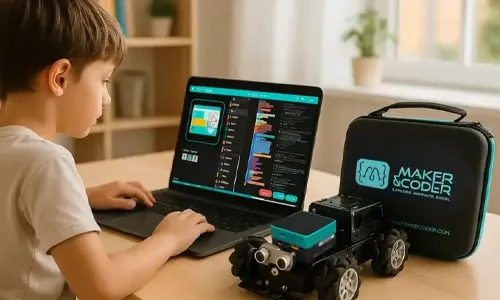
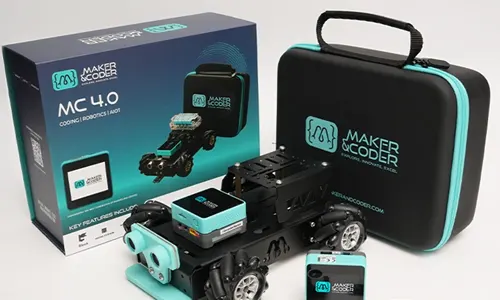
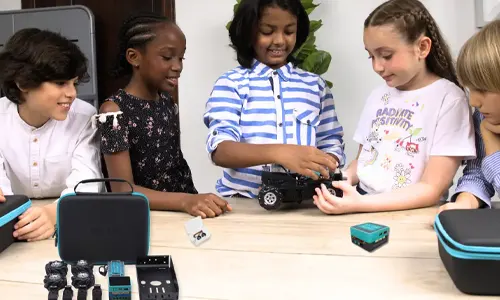
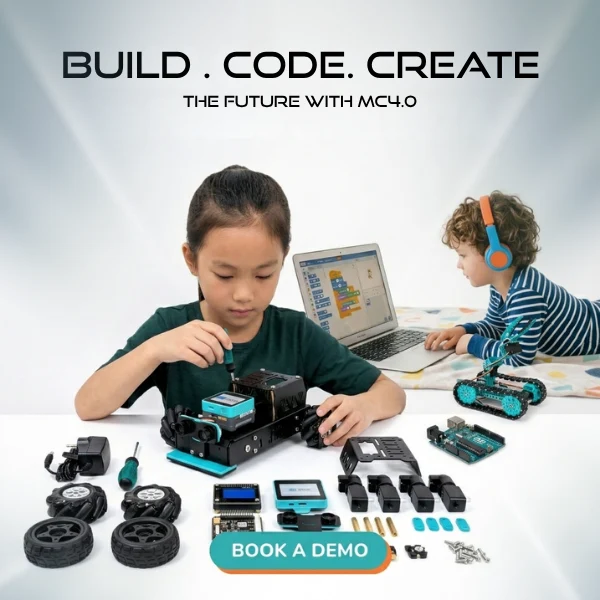
Maker & Coder’s MC 4.0 Kit offers a practical next step for districts building hands-on robotics learning into classroom programs. Pairing the kit with MC Blocks gives students a way to explore programming through structured activities, while the MC Curriculum (K-12) provides a learning pathway designed to integrate with the hardware.
Consider this combination when a district wants robotics activities connected to a curriculum, rather than stand-alone demonstrations. Maker & Coder’s Teacher Training Programs help educators bring activities into lessons and guide students from introductory coding concepts toward advanced projects. Together, the hardware, learning materials, and teacher development create a connected approach without requiring every activity to start from scratch.
Explore how Maker & Coder can support your district’s robotics learning goals by contacting the team.
Build the Next Stage of District Robotics
The next step is to turn platform selection into a learning pathway that can grow with students and educators. A district can begin choosing a scalable robotics platform for a district with a pilot project, then use classroom experience to shape broader adoption. Keep each expansion connected to clear learning goals.
Maker & Coder’s MC 4.0 Kit, MC Blocks, and MC Curriculum (K-12) provide a connected option for hands-on robotics learning. Consider how these offerings could support the projects, teaching approach, and student progression your district wants to develop.
Start a conversation about your district’s robotics learning goals and possible next steps. Contact Maker & Coder to explore how to bring those goals into the classroom.
Every strong program begins with a purposeful first build. Give students the chance to move from curiosity to creating, testing, and improving their own ideas.
Maker & Coder: A Hardware-and-Curriculum Pathway for District Robotics
Maker & Coder provides a STEM education ecosystem centered on the MC 4.0 hardware platform and modular MC Blocks. If your district is choosing a robotics platform and needs hardware paired with a structured learning pathway, its K-12 MC Curriculum is designed to integrate directly with the hardware.
The lineup includes the MC4.0 Controller and Base, AIoT, and STEAM kits for technical learning. Consider these options when comparing the components and curriculum your district wants to bring together for K-12 education.
Frequently Asked Questions
Quick Answer: Which Mobile Robot Platform Should You Choose?
For most indoor ROS 2, SLAM, and Nav2 projects, a differential-drive platform is the simplest starting point. Choose a robot that suits the surface and intended project, then consider how students will start, pause, and reset its programs during lessons. If a class will work on rough terrain, tracked platforms offer stronger traction than the other types discussed here. Match the platform to the activity first.
How should a district assess robotics platform scalability, interoperability, and vendor support?
Choosing a scalable robotics platform for a district should include a compatibility matrix covering devices, programming tools, and classroom workflows. Assess scalability by asking whether new projects build on students’ existing skills. To evaluate interoperability, test a representative activity with district devices and software. Review educator guidance, troubleshooting resources, and implementation support as part of the platform assessment.
What steps should a district follow to pilot, procure, and scale a robotics platform?
A useful next step in choosing a scalable robotics platform for a district is to define the pilot’s learning objective and success criteria. Run a representative lesson, gather feedback from teachers and students, and document setup challenges, device access, and classroom workflow. Use those findings to shape procurement requirements. Before expanding, assign responsibility for equipment, lesson preparation, and technical support across participating schools.
What are common risks and implementation challenges when scaling robotics across schools?
The decision process for choosing a scalable robotics platform for a district should account for varied staff readiness, inconsistent device access, and differences in classroom routines. A lesson that works smoothly in one setting may need adjustments elsewhere. Reduce disruption by documenting setup and reset procedures, clarifying who handles technical issues, and collecting teacher feedback during rollout. Review those records as the program expands to identify recurring obstacles.
What student data privacy, cybersecurity, accessibility, and safety rules apply to school robotics platforms?
Apply existing school policies and applicable requirements. Before classroom use, map the data collected, account access, network connections, accessible participation options, and supervision needed while robots move.
What grants, state programs, or cooperative purchasing options can help U.S. districts fund robotics platforms?
Potential funding paths include federal or state education grants, state STEM programs, and cooperative purchasing arrangements. Match each option to the project’s purpose, eligible expenses, and purchasing process. Cooperative purchasing can support group procurement when district rules permit.