What if the most powerful tool in your classroom wasn’t a screen, but a student’s own ability to engineer the physical world? You likely recognize that 5th graders are ready for more than just moving an avatar through a digital maze. They crave the satisfaction of building something that actually moves, senses, and reacts. This guide explores how to launch high-impact 5th grade coding projects using kits that bridge the gap between simple play and professional engineering.
You’ll discover how to transform STEM learning from passive consumption into active creation using the MC 4.0 Platform. We’ll show you how to eliminate high setup times and “toylike” limitations by utilizing modular MC Blocks. This approach ensures a seamless transition from familiar block-coding to advanced Python robotics. We’ll preview how to foster deep student engagement through physical interaction and curriculum-aligned innovation that prepares learners for a high-tech future. It’s time to move beyond screen-based puzzles and start building the devices of tomorrow.
Key Takeaways
- Identify why 5th grade serves as the critical turning point for shifting from screen-only puzzles to tangible, hardware-driven engineering.
- Select the ideal hardware by prioritizing modular MC Blocks that eliminate technical friction in 5th grade coding projects using kits.
- Empower students to bridge the gap between introductory block-coding and professional Python through the scalable MC 4.0 Platform.
- Launch real-world applications such as smart home automation and interactive wearables that demonstrate the practical utility of IoT.
- Optimize your classroom environment with proven strategies for kit organization and collaborative pair programming to ensure seamless STEM delivery.
Why 5th Grade is the Strategic Turning Point for Coding Kits
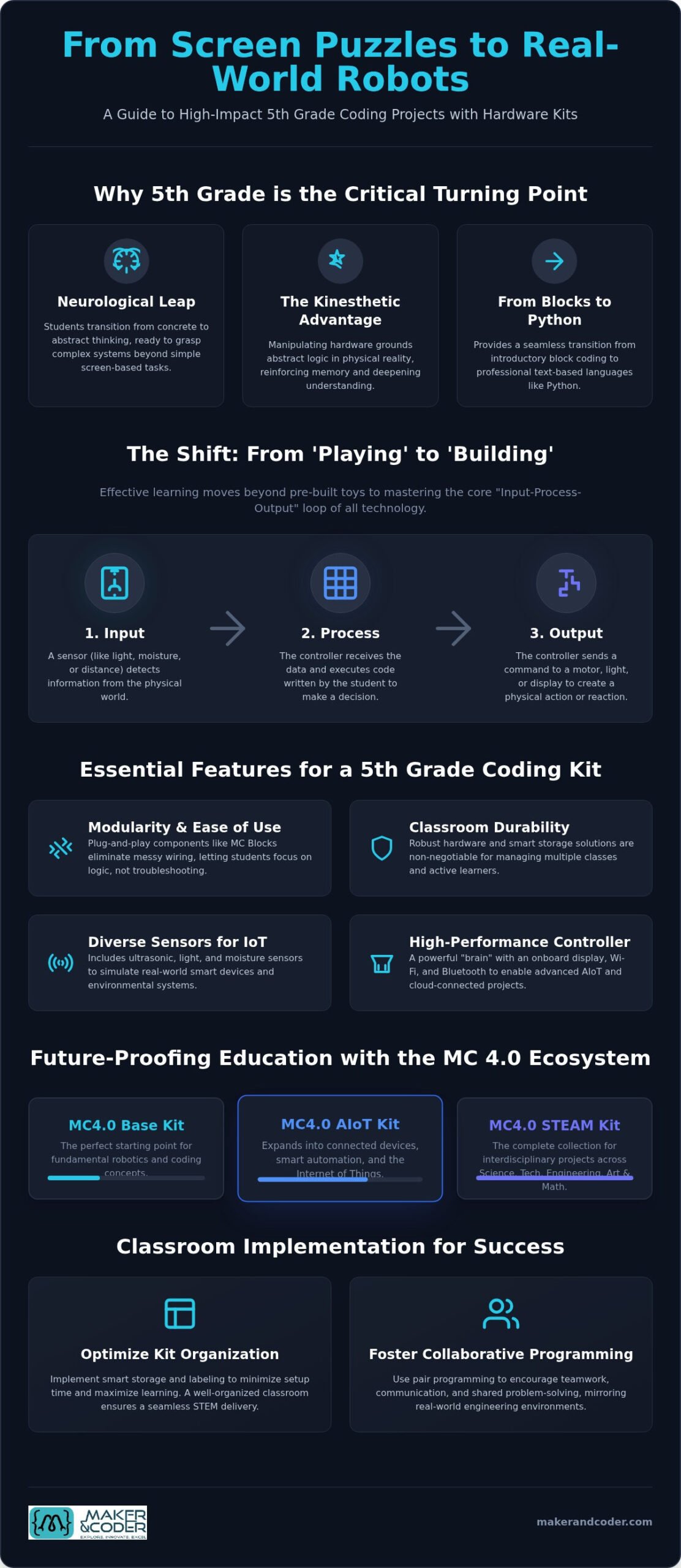
At age 10 or 11, students undergo a profound neurological transition. They move from concrete operations toward formal operational thought, allowing them to grasp complex, abstract systems. This is why software-only environments often lose their charm in late elementary school. While digital-only blocks provide a solid start, 5th grade coding projects using kits offer the tangible feedback required to sustain interest. Students transition from being passive consumers of technology to becoming active architects of their own digital-physical ecosystems.
The “Kinesthetic Advantage” isn’t just a buzzword; it’s a pedagogical necessity. By manipulating hardware, learners ground abstract logic in physical reality. This tactile feedback loop reinforces memory and deepens understanding of conditional logic. This foundation is essential for the upcoming rigors of middle school, where they’ll trade simple blocks for professional-grade Python and sophisticated circuitry. Starting this journey in 5th grade ensures they enter secondary education with the confidence of seasoned creators rather than hesitant beginners.
The Shift from ‘Playing’ to ‘Building’
Distinguishing between consumer-grade toys and professional educational hardware is critical for long-term success. The MC 4.0 Platform moves beyond the toylike limitations that cause older students to disengage. Instead of pre-built gadgets, students use modular MC Blocks to master the “Input-Process-Output” loop. They learn how a sensor detects light (Input), how the controller processes that data (Process), and how a motor or display reacts (Output). Seeing code manifest as a physical action creates a powerful psychological boost, turning a line of logic into a visible achievement.
Curriculum Alignment: More Than Just Fun
Effective 5th grade coding projects using kits must do more than entertain; they must educate. High-quality hardware integration directly supports CSTA and NGSS standards by turning abstract math and science concepts into lived experiences. Students use variables to track real-time sensor data, like monitoring soil moisture for a plant, or apply geometric principles to program precise robotic movements. This integration ensures that coding isn’t an isolated subject, but a versatile tool for scientific inquiry. Physical Computing is the integration of software and hardware to solve real-world problems. By weaving these technical skills into the broader curriculum, educators provide a purpose-driven path toward innovation. You can explore the tools needed for these implementations at the Maker & Coder shop.
Choosing the Right Kit: Essential Features for 5th Grade Learners
Selecting hardware for 10-year-olds requires a balance between ease of use and technical ambition. While hobbyist components often rely on messy breadboards and fragile jumper wires, successful 5th grade coding projects using kits demand modularity. You need a system that survives the rigors of a classroom while offering the depth of a professional lab. Look for “plug-and-play” components like MC Blocks that allow students to focus on logic rather than troubleshooting loose connections. Durability and smart storage solutions are also non-negotiable for teachers managing multiple classes across different periods.
Diversity in sensors is equally vital. To simulate real-world IoT systems, a kit should include ultrasonic sensors for distance, light sensors for automation, and moisture sensors for environmental science. This variety allows the curriculum to remain fresh throughout the school year. This diversity prevents the “one-and-done” fatigue common with simpler, more limited kits. If you’re planning a school-wide rollout, speak with our education specialists to find the right configuration for your specific goals.
The Controller: The Brain of the Operation
A high-performance controller like the MC4.0 Controller is the heart of the MC 4.0 Platform. Unlike basic microcontrollers, this dedicated hub features an informative onboard display that provides immediate feedback during debugging. It’s equipped with Wi-Fi and Bluetooth capabilities, making it ideal for advanced AIoT projects. This connectivity allows students to see their 5th grade coding projects using kits interact with the cloud, moving beyond local circuits into the world of connected devices. It’s a professional-grade tool that commands respect from learners who have outgrown toys.
MC Blocks and Modular Expansion
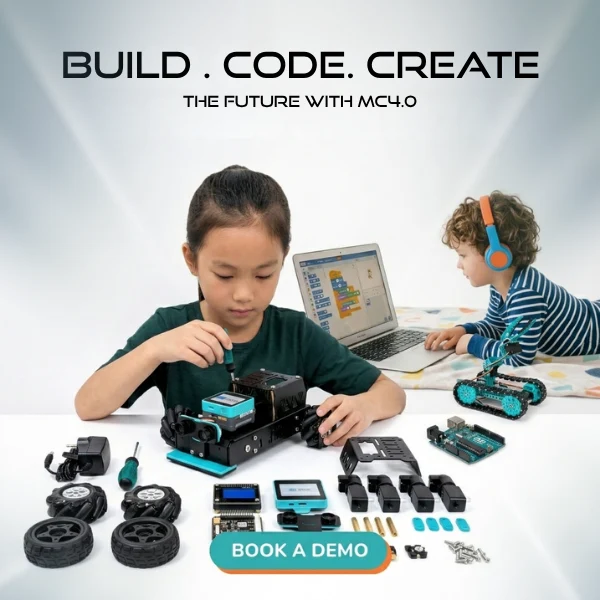
The MC 4.0 ecosystem offers tiered configurations, including the MC4.0 Base Kit, MC4.0 AIoT Kit, and MC4.0 STEAM Kit. These levels allow schools to scale their investment as students progress. Because MC Blocks are modular, they eliminate the frustration of broken pins and accidental short circuits. This durability ensures your investment lasts for years. More importantly, this architecture supports a “low floor, high ceiling” approach. Students can start with simple block-based logic and eventually toggle to professional Python code within the same environment. This capability bridges the gap that often stalls student progress in middle school, providing a frictionless path to text-based mastery.
5 Innovative 5th Grade Coding Projects Using Hardware Kits
Moving from abstract screen-based puzzles to physical prototypes represents a significant leap in a learner’s development. These 5th grade coding projects using kits allow students to see their logic solve real-world problems in real-time. Whether they’re monitoring a living plant or securing a room, the MC 4.0 Platform provides the professional-grade tools needed for high-impact results. By engaging with these projects, students don’t just learn to code; they learn to engineer. You can find the necessary components to start these builds at the Maker & Coder shop.
Project 1: The Automated ‘Greenhouse’ Monitor
The Automated ‘Greenhouse’ Monitor helps students master continuous loops and conditional logic. By integrating a Soil Moisture Block with the MC 4.0 Controller, they create a system that monitors environmental health. The objective is to use moisture and temperature sensors to alert the user when a plant needs attention. If the moisture level drops below a specific threshold, the LED display triggers a visual alert or a buzzer sounds. This project creates a perfect blend of biology and engineering, showing how technology can support natural systems.
Project 2: The Smart Security Alarm
The Smart Security Alarm introduces students to PIR Motion Sensor Blocks and the concept of state-based variables. Learners program the system to ‘arm’ or ‘disarm’ using the controller’s buttons. When the sensor detects motion while armed, the Buzzer Block emits a high-frequency sound. This project teaches the importance of input-driven triggers and provides immediate, tangible feedback. It’s an excellent way to discuss the real-world applications of security systems and automated sensors.
Interactive Wearables represent another exciting frontier for this age group. Students can build step counters or ‘mood badges’ using RGB LEDs, learning how accelerometers and light sensors interact with the human body. This moves coding away from the desk and into the student’s personal world. Robotic Navigation takes this further by challenging learners to program a rover to avoid obstacles autonomously using ultrasonic sensors. These 5th grade coding projects using kits transform the classroom into a dynamic innovation lab where every mistake is a chance to debug and improve.
Finally, AI-enhanced sorting projects and IoT weather stations introduce the fundamentals of modern data science. Students can use vision sensors to categorize objects by color or shape, or collect and display local temperature and humidity data on a cloud-connected dashboard. Each project scales in complexity, ensuring that the MC 4.0 Platform remains a relevant and challenging tool as students progress. By building these tangible devices, learners gain the confidence to tackle the complex technical challenges of the future.
Classroom Implementation: Tips for Teachers and STEM Leads
Successfully launching 5th grade coding projects using kits requires more than just high-quality hardware; it demands a tactical approach to classroom logistics. Managing 30 students with physical components is a different challenge than overseeing software-based lessons. To maintain momentum, you must transform your classroom into a structured innovation lab. Start by implementing a color-coded bin system for your MC Blocks. Labeling every compartment ensures that pieces return to their specific homes, preventing the “missing part” syndrome that frequently stalls progress in later periods.
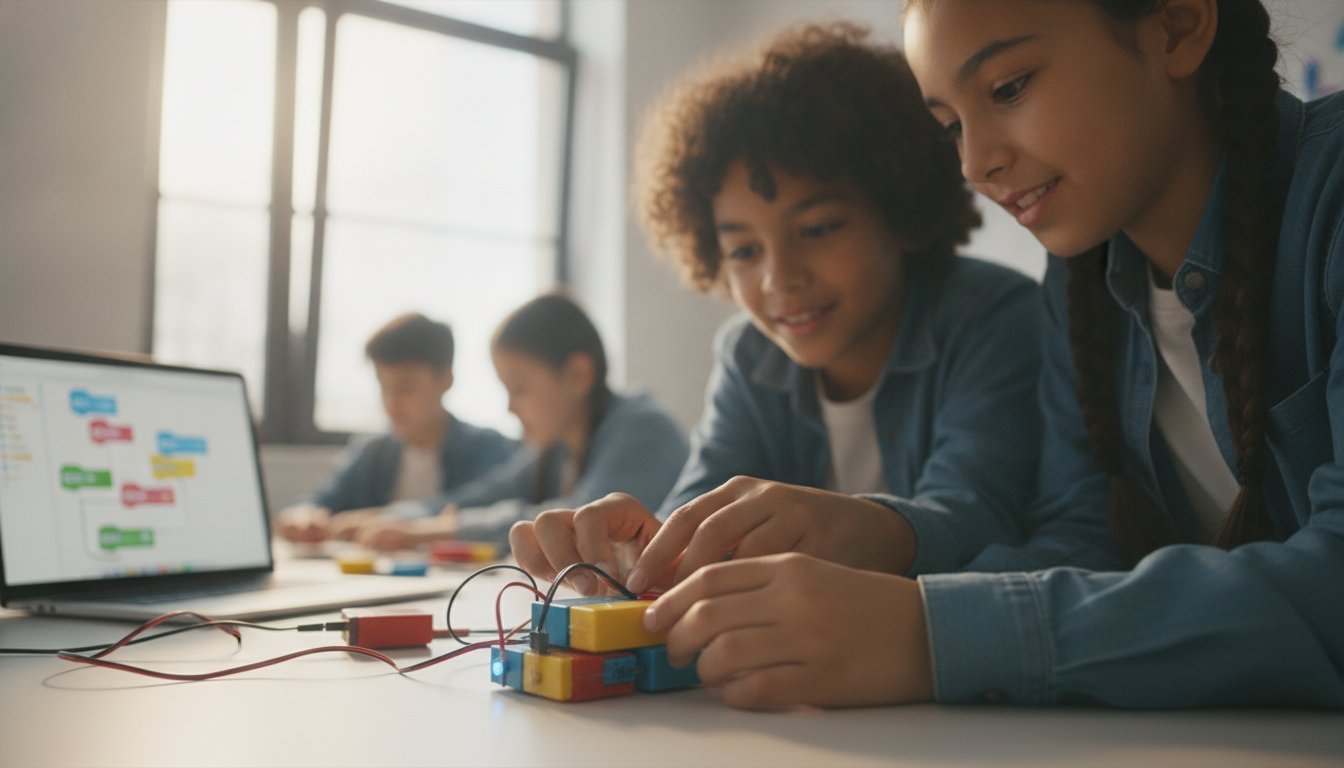
Collaboration is the engine of a successful STEM environment. Adopt pair programming as your standard, assigning exactly two students per kit. This “magic number” ensures that every learner has a hands-on role. One student acts as the “driver,” handling the physical MC Blocks, while the other serves as the “navigator,” reviewing the code logic on the screen. Rotate these roles every 15 minutes to keep engagement high and ensure both students master the hardware-software interface. This structure mirrors professional engineering workflows and reduces the need for individual troubleshooting.
Establish the “10-Minute Takedown” routine to protect your investment. Dedicate the final portion of every lesson to hardware inspection and battery management. Students should verify that all modular components are accounted for and that the MC4.0 Controller is properly powered down. Encourage a “Hardware First” troubleshooting rule: if a project fails, students must check their physical connections before they touch their code. This builds critical thinking and foundational engineering habits that will serve them well into middle school and beyond.
Professional Development and Training
Teacher confidence is the primary predictor of STEM program success. When educators feel empowered, students feel inspired. A structured K-12 MC Curriculum is essential because it reduces lesson prep time and provides a clear roadmap for complex builds. If you want to deepen your expertise, explore our Teacher Training Programs. These sessions provide the technical foundation needed to lead 5th grade coding projects using kits with authority and ease.
Assessment in Hardware Coding
Shift your assessment focus from the final product to the problem-solving journey. Don’t just ask, “Does it work?” instead, ask, “How did you solve the obstacles you encountered?” Use project journals to document the design-build-test cycle, allowing students to reflect on their iterations. Peer demonstrations serve as an excellent summative assessment, as they require students to articulate their logic to others. Contact our team to discuss school-wide implementation strategies and discover how to build a lasting culture of innovation in your district.
Future-Proofing Education with the MC 4.0 Ecosystem
The MC 4.0 Platform represents more than a single school year’s worth of activities. It’s a scalable investment designed to grow alongside the learner’s developing intellect. While 5th grade coding projects using kits often start with visual blocks to establish logic, the MC 4.0 ecosystem allows for a seamless transition into professional-grade Python. This ensures that students don’t hit a technical “ceiling” where their tools become too simple for their growing ambitions. By using the same hardware from late elementary through high school, schools create a consistent learning environment that builds deep, cumulative mastery.
Preparing students for the future means providing them with tools that reflect real-world industries. The integration of AI, IoT, and Robotics within the MC 4.0 ecosystem mirrors the technologies driving modern innovation. Students aren’t just completing assignments; they’re prototyping solutions for a connected world. By joining the Maker & Coder community, educators and learners gain access to a global library of resources and project ideas that keep the curriculum relevant and challenging. This community-driven approach ensures that your STEM program stays at the forefront of educational technology.
The MC 4.0 Controller: A Professional Foundation
The robust design of the MC 4.0 Controller serves as the technical anchor for the entire platform. It’s built to withstand daily classroom use while offering the technical versatility required for advanced engineering. Whether a student is making their first LED blink or designing a complex AI-driven sorting system, this controller provides the necessary processing power and feedback. You can explore the full range of MC 4.0 Kits to see how this hardware supports every stage of the technical journey. It’s the difference between a temporary toy and a professional educational foundation.
Complete Curriculum Integration
A unified ecosystem is only as strong as the pedagogy behind it. The K-12 MC Curriculum provides the structured learning paths needed to move students from basic concepts to complex applications without gaps in understanding. Having hardware and software designed to work in tandem reduces technical friction, allowing teachers to focus on instruction rather than troubleshooting. This purposeful building empowers the next generation of innovators to see themselves as architects of technology, not just users. It’s about building a foundation that stays relevant as the digital world continues to evolve, ensuring students are ready for the careers of 2030 and beyond.
Launch Your Classroom’s Engineering Future
Transitioning students from screen-based puzzles to physical innovation is a strategic move that pays dividends throughout their academic journey. By choosing modular hardware, you empower learners to build tangible solutions while mastering the complex logic required for professional-grade Python. We’ve explored how the MC 4.0 Platform bridges the gap between simple play and real-world engineering, ensuring that your 5th grade coding projects using kits remain both engaging and pedagogically sound for every student.
The MC 4.0 ecosystem is currently utilized in K-12 schools worldwide, featuring modular MC Blocks that eliminate wiring frustration and keep the focus on creative discovery. Supported by our comprehensive teacher training and curriculum resources, you can implement these advanced projects with absolute confidence. It’s time to move beyond the limitations of the screen and provide your learners with a professional foundation for their future careers in technology and robotics.
Ready to transform your learning environment? Explore the MC 4.0 Ecosystem and Start Your 5th Grade STEM Journey Today. The future belongs to the builders; let’s give your students the tools they need to lead the way.
Frequently Asked Questions
What is the best coding kit for a 5th-grade beginner?
The MC4.0 Base Kit serves as the ideal starting point for learners entering the world of physical computing. It provides the essential modular MC Blocks needed to master foundational logic without the initial complexity of advanced AI sensors. This kit allows beginners to focus on the core “Input-Process-Output” loop. It ensures a smooth introduction to 5th grade coding projects using kits by prioritizing durability and ease of use for first-time engineers.
Do 5th graders need to know Python before using a hardware kit?
No, students don’t need prior knowledge of Python to begin their journey with the MC 4.0 Platform. The system supports a “low floor, high ceiling” approach, allowing learners to start with intuitive block-based coding. As they gain confidence and technical proficiency, they can seamlessly transition to professional-grade Python. This dual-coding capability makes it accessible for absolute beginners while providing a clear path for future-ready advancement and professional technical mastery.
How many students can share one coding kit in a classroom?
We recommend a ratio of two students per kit to maximize engagement and collaborative learning. This “pair programming” model ensures that one student can focus on building with MC Blocks while the other navigates the software logic. This structure mirrors real-world engineering workflows and prevents students from becoming passive observers. Sharing a kit encourages critical communication and shared problem-solving during complex 5th grade coding projects using kits.
Is an internet connection required for these coding projects?
A consistent internet connection is primarily required for accessing the web-based coding environment and cloud-based AI features. While basic logic can often be uploaded directly to the MC4.0 Controller, advanced AIoT projects rely on Wi-Fi connectivity to interact with external data sources. This connectivity allows students to simulate real-world IoT systems, such as weather stations or smart home devices, that require data exchange across a global network.
What is the difference between the MC4.0 Base Kit and the AIoT Kit?
The MC4.0 Base Kit focuses on foundational technical education, while the MC4.0 AIoT Kit includes advanced sensors for Artificial Intelligence and Internet of Things projects. The AIoT Kit expands the student’s toolkit with specialized MC Blocks designed for data collection and cloud connectivity. While the Base Kit is perfect for introductory engineering, the AIoT Kit is designed for learners ready to prototype sophisticated, connected devices that simulate modern smart technology.
Can these kits be used for science fair projects?
Yes, the modularity and technical depth of the MC 4.0 Platform make it an exceptional choice for competitive science fair entries. Students can use the kits to build data-driven prototypes, such as automated environmental monitors or assistive technology devices. Because the hardware is professional-grade rather than a simple gadget, it allows learners to demonstrate high-level engineering and scientific inquiry that impresses judges and peers with its real-world utility.
How long does a typical 5th-grade coding project take to complete?
A standard introductory project typically takes between 45 and 60 minutes to assemble and code. More complex builds, such as an autonomous rover or a multi-sensor smart home system, may span multiple class periods. The MC Curriculum provides structured lesson plans that break these projects into manageable phases. This ensures that students have enough time to design, build, and troubleshoot their devices without feeling rushed or losing interest during the process.