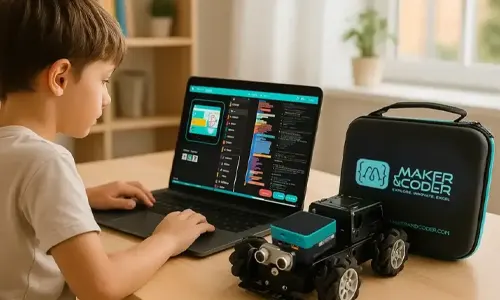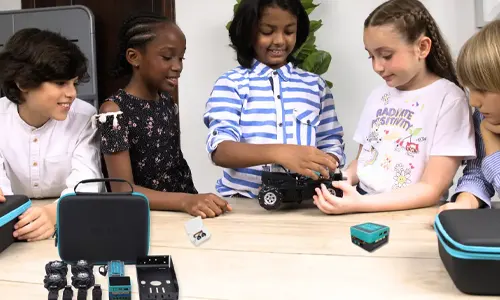
What if a robot could follow a path, detect dry soil, or respond to a hand gesture? The best IoT robotics projects for students make those ideas tangible, combining sensors, code, motors, and connected devices in builds students can test and improve. Robotics matters because it gives learners a practical way to explore how technology responds to real-world conditions.
A strong project does more than make a machine move. Students read sensor data, use code to make decisions, and observe how those decisions change a robot’s actions. This cycle of building, testing, and refining turns abstract concepts into hands-on problem-solving.
This guide presents 15 project ideas, from line-following robots and automated plant care to connected rovers, smart monitoring, and classroom kits. You’ll see what each build can do, which sensors or devices it can involve, and how projects can progress from simple controls to more advanced connected applications. Use the ideas to find a practical starting point for your classroom or learning space.
Key Takeaways
- Explore how infrared sensors help line-following robots track a path, while obstacle-detection builds respond to objects in their way.
- Learn how soil-moisture readings can guide automated watering and help students investigate plant-care systems.
- Compare gesture, Bluetooth, and voice controls to find engaging ways to make a rover respond to people.
- Choose project complexity to match learners’ experience, then build skills through testing, debugging, and improving designs.
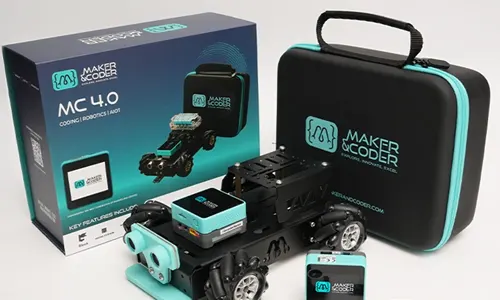
- See how the MC 4.0 Kit, MC Blocks, and K-12 MC Curriculum can support structured, hands-on robotics learning.
Arduino Obstacle-Avoiding and Line-Following Robots
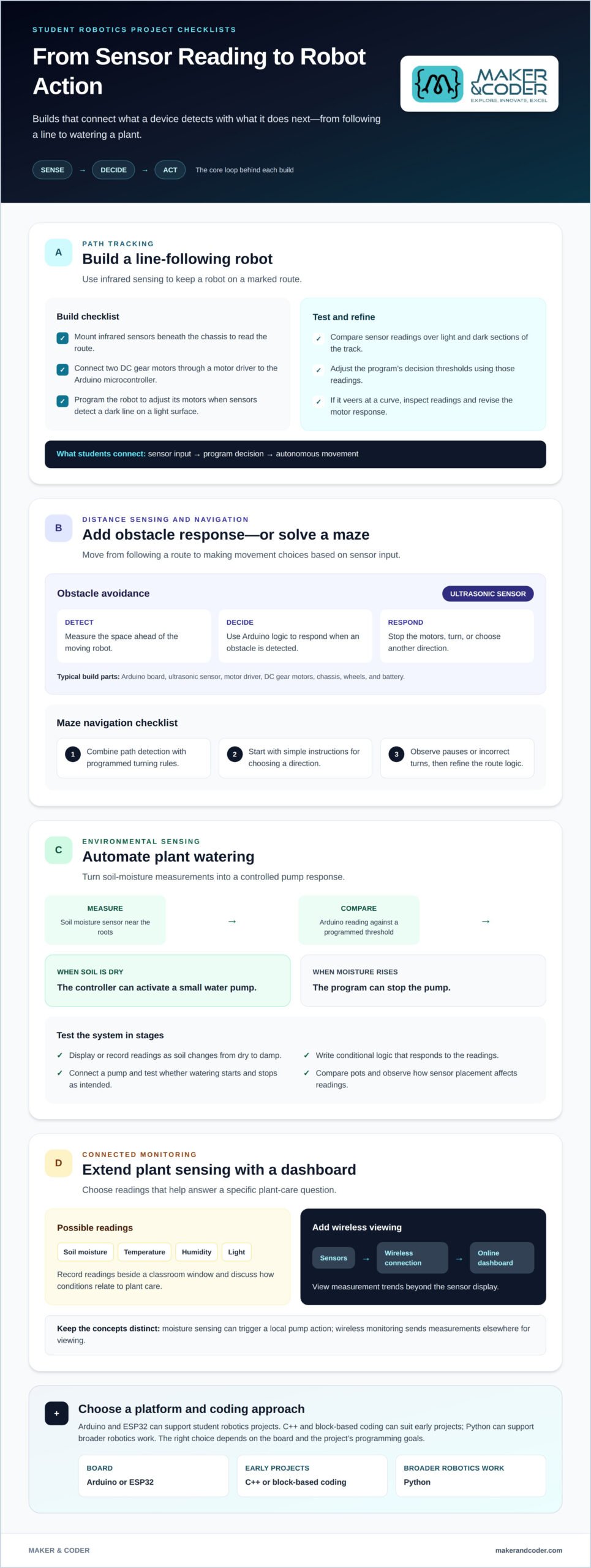
An Arduino line-following robot uses infrared (IR) sensors to detect a route and adjust its movement. Students can mount the sensors under a chassis, connect two DC gear motors through a motor driver, and program the Arduino microcontroller to respond to sensor readings. When the sensors detect a dark line on a light surface, the code can adjust the motors to keep the robot on course.
Calibration makes this build a practical lesson in detection and control. Students can compare sensor readings over light and dark sections of a track, then adjust the program’s decision thresholds. If the robot veers left at a curve, learners can inspect the readings and revise the motor response. These are among the Best IoT Robotics Projects for Students because they clearly connect sensor input with autonomous movement.
An obstacle-avoidance robot adds distance sensing to the same moving platform. An ultrasonic sensor measures the space ahead, and the Arduino can stop the motors, turn, or choose another direction when it detects an obstacle. A typical build uses an Arduino board, ultrasonic sensor, motor driver, DC gear motors, chassis, wheels, and battery. Unlike a remote-controlled car, it makes movement decisions based on sensor input.
For maze navigation, students can combine path detection with programmed turning rules. An Arduino Uno maze-solving build can follow marked routes, detect junctions, and use logic to choose a direction. Learners can start with simple instructions, then refine the route after observing where the robot pauses or turns incorrectly. This progression moves from line tracking toward autonomous navigation.
Arduino and ESP32 are useful platforms for student robotics. C++ and block-based coding can support early projects, while Python suits broader robotics work. The right choice depends on the board and the project’s programming goals. A line follower can be one of the Best IoT Robotics Projects for Students when learners extend it with wireless data exchange.
In the United States, project costs depend on the controller, sensors, motors, chassis, and power supply. Connected features can change which components are needed, so a basic line follower and a Wi-Fi-enabled rover may require different parts.
Popular builds may use a microcontroller, sensors, motor driver, motors, mechanical parts, and a power supply. Line followers use IR sensors, while obstacle-detecting robots add ultrasonic sensors. Connected builds may also need wireless communication hardware.
Advanced college projects can explore swarm robotics, where robots communicate and coordinate using behavior algorithms. ROS and Gazebo can support simulation before students test coordinated movement with physical robots.
Automated Plant Watering
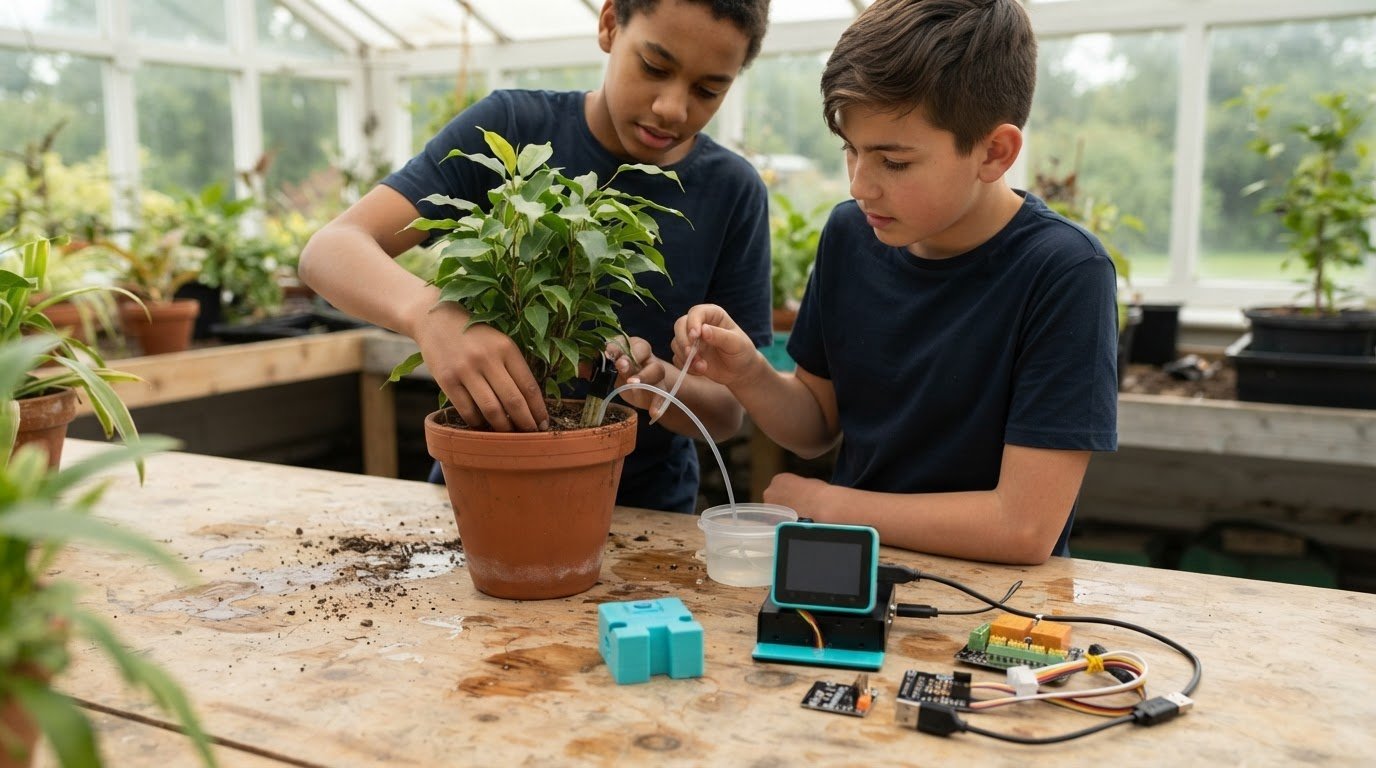
Place a soil moisture sensor near a plant’s roots. An Arduino Uno can read its measurements and compare them with a programmed threshold. When the soil is dry, the controller can activate a small water pump; when moisture rises, the program can stop it. This sequence connects environmental monitoring with automation, showing how sensor input can lead to action.
Build the system in stages. First, display or record moisture readings as the soil changes from dry to damp. Next, write conditional logic that responds to the readings. Then connect a pump and test whether watering starts and stops as intended. Students can compare results across different pots, observe how sensor placement affects readings, and adjust the program’s response. The project shows why reliable automation depends on useful measurements and clear rules.
A smart plant-monitoring project can combine soil moisture readings with temperature, humidity, and light data. Students might record readings beside a classroom window, then discuss how changing light or room conditions relate to plant care. A wireless connection can send measurements to an online dashboard or cloud service, allowing learners to view trends beyond the sensor display. Keep the project focused by choosing readings that help answer a specific plant-care question.
Automation concepts also apply to classroom systems. For example, an ESP32-based attendance project can use an RFID reader to identify users, then send records through Wi-Fi to web or cloud services. Students can trace the steps from tag detection to data storage and consider how connected devices exchange information. This example explores classroom administration without requiring a moving robot.
A Wi-Fi-controlled fan offers another practical demonstration. An ESP8266 can communicate wirelessly with a control interface, while a relay switches the fan on or off. Students can extend the idea to smart-home projects involving lighting, temperature monitoring, and motion detection. Each added sensor creates a new input for the program, while remote control shows how a connected device can respond to a command from elsewhere.
Treat plant watering and room automation as separate experiments before combining them. A moisture-sensing planter teaches measurement and pump control, while an RFID attendance system demonstrates identification and data handling. These examples help students distinguish local sensor-based actions from wireless monitoring and remote device control.
Gesture-Controlled Rovers and Human-Machine Interaction
A gesture-controlled rover turns hand movements into commands. Students can map a forward gesture to forward motion, then assign other gestures to turning and stopping. A gesture-recognition sensor provides the input, and the program translates each detected movement into a motor response. This project makes human-machine interaction visible: change the gesture, and the rover’s behavior changes.
Bluetooth adds another control method. A student can send commands from a smartphone to a robot car, directing it forward, backward, left, right, or to stop. For an obstacle-avoidance rescue bot, an HC-05 Bluetooth module can receive movement commands, while an HC-SR04 sonar distance sensor detects objects ahead. The program can use both inputs, accepting a steering command while responding to a detected obstacle.
Voice control presents a different challenge. A robot car can respond to commands through Google Assistant or an offline speech module. Students can define a small set of commands, connect each recognized phrase to a movement, and test the robot’s response. Comparing voice, gesture, and Bluetooth control helps learners consider how people communicate instructions to machines.
A clap-controlled device offers a simpler starting point. A sound sensor detects a clap and triggers an action, such as switching on an LED or starting a small robot. Students can program the response, then test how background noise affects detection. The same input-and-response idea can grow into projects involving several sounds and actions, without requiring a complex control interface.
Smart-home projects extend human-machine interaction beyond a rover. Motion detection can trigger lighting, while temperature monitoring can inform a display or connected control system. Students can explore how a sensor detects a change and how a program decides whether to act. A classroom model could demonstrate wireless control of a light or fan in response to sensor input or a remote command.
Connect the idea to agriculture by designing a small rover that responds to a gesture while carrying a sensor across a planted area. Learners can consider how a display might show readings collected along the route and discuss what the operator needs to control. The project links movement, sensing, and interface design without requiring a complete agricultural system. Each build highlights a different design choice: gesture recognition, sound detection, Bluetooth commands, or voice input.
Hands-On Robotics Learning and Problem-Solving
A robotics kit makes programming concepts tangible through movement students can observe and adjust. A basic rover introduces motors, sensor inputs, and simple instructions; wireless communication can add the ability to send or receive data. Each stage offers a practical challenge, from making a robot move to improving its navigation after a test.
Structure an IoT lab around a repeatable design cycle: identify a problem, build a prototype, test its behavior, and refine the code or mechanism. For example, students can program a rover to collect environmental readings, then examine how sensor placement affects the data. If the robot misses a turn, they can investigate its logic and movement rather than treating the result as a mystery.
Project difficulty, cost, and learning value generally increase with system complexity. A line-following robot focuses on sensor detection and motor control, while a connected weather station adds wireless communication, data display, and interpretation. Required parts depend on the controller, sensors, motors, and connection method, so simpler builds usually need fewer components.
Use learning resources to help students progress from guided examples to independent design. Block-based programming makes movement logic easier to see, while Python or C++ can introduce text-based coding. Teachers can pair instructions with a project log: record the goal, note each change, and explain how the new version behaves. Teamwork also helps students compare approaches and solve debugging problems together.
Include safety in every build plan. Students should keep wiring organized, use components as intended, and have an instructor guide tool use and power connections. Before running a robot, clear its route and check that moving parts can operate without hitting people or classroom equipment.
Connected projects also require decisions about privacy and cybersecurity. An IoT lab should limit the data it collects, avoid exposing personal information, and protect device access with strong, unique passwords. Students can discuss who can view sensor records and why a classroom robot should connect only to systems needed for its task.
For advanced learning, students can progress from a pre-programmed rover to Bluetooth control, then to IoT data exchange and AI applications. Each step develops practical skills in electronics, programming, navigation, and problem-solving while giving learners a clear way to test their ideas.
What Are the Best IoT Robotics Project Ideas for Students by Grade Level?
For elementary grades, choose projects with clear inputs and visible responses. An Arduino drawing bot can use servo motors and a pen holder to trace a programmed pattern. A storytelling robot can move a servo-controlled head while telling a story. Students can change a command or drawing path, then observe the robot’s response. These builds introduce movement, simple programming, and cause and effect without requiring a connected system.
In middle grades, add sensors and straightforward automation. A line-following robot uses infrared sensors to follow a route, while a plant monitor can collect soil moisture and temperature readings. Students can display or record the data, then design a rule that triggers an action, such as activating a pump when the soil is dry. These projects connect physical components with decisions in code and show how sensor data can guide a device.
For high school learners, add wireless communication and multiple data inputs. An ESP32 weather station can collect temperature and pressure readings, then send them to an online dashboard or cloud service. A smart rover can combine ultrasonic, infrared, moisture, and temperature sensors with motors and a microcontroller. Students can set a navigation goal, compare sensor responses, and improve the program when the rover takes an unexpected route.
College students can explore more complex coordination and perception. An AI vision robot can use a camera and machine learning to identify a colored object or recognize simple shapes. A swarm robotics project can investigate robot-to-robot communication and flocking behavior, with ROS and Gazebo used for simulation. These builds invite learners to examine how separate machines share information and coordinate actions.
Choosing the Best IoT Robotics Projects for Students starts with matching the build to learners’ experience, available components, and goals. A class new to sensors might begin with a drawing bot or light-responsive device; experienced learners can extend projects to IoT monitoring or AI vision. Classes can also progress from basic rover movement to obstacle detection, then explore wireless reporting. This approach builds on familiar challenges while expanding programming and system-design skills.
Maker & Coder
Maker & Coder can help schools turn IoT robotics project ideas into a structured classroom learning pathway. Its MC 4.0 Kit, MC Curriculum (K-12), MC Blocks, and Teacher Training Programs support different parts of that process. Educators can consider these offerings when they want hands-on robotics activities connected to planned learning, rather than isolated builds.
The MC Curriculum (K-12) is designed to integrate with Maker & Coder hardware, giving educators a structured route through robotics and coding concepts. That connection can help teachers plan a progression from introductory builds to more involved projects. For example, a class might begin by exploring how a program controls a robot’s movement, then develop its understanding through further guided activities.
MC Blocks provide a modular coding approach within this learning ecosystem. Students can use block-based programming to explore coding concepts visually, while teachers guide them through building, testing, and revising programs. A rover activity, for example, gives learners a practical way to examine how instructions affect movement and how code changes alter the result.
The MC 4.0 Kit offers a hardware-based foundation for classroom robotics activities. Educators can use a kit alongside the curriculum to connect programming with physical projects. The exact project path depends on the classroom’s learning goals and the concepts students are ready to explore, so teachers can choose activities that suit their instructional context.
Teacher Training Programs support educators who want to build confidence using robotics and coding activities in their teaching. Training is especially useful when a school introduces hands-on projects or develops a consistent approach across classes. Teachers can then guide students through practical work, help them investigate challenges, and connect each build to its learning objective.
Together, these offerings connect hardware, structured curriculum, block-based coding, and educator preparation. Schools exploring connected robotics can use this combination to plan activities around student experience and classroom goals. The emphasis is on learning by building, observing results, and improving designs through purposeful programming.
For a discussion about robotics learning in your classroom, contact Maker & Coder.
Continue IoT Robotics Learning with Maker & Coder
Maker & Coder provides a learning ecosystem centered on the MC 4.0 hardware platform and modular MC Blocks. Its MC4.0 Controller and Base, AIoT, and robotics kits give students tools for technical learning.
When you’re ready to move from choosing an IoT robotics project to following a structured learning pathway, Maker & Coder’s K-12 MC Curriculum is designed to integrate directly with its hardware.
Frequently Asked Questions
Why Are Robotics Projects Important for Students?
Robotics projects let students turn an idea into a system they can test, observe, and improve. For example, a team designing a rover for a classroom challenge must divide tasks, plan its route, and explain why its first attempt failed. This process develops practical programming, design, and collaboration skills. It also helps learners connect code with physical results, making abstract instructions easier to investigate.
Robotics and IoT: What’s the Connection?
Robotics connects with IoT when a robot or its sensors exchange data with other devices over a network. A rover might send environmental readings to a dashboard, while a connected controller receives instructions in return. This adds communication to the robot’s sensing and movement. Students can trace how data moves from a sensor, through a controller, and to a connected service or device.
What is IoT?
IoT, or the Internet of Things, describes devices and sensors that communicate and exchange data over networks. In a classroom, a sensor might record room conditions and send readings to a connected display. This helps students distinguish data collection from communication: a sensor measures a condition, while a network carries the information to another device or service.
What are beginner-friendly IoT robotics projects using Arduino or ESP32?
A simple Arduino drawing bot can follow programmed instructions to create a pattern, helping beginners connect code with movement. For a first connected build, students can use an ESP32 weather-monitoring project to send sensor readings to an online dashboard. Start with one clear goal, such as displaying a measurement, then add a second input or response after the basic program works.
Where can students find project tutorials, kits, and competitions in the United States?
Students and educators can use Maker & Coder’s MC Curriculum (K-12), MC Blocks, and robotics kits for structured project learning. Teacher Training Programs can help educators prepare to guide classroom activities. For a competition project, use the event’s challenge brief to define the robot’s task, then plan a prototype that addresses its requirements. This keeps tutorials, hands-on builds, and competition goals connected.
How do students build and connect a robot to an IoT cloud dashboard step by step?
Connect sensors to a microcontroller and program it to collect readings. Use wireless communication to send the data to an IoT platform or cloud dashboard, then test how the robot responds to readings or received instructions.