The option that looks less expensive upfront can require more staff time over the school year. That’s why open source vs proprietary education tech is about more than a license label: either model can bring trade-offs in support, maintenance, flexibility, and classroom use. Compare who will set up and maintain each tool, how teachers will use it, and what the school needs to budget beyond the initial price.
This guide compares the two models using school-specific criteria, including ownership responsibilities, ongoing support, teacher workload, and student learning. There’s no universal winner. The right fit depends on your learning goals, technical capacity, and the support teachers need.
Assess implementation, training, and technical responsibilities together with the learning experience. For STEM programs, that means looking at hardware, curriculum, and educator support as connected parts of a pathway. Maker & Coder’s K-12 MC Curriculum and Teacher Training Programs are part of an ecosystem schools can evaluate alongside its hardware. Choose the learning experience, not just the label.
Key Takeaways
- Licensing permissions are different from product quality. Software, hardware, curriculum, and teaching resources may each have separate terms.
- Compare open source vs proprietary education tech using classroom essentials such as adaptability, setup, updates, support, and teacher workload.
- Look beyond acquisition cost by accounting for implementation, training, maintenance, and ongoing support.
- Use a practical decision sequence: define learning goals, map school constraints, evaluate support, pilot the technology, and review its impact.
- Assess STEM technology as a learning ecosystem, including how hardware, modular tools, curriculum, and teacher training work together.
What open-source vs proprietary education tech means for schools
For schools, “open source” and “proprietary” describe access and permissions, not whether a tool is well designed or effective. Open-source education technology makes source code available for use under a license that sets conditions for using, changing, and sharing it. Proprietary education technology is controlled by its owner, who sets the terms for access, updates, and development. Neither label tells you how well a tool fits a classroom or supports learning goals.
Think of a school’s technology as a set of components. Software, hardware, curriculum, and teacher resources may each have different ownership and usage terms, even when they’re presented as one learning solution. The open source vs proprietary education tech question is a useful starting point, but the label alone won’t tell you who handles support, how much work falls to educators, or whether the tool suits a particular lesson.
What does open source mean in education technology?
With open-source software, users can access its source code. The specific license determines what they’re permitted to do with it, including whether they can use, modify, or redistribute the original or an adapted version. Some licenses also set conditions for sharing changes, so “open” doesn’t mean “anything goes.” The Open-source software movement offers background on the principles and history behind this approach.
Access to software code is different from permission to adapt a lesson or reproduce a hardware design. A school might use open-source software alongside curriculum with separate reuse terms and physical equipment with its own conditions. Review the terms for each component instead of assuming one label applies to the entire learning experience.
What does proprietary education technology mean?
Proprietary technology is developed and controlled by its owner. The owner generally determines how users access the product, how updates are released, and who can change the underlying software or design. That control doesn’t automatically make a tool inflexible. Depending on the product and agreement, proprietary technology may include configuration options, implementation guidance, structured lessons, or support.
Access conditions can vary by product, contract, and implementation. A school’s permitted use of software may differ from its rights to copy teaching materials or adapt hardware. Read each component’s terms in context: what educators can adjust, what the vendor manages, and what support is included.
Translate the label into classroom questions. Can teachers adapt activities to meet learning goals? Who handles setup and ongoing updates? What help is available when a lesson or device doesn’t work as planned? Do students get opportunities to explore, create, and build? These questions reveal more about classroom fit than a category name does.
For example, when evaluating a K-12 STEM pathway, consider hardware, modular building tools, curriculum, and teacher training as distinct but connected parts. Maker & Coder brings these elements together in its MC 4.0 ecosystem for schools to evaluate against their learning goals and implementation needs. Look at the whole experience, from what students can make to the preparation teachers need to guide activities.
Compare open-source vs proprietary education tech across classroom essentials
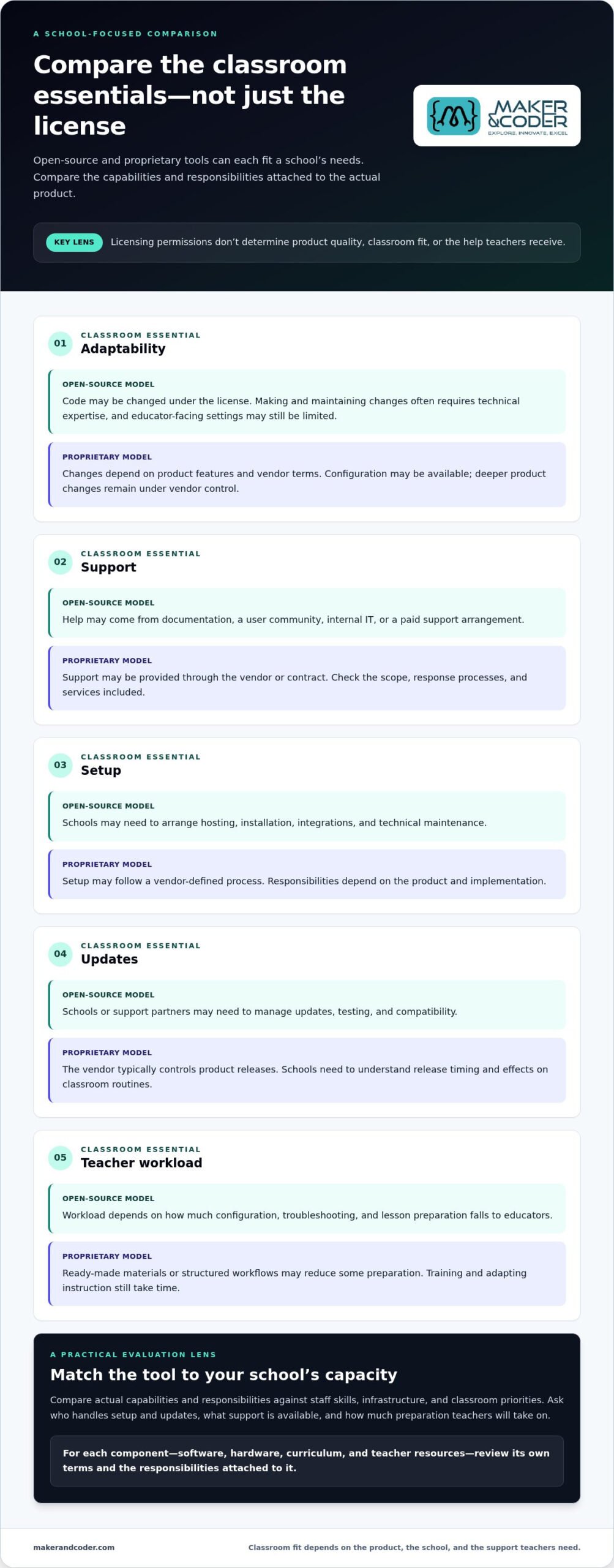
Licensing permissions tell you what an organization may do with a tool. They don’t tell you how easily teachers can tailor a lesson, connect the tool to school systems, or get help when something goes wrong. Compare the actual capabilities and responsibilities of each solution, then check whether they match your staff’s skills, infrastructure, and classroom priorities.
| Classroom essential | Open-source model | Proprietary model |
|---|---|---|
| Adaptability | Code may be changed under the license, but technical expertise is often needed to make and maintain changes. Educator-facing settings may still be limited. | Changes depend on product features and vendor terms. Configuration may be available, while deeper product changes remain under vendor control. |
| Support | Help may come from documentation, a user community, internal IT, or a paid support arrangement. | Support may be provided through the vendor or contract. Scope, response processes, and included services vary. |
| Setup | Schools may need to arrange hosting, installation, integrations, and technical maintenance. | Setup may follow a vendor-defined process, with responsibilities shaped by the product and implementation. |
| Updates | Schools or their support partners may need to manage updates, testing, and compatibility. | The vendor typically controls product releases; schools need to understand timing and how changes affect classroom routines. |
| Teacher workload | Workload depends on how much configuration, troubleshooting, and lesson preparation falls to educators. | Ready-made materials or structured workflows may reduce some preparation, though training and adapting instruction still take time. |
How do flexibility and control differ?
Open access can allow a school’s technical team to alter software where the license permits, but access alone doesn’t make a change simple, safe, or sustainable. A useful customization should solve a specific need without adding unnecessary steps for teachers. Proprietary vendors may limit code-level changes, yet a managed product roadmap can support consistent updates across classrooms. Check separately what educators can adjust in activities, settings, and integrations.
How do support and teacher workload compare?
Compare the support available in practice: documentation, onboarding, technical troubleshooting, training, and classroom-ready learning materials. Then assign responsibility for each task. If teachers must configure tools or resolve routine issues, that time competes with lesson planning and student guidance. A school with strong technical capacity may manage more in-house; another may prioritize defined vendor support and structured resources.
For hands-on STEM learning, include hardware, curriculum, and educator preparation in the comparison, not just software administration. Maker & Coder’s K-12 MC Curriculum and Teacher Training Programs work alongside MC 4.0 hardware and modular MC Blocks as part of a connected learning ecosystem. To discuss how these elements fit your program, discuss your school’s STEM learning goals.
Does open source always cost less or offer more flexibility?
No. An open-source license doesn’t guarantee a lower total cost, and a proprietary license doesn’t automatically prevent useful classroom adjustments. The practical result depends on what the school needs to implement, which tasks staff can take on, and what support is available. Compare the full effort and value of each option, not just the license or purchase line.
| Consideration | Potential advantage | Trade-off to assess |
|---|---|---|
| Open-source technology | May offer code access and the ability to adapt the system under its license, especially when the school has relevant technical expertise. | Hosting, configuration, testing, updates, and troubleshooting may require staff capacity or arranged support. |
| Proprietary technology | May provide a managed product, defined support, or a structured update process when these are included in the arrangement. | Changes and integrations may be limited by product features or contract terms, and ongoing costs may include paid services or add-ons. |
What shapes the total cost of education technology?
Build a school-specific estimate that includes setup, data or content migration where relevant, educator training, support, upgrades, and ongoing administration. Separate direct spending from staff time: internal teams may absorb configuration and maintenance without a new invoice, but those tasks still use capacity. A school with experienced technical staff may handle work that another school needs to arrange externally.
Map responsibilities from initial setup through routine troubleshooting. Include the time teachers need to learn the tool and prepare activities, not just the time IT staff spend maintaining it. This fuller view makes open source vs proprietary education tech a comparison of total ownership effort as well as licensing.
When can flexibility become a challenge?
Customization can solve a real classroom need, but changes may require expertise, testing, and continued maintenance as software or school systems evolve. Local control is valuable when the school can sustain that work. A vendor-managed product may offer fewer code-level choices while providing a consistent update path and structured support, depending on its terms.
Before treating flexibility as a benefit, identify the specific change educators need, who can implement it, how it will be tested, and who will maintain it. If no one has time or technical responsibility, the option to modify a tool may not translate into practical classroom adaptability.
- List direct expenses: Setup, training, support, upgrades, and any ongoing services.
- Estimate staff effort: Configuration, administration, troubleshooting, and teacher preparation.
- Match capacity to control: Confirm the school can maintain any custom work it plans to rely on.
The better fit isn’t necessarily the option with the lowest entry cost or the broadest permissions. It’s the solution whose ongoing responsibilities, support, and real-world capabilities align with school resources and learning priorities.
How to choose the right education technology model for your school
Choose based on classroom evidence, not a label. A useful selection process moves from learning goals to school constraints, support planning, a small pilot, and a review against defined measures. Bring teachers, IT staff, and administrators into the decision early. Involve learners where it makes sense for their age and the pilot activity, since each group sees a different part of the experience.
Selection principle: Choose the model that meets measurable classroom needs within your school’s technical and teaching capacity.
Start with learning goals and classroom realities
Begin with what you want students to demonstrate. Name the target skills, age groups, lesson formats, and projects. Will learners follow guided activities, create their own projects, or progress from introductory concepts toward more complex challenges? Clear outcomes help the team distinguish useful features from attractive extras.
Next, map the conditions in which learning will happen. Record available devices, network reliability, required integrations, teacher confidence, and technical capacity. Include accessibility needs and how student information is handled under your school’s privacy requirements. A tool that depends on reliable connectivity or frequent setup may not fit a classroom with limited access or instructional time.
Use those constraints to define must-haves before comparing models. Consider whether teachers can prepare and deliver lessons within available planning time, whether students can use the tools on school devices, and whether the technology supports the curriculum. This keeps the decision grounded in classroom practice rather than a feature list.
Evaluate implementation before scaling
Run a pilot with a representative lesson, a typical classroom setup, and the people who will use or support the technology. Ask teachers to note setup time, points of confusion, and how easily the lesson fits their teaching. Gather student feedback on access, clarity, and opportunities to participate. A focused trial can reveal friction that a product demonstration may not show.
Before expanding, review onboarding, technical support, update and maintenance responsibilities, and how staff will track progress. Agree on a few measures tied to the original goals, such as whether students complete the intended task or demonstrate a target skill. Compare the pilot experience with those goals, then decide what to adjust, continue, or reconsider.
- Define: Learning outcomes, learners, and project types.
- Map: Devices, connectivity, accessibility, privacy needs, staff time, and technical skills.
- Evaluate: Support, onboarding, integrations, and ongoing responsibilities.
- Pilot and review: Gather educator and learner feedback, then assess results against the goals.
For a hands-on STEM pathway, assess how hardware, curriculum, and teacher preparation work together, rather than as isolated purchases. Maker & Coder’s K-12 MC Curriculum and Teacher Training Programs are available alongside MC 4.0 hardware and modular MC Blocks to support schools’ implementation planning. Discuss your school’s STEM learning goals as you shape a practical evaluation.
Build a complete K-12 STEM pathway with Maker & Coder
A school’s technology model matters, but so does the learning experience built around it. Maker & Coder brings together MC 4.0 hardware, modular MC Blocks, the MC Curriculum for K-12, and Teacher Training Programs. Schools can evaluate these connected elements as a pathway, considering how they fit hands-on learning, classroom practice, and intended outcomes rather than judging a device or resource in isolation.
Connect hands-on hardware with a structured curriculum
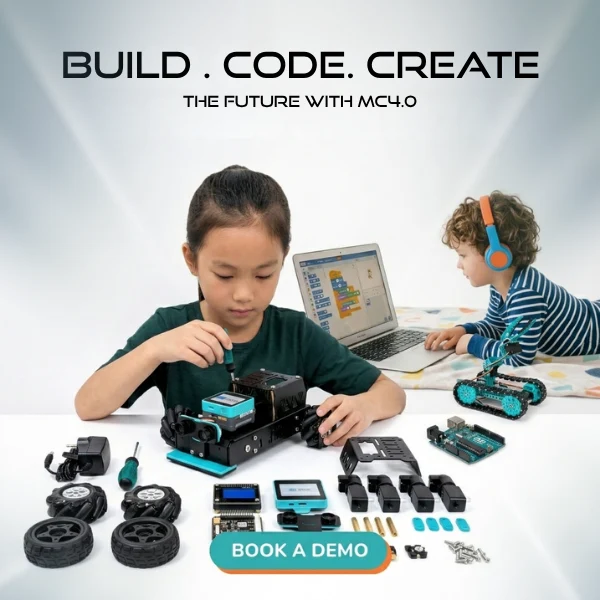
The MC4.0 Controller and modular MC Blocks give students components for exploring technical ideas through making. The MC Curriculum provides a structured K-12 learning resource that educators can use to connect activities with a progression of skills. Together, hardware and curriculum can support guided exploration and student projects that apply concepts in tangible ways.
Maker & Coder offers the MC4.0 Base Kit, MC4.0 AIoT Kit, and MC4.0 STEAM Kit for hands-on technical learning. As you plan a project, map its learning goals to the curriculum, then consider which hardware and building activities support that experience. Explore the MC 4.0 learning kits as part of your classroom planning.
Keep the licensing question precise. Hardware, software, curriculum, and teaching materials can have separate terms. Review the applicable terms for each component before making decisions about use, modification, or sharing. Don’t assume one part’s permissions describe the entire pathway.
Prepare educators to bring the pathway into the classroom
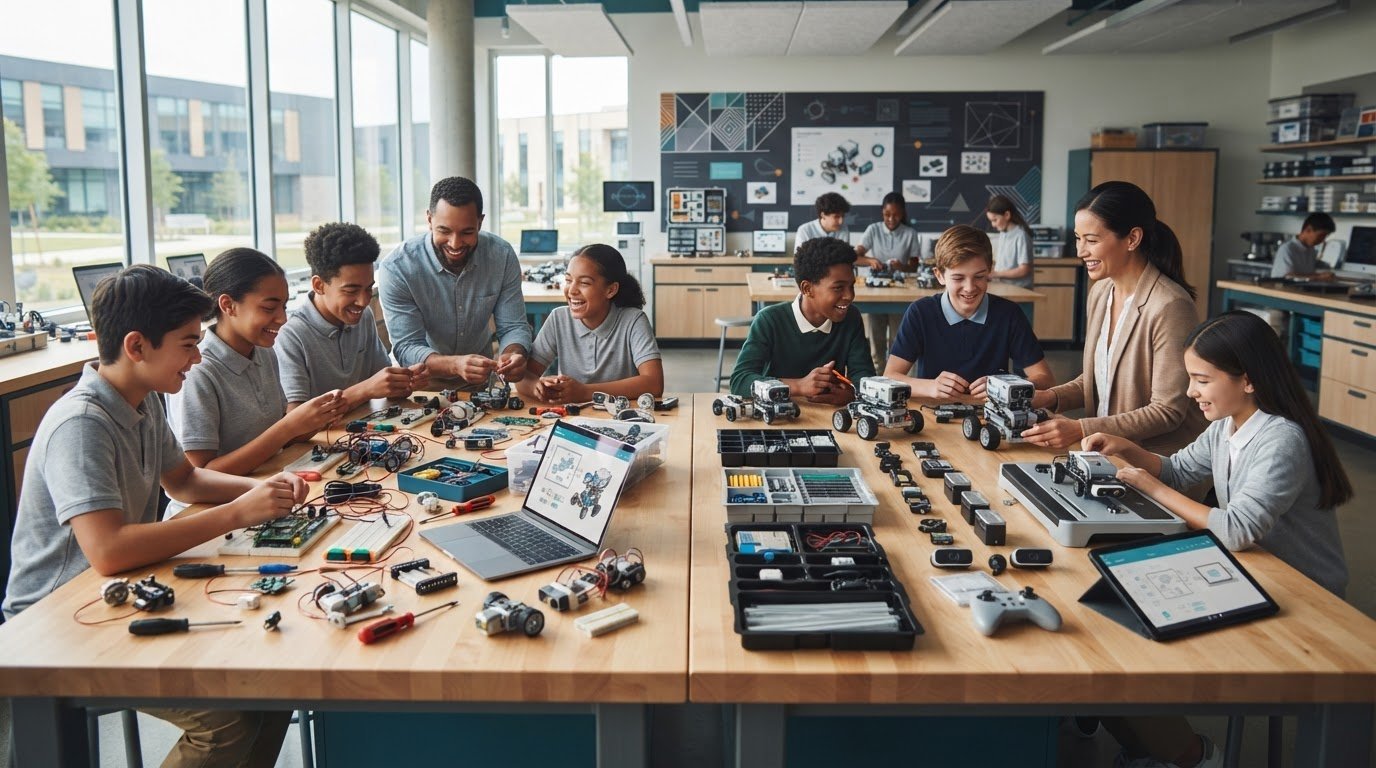
Strong resources are more useful when educators feel ready to teach with them. Teacher training supports classroom implementation by helping teachers understand how to introduce tools, guide activities, and connect building experiences to learning objectives. That preparation can help turn a collection of components into a purposeful lesson, with educators focusing on student thinking as well as the finished project.
As you assess a pathway, consider how each element fits your school’s teaching approach and implementation needs:
- Learning progression: Does the curriculum align with the skills and age groups you’re teaching?
- Classroom activity: Can students use the hardware and MC Blocks to investigate ideas through making?
- Educator readiness: What training and preparation will help teachers lead the activities?
- Implementation fit: How will the materials work within available lesson time and classroom routines?
This ecosystem gives schools a concrete way to evaluate learning resources together. In the broader open source vs proprietary education tech decision, consider how the full pathway supports teaching and learning alongside the terms and responsibilities attached to each component. Talk with Maker & Coder about your STEM program and your school’s implementation goals.
Make your next technology choice a platform for possibility
A school’s technology decision can shape what students are able to explore next. Look beyond the initial rollout and consider how learning could develop over time: from first experiments to more ambitious projects, and from following instructions to making independent choices. That longer view gives your team a stronger basis for weighing open source vs proprietary education tech and deciding which approach fits your educational goals and capacity.
Bring that vision into a practical conversation. Identify the experiences you want students to have, the preparation teachers need, and the support that will help the program take root. Then shape a STEM pathway that turns those priorities into opportunities for learners to create, test ideas, and build tangible outcomes.
Ready to plan what comes next? Discuss your school’s STEM learning goals with Maker & Coder and take the next step toward a purposeful learning experience.
Frequently Asked Questions
Is open-source education technology always free?
No. An open-source license may allow use of software without a license fee, but that doesn’t make every way of running it cost-free. A school might still need hosting, technical support, installation, or staff time to maintain it. For a realistic budget, distinguish the price of permission to use the software from the resources needed to keep it available and useful throughout the school year.
Can proprietary education technology be customised for a school?
Yes, depending on the product and its terms. A school may be able to adjust settings, user roles, lesson sequences, or integrations without changing the underlying code. More substantial changes may require vendor involvement or may not be permitted. Adapting a classroom workflow, for instance, is different from changing how the platform itself functions. Define the change you need before assessing fit.
How should schools compare open-source and proprietary education technology?
Compare specific solutions against the same school-defined criteria instead of treating the license as a proxy for quality. Consider whether each option supports the intended learning activity, works with school devices, fits accessibility and privacy requirements, and can be sustained by available staff. The open source vs proprietary education tech choice becomes clearer when the team records which requirements are essential, which are preferences, and what evidence would demonstrate a successful fit.
What happens if an open-source education tool is no longer maintained?
If updates and fixes stop, the tool may become harder to keep compatible with school systems, and unresolved technical or security issues may accumulate. Open access can allow others to continue development, but that continuation isn’t automatic and requires capable contributors. Schools can reduce disruption by documenting configurations, maintaining usable data exports, identifying migration options, and deciding who will monitor project activity and plan a transition if needed.
Does proprietary education software lock a school into one vendor?
Not necessarily, though switching can become difficult if data, content, or workflows are hard to move. Review contract terms and practical exit steps before adoption, including how the school can export records, retrieve teaching materials, and maintain continuity during a transition. Also consider whether other systems can exchange information with the product. Lock-in is shaped by technical dependencies and agreements, not simply by proprietary licensing.
Can schools combine open-source and proprietary education tools?
Yes. A school might use one model for its learning platform and proprietary solutions for specialized subjects—such as multilingual reference tools like grammarindex.com—alongside classroom creation or assessment tools. The combination works best when staff understand how the pieces connect, where student information is stored, and who supports each component. Map the data and user journey across tools, then test the handoffs, such as whether learners can move from an assigned activity to a project without repeated logins or confusing instructions.
What should a school pilot before adopting education technology?
Pilot a complete learning activity, not just a login or feature demonstration. Include the devices students will use, the teacher’s preparation steps, accessibility needs, and any integrations required for the lesson. Observe where learners get stuck and whether teachers can guide the activity without excessive workarounds. Gather feedback from both groups, record technical issues, and decide in advance what evidence would justify wider adoption or another round of testing.