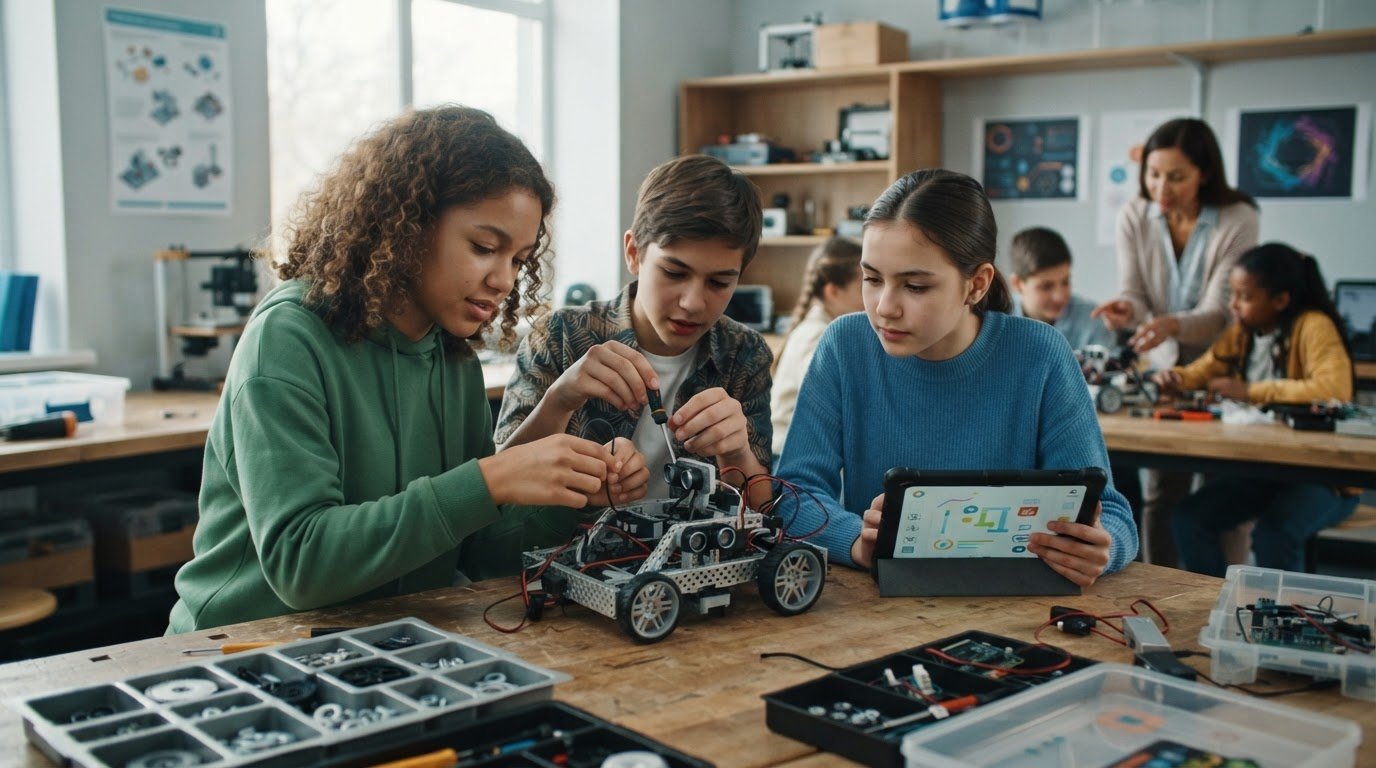
The robot is built, the code is ready, and then a loose connection or unfamiliar programming concept brings the lesson to a halt. These common challenges in teaching robotics can turn hands-on learning into a scramble for parts, time, and answers. Reliable equipment, mixed experience levels, and limited preparation time can all make it difficult to keep students progressing.
Robotics lessons don’t have to depend on every student moving at the same pace or every activity going perfectly. A clear learning progression, flexible tasks, and consistent troubleshooting routines help beginners build confidence while giving experienced learners room to stretch. The key is to connect what students build to what they are learning and why it matters.
This article covers practical ways to prevent classroom roadblocks, adapt activities for different skill levels, and make robotics meaningful across the curriculum. It also explains how to assess hardware, curriculum, and teacher preparation as parts of one implementation plan, so learners can progress from first experiments to purposeful projects.
Key Takeaways
- See how the common challenges in teaching robotics can stem from gaps in skills, tools, or lesson design, and learn what to address first.
- Compare free-form exploration, standalone kits, and integrated approaches by their setup needs, learning progression, and teacher preparation demands.
- Use a practical plan to set learning goals, check classroom resources, prepare activities, and help student teams work more independently.
- Adapt robotics activities for different experience levels while keeping the focus on purposeful, curriculum-connected learning.
- Explore how a manageable pilot, sequenced curriculum, appropriate hardware, and teacher preparation can support a sustainable robotics program.
Common Challenges in Teaching Robotics: What Makes Classroom Lessons Difficult?
Robotics can spark curiosity and make abstract ideas tangible, so it’s natural for educators to want to bring it into the classroom. It’s also reasonable to wonder where to begin. A robotics lesson involves more than assembling a device: students combine design, physical systems, programming, testing, and reflection. The overview of Educational robotics illustrates how this field can support learning across educational levels.
The common challenges in teaching robotics often arise when several demands converge: access to working equipment, teacher readiness, differences in students’ experience, lesson structure, and assessment. A robot that moves is visible progress, but educators also need ways to help learners explain what they tried, what happened, and what they might change. Planning for this learning process makes classroom difficulties more manageable than focusing on device setup alone.
Why robotics lessons demand more than working equipment
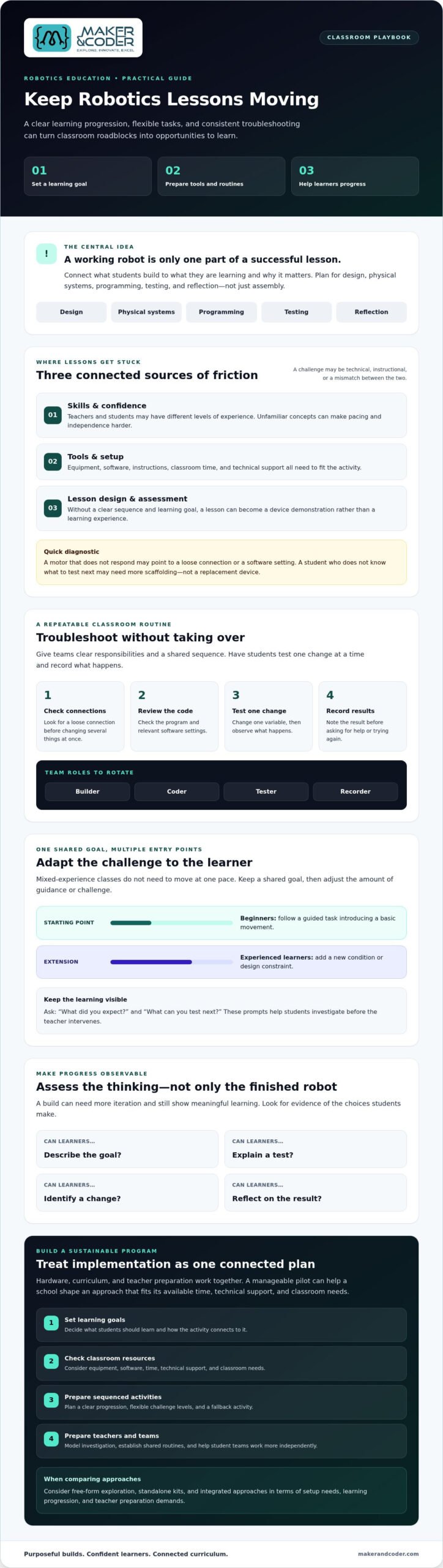
Hardware, software, instructions, classroom time, and learning goals need to work together. If a motor doesn’t respond, the cause might be a loose connection or a software setting. If students don’t know what to test next, the issue may be missing scaffolding rather than faulty equipment. A clear troubleshooting routine helps distinguish between the two and keeps setup problems from consuming the lesson.
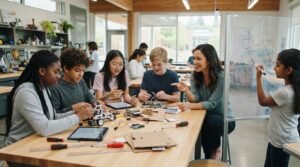
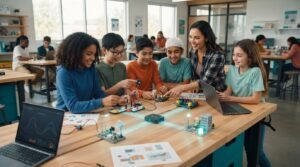
Give teams simple roles, such as builder, coder, tester, and recorder, and rotate them during the activity. A shared routine can ask students to check connections, review code, test one change at a time, and record results before asking for help. Troubleshooting then becomes part of the learning: students practise reasoning and collaboration, not just fixing a device.
Who encounters these teaching challenges?
New robotics teachers may need a clear starting point. Experienced educators adding STEM may need to connect activities to existing learning goals. School leaders face a broader coordination task: choosing equipment and curriculum that fit available time, technical support, and classroom needs. No single setup works for every school.
Mixed-age or mixed-experience classes need more than one entry point. Beginners might follow a guided task that introduces a basic movement, while experienced learners extend it with a new condition or design constraint. Shared goals with adjustable levels of challenge can help every student contribute without requiring the class to move at one pace.
Assessment can also feel difficult if success is defined only by whether the robot works. Look for evidence of students’ decisions: Can they describe the goal, explain a test, identify a change, or reflect on the result? These observations reveal learning even when a build needs more iteration. Purposeful routines and attainable goals help the first experiment lead toward deeper, more independent problem-solving.
The Root Causes of Robotics Teaching Challenges: Skills, Tools, and Lesson Design
Robotics lessons often stall for reasons that have little to do with a teacher’s enthusiasm. An educator may be learning the equipment alongside students, unsure how much troubleshooting to handle, or working from activities without a clear sequence. These common challenges in teaching robotics can make a class feel like a device demonstration: students follow steps and the robot moves, but the learning behind that movement remains unclear.
Confidence matters because it shapes pacing and student independence. If every unexpected result prompts the teacher to take over, learners lose opportunities to investigate. If the teacher isn’t sure what concept the activity should teach, it’s harder to decide whether to pause, extend the task, or move on. Clear objectives and prepared routines give educators a basis for those decisions, even when a technical problem arises.
Teacher confidence and technical troubleshooting
Educators don’t need to know every technical answer in advance. They can model investigation by testing lesson materials beforehand, preparing a simple fallback activity, and asking students to check connections, review code, or change one variable at a time. Prompts such as “What did you expect?” and “What can you test next?” help learners diagnose an issue before the teacher intervenes. The goal is not to avoid every snag, but to keep it from derailing the learning.
Curriculum alignment and progression
Begin with an observable objective: students will sequence instructions, iterate on a design, or explain how parts of a system interact. Then build from guided exploration toward student-designed solutions and evidence-based reflection. Coding becomes more than entering commands; it helps students control and test a physical system. Engineering design gives those tests a purpose, while reflection connects results to wider STEM concepts.
Progression also addresses uneven prior knowledge. A learner new to coding may need a model or partially completed program, while a more experienced student can add a condition, test an alternative, or justify a design choice. Scaffolded robotics instruction is a sequence of tasks that offers support at first, then gradually shifts responsibility to learners. Shared objectives with adjustable levels of challenge keep students working toward the same concept without requiring identical starting points.
For example, a K-12 curriculum designed to integrate with its hardware can connect equipment use to a planned sequence of learning. Maker & Coder’s MC Curriculum and MC Blocks illustrate this coordinated approach. The key planning question is whether the curriculum, tools, and teacher preparation align with the skills students are meant to develop.
How to Compare Robotics Teaching Approaches for Different Classrooms
No single robotics teaching approach fits every classroom. Free-form exploration can invite curiosity and creative experimentation, while a standalone kit may provide tools for a focused build. An integrated hardware-plus-curriculum approach can offer a more connected learning pathway. To compare them fairly, consider what students can make as well as the preparation and support educators need to make learning purposeful.
Standalone robotics kits versus structured learning pathways
A kit can help students explore physical systems and bring ideas to life, but it may not include sequenced objectives or guidance for building skills over time. Curriculum-linked hardware can connect activities across progressive stages, from an introductory task to a more independent design challenge. Neither approach is automatically better. The right choice depends on the flexibility, lesson structure, and teacher preparation your school needs.
Use a comparison table to make trade-offs visible. Put classroom needs in the first column, then compare how each approach responds. For example:
| Classroom need | Free-form exploration | Standalone kit | Integrated hardware and curriculum |
|---|---|---|---|
| Setup and preparation | Flexible, but educators shape the activity | Kit instructions may guide the build | Consider how hardware and lesson materials work together |
| Lesson progression | Can follow student interests | May focus on individual builds | Can connect activities across learning stages |
| Adaptability and troubleshooting | Open-ended, with more decisions to manage | Depends on the kit and task design | Assess how clearly activities support adjustment and problem-solving |
| Teacher preparation | May require educators to plan the learning pathway | Review the instructions and teaching materials | Check curriculum alignment and available educator preparation |
What to evaluate before selecting classroom robotics tools
Check age suitability, activity clarity, reuse potential, and alignment with intended learning outcomes. Ask whether educators can access onboarding, lesson materials, and implementation support. These factors matter because even capable hardware can be difficult to use well if teachers lack a clear way to introduce it, adapt activities, and connect projects to learning goals.
The common challenges in teaching robotics often arise when a tool’s demands don’t match a school’s capacity or classroom context. Consider students’ experience levels, available lesson time, technical support, and the outcomes you want learners to demonstrate. Maker & Coder’s MC 4.0 learning kits are one option to investigate alongside curriculum and teacher preparation. The best fit is the approach that aligns with learning goals, classroom needs, and the school’s ability to implement it sustainably.
A Practical Plan for Overcoming Robotics Teaching Challenges
A repeatable lesson routine can turn common challenges in teaching robotics into opportunities for purposeful investigation. Build the class around a clear learning goal, a tested setup, and time for students to explain their decisions, not just demonstrate a working robot.
Prepare an inclusive robotics lesson
Offer an accessible starting task, then prepare an optional extension for students ready to explore greater complexity. For example, all teams might program a robot to move toward a target, while an extension asks learners to adjust their instructions and compare results. Rotate team roles so building, coding, testing, and documenting are shared rather than claimed by the same students each time.
Manage setbacks, pacing, and progress
Plan checkpoints for teams to describe what they tried, observed, and would change. Protect time for testing and iteration, and use troubleshooting prompts before supplying answers. This keeps students involved in solving problems and helps the teacher identify whether a team needs a technical hint, clearer instructions, or a different level of challenge.
- 1. Define the goal. Choose an outcome students can demonstrate, such as sequencing instructions, improving a design, or explaining how a system responds.
- 2. Check resources. Confirm that equipment, software, instructions, and lesson time match the activity. Test the setup in advance and prepare a simple alternative in case a component or connection fails.
- 3. Prepare student-ready directions. Break the task into clear steps, identify what teams should record, and make the first action easy to find. Instructions students can follow independently leave more time for coaching and observation.
- 4. Facilitate teams. Set a routine for distributing and returning components, assign rotating roles, and pause the class for shared troubleshooting when a problem affects several teams. Ask, “What did you expect to happen?” before offering a fix.
- 5. Reflect and assess. Evaluate the robot’s performance alongside students’ design decisions, tests, and revisions. Ask each team to point to one change they made and explain what the evidence showed.
Effective robotics lessons make iteration part of the learning objective. The first build is a starting point, not the finish line. When students have time to test, revise, and explain, a setback can reveal as much as a successful run.
Educators planning a robotics lesson or program can discuss their classroom context with Maker & Coder and consider how hardware, curriculum, and teacher preparation may fit their goals.
Building a Sustainable Robotics Program with Curriculum and Teacher Support
A robotics program becomes sustainable when the tools, learning sequence, and educator preparation reinforce one another. Hardware gives students a way to build and test ideas; curriculum connects activities to learning goals; and prepared teachers can guide investigation without needing every lesson to go perfectly. Treat these as parts of one implementation plan, rather than separate decisions to figure out later.
Start with a manageable pilot rather than expanding across the school at once. Select a class or learning group, define what students should learn, and identify what teachers need to feel ready. After the pilot, gather feedback from educators and learners: Which activities supported understanding? Where did setup or instructions slow progress? What technical or planning support would make the next cycle smoother? Use those findings to refine the approach before expanding.
What a coordinated robotics learning ecosystem can include
Maker & Coder offers the MC 4.0 platform, including the MC 4.0 Controller and modular MC Blocks for hands-on technical learning. Its specialized kits include the MC4.0 Base Kit, MC4.0 AIoT Kit, and MC4.0 STEAM Kit. The K-12 MC Curriculum is designed to integrate with Maker & Coder hardware, while its Teacher Training Programs help educators prepare to use the technology in classrooms. Together, these offerings show how equipment, sequenced learning, and teacher preparation can be considered as a coordinated approach.
Choose a practical next step for your school
Before selecting tools or planning expansion, write down the learner age range, instructional goals, and current teacher experience. Note the time available for robotics, the equipment already on hand, and the preparation educators would need. Then compare those needs with the lesson materials and hardware, rather than judging a program by its devices alone. Reviewing the MC 4.0 learning kits can help schools consider which options may fit their intended classroom use.
The common challenges in teaching robotics are easier to address when a school knows what it wants students to achieve and what educators need to make that learning possible. Build from a small, purposeful pilot, listen to classroom feedback, and use what you learn to shape the next stage. Discuss your robotics teaching goals with Maker & Coder, including your classroom needs, implementation aims, and available support.
Turn Robotics Challenges into Classroom Progress
The common challenges in teaching robotics become easier to manage when lessons are built around clear learning goals, well-prepared activities, and room for students to test and improve their ideas. Match the teaching approach to your learners and available support, then use a manageable pilot to learn what works before expanding.
A sustainable program brings hardware, curriculum, and teacher preparation together. Maker & Coder’s MC 4.0 ecosystem includes the MC 4.0 Controller and modular MC Blocks, alongside a K-12 MC Curriculum designed to integrate with its hardware and Teacher Training Programs to support classroom implementation.
Every school’s starting point is different. Consider your learners, instructional goals, and educators’ experience, then take the next step with purpose. Discuss your robotics teaching goals with Maker & Coder and explore how an approach might fit your classroom. With a clear plan and the right support, students can move from first experiments to meaningful projects, one thoughtful iteration at a time.
Frequently Asked Questions
What are the most common challenges in teaching robotics?
The most common challenges include unreliable or limited equipment, uncertainty about teaching and troubleshooting, mixed student experience, and difficulty fitting activities into lesson time. Assessment can be tricky, too, if success is judged only by whether a robot completes a task. Clear learning goals, student roles, and planned checkpoints help teachers manage these issues while keeping attention on design, coding, testing, and reflection.
Do teachers need an engineering background to teach robotics?
No, teachers don’t need an engineering background to facilitate meaningful robotics lessons. It helps to understand the activity’s learning goal, test the materials in advance, and know where students can find instructions. Teachers can guide investigation with prompts such as “What did you expect?” and “What could you test next?” Preparation and professional learning can build confidence without requiring educators to know every technical answer before class begins.
How can teachers manage different skill levels in a robotics class?
Use a shared learning goal with different levels of support and extension. Beginners might start with guided steps or a partially completed program, while experienced learners add a condition, modify a design, or explain why a change improved performance. Rotating team roles, such as builder, coder, tester, and recorder, helps students contribute in different ways and prevents technical tasks from being concentrated in one learner’s hands.
What should a teacher do when a classroom robot does not work?
Pause and guide students through a consistent troubleshooting routine before taking over. Ask them to describe the expected result, check connections, review the code, and test one change at a time. If the issue affects several teams, pause for shared troubleshooting and clarify the next step for everyone. A prepared fallback task can protect the learning goal if the equipment can’t be restored during the lesson.
How can robotics lessons connect to curriculum goals?
Start with a learning objective students can demonstrate, such as sequencing instructions, iterating on a design, or explaining how parts of a system interact. Then choose a robotics task that gives them a reason to practise that skill. For example, students can program a robot, observe its response, revise instructions, and explain what changed. This connects coding and engineering design to evidence-based reasoning and reflection.
Are robotics kits enough to teach robotics effectively?
A kit can provide tools for building and experimentation, but it may not include a sequenced curriculum, lesson guidance, or teacher preparation. Consider whether the activities support your learning objectives, suit your students, and can be adapted for different experience levels. A more complete implementation plan considers hardware alongside curriculum and educator support, so projects develop from introductory exploration toward purposeful, increasingly independent work.
How can a school get started with a robotics program?
Begin by identifying the learner age range, instructional goals, available lesson time, and teachers’ current experience. Select a manageable pilot, prepare educators, and gather feedback after classroom use before deciding whether to expand. Maker & Coder offers the MC 4.0 hardware platform, a K-12 curriculum designed to integrate with its hardware, and teacher training programs. Reviewing these elements together can help a school assess fit for its context.