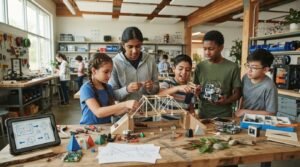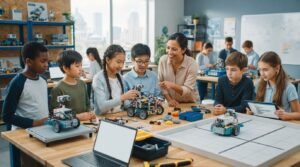
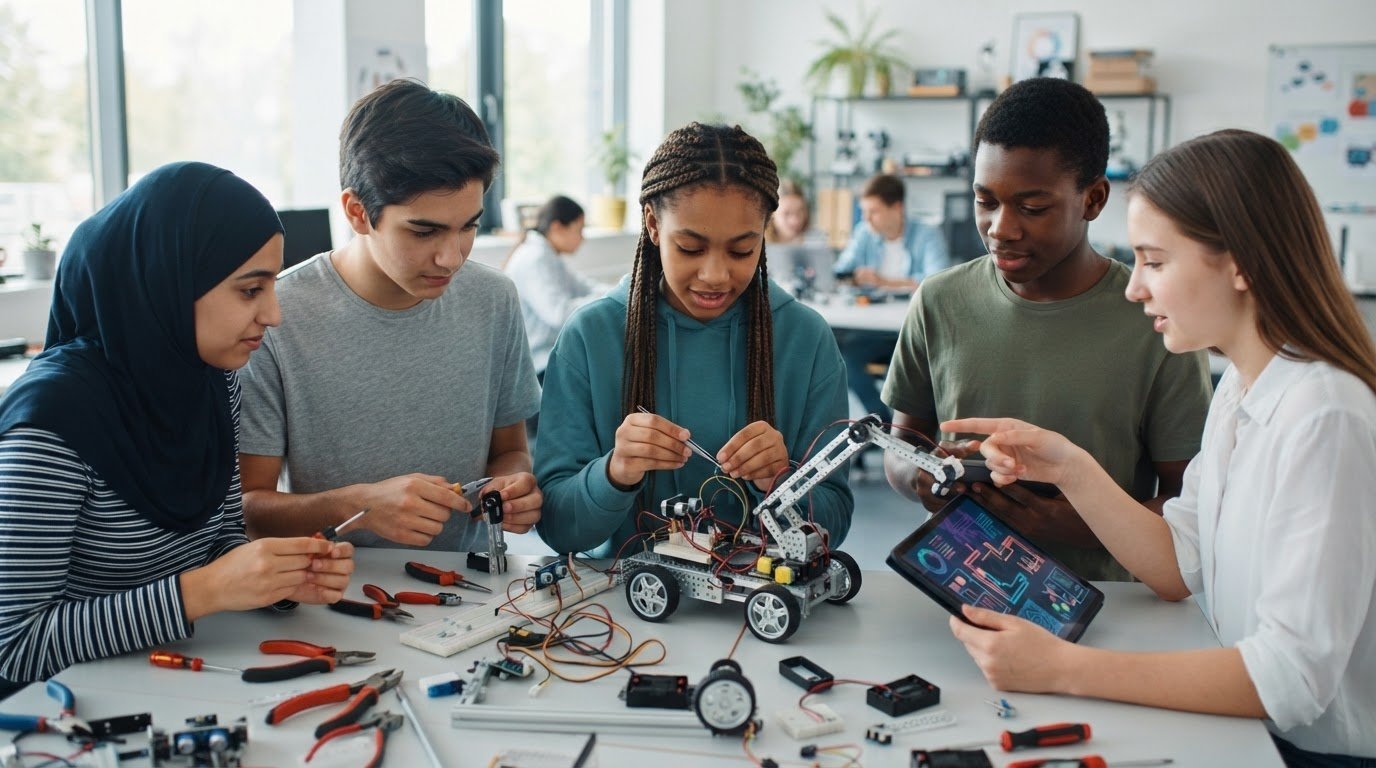
Future-ready learning starts when students build, test, and improve, not just watch technology at work. Preparing students for future technology careers means developing adaptability, digital literacy, critical thinking, and confidence applying these skills to practical challenges. Hands-on projects make those capabilities tangible, turning concepts into experiences students can learn from.
It’s natural to wonder how students can prepare for careers when tools and roles keep changing. The strongest foundation isn’t mastery of one technology, but the ability to learn new tools, assess information, solve problems, and work through setbacks. Give students opportunities to create, reflect, and refine their ideas, and technology becomes a medium for discovery rather than something to fear.
This article explores how adaptability, digital literacy, and critical thinking support career readiness, and how hands-on projects bring these skills together. You’ll see how learning through making helps students connect classroom concepts with real-world challenges and develop skills they can carry into a changing future.
Key Takeaways
- Build adaptability by helping students approach unfamiliar tools as opportunities to learn, experiment, and improve.
- Develop digital literacy through practice evaluating information, using technology responsibly, and creating with digital tools.
- Connect coding, artificial intelligence, and STEM concepts to practical challenges so students can see how classroom learning applies.
- Use collaborative projects to strengthen problem-solving, communication, and the ability to refine ideas based on feedback.
- Give students meaningful opportunities to design and build, turning technology from something they use into something they can shape.
Adaptability and lifelong learning
Technology roles evolve as tools and workplace needs change. Students need practice learning unfamiliar systems, adjusting their approach, and applying new knowledge to real challenges.
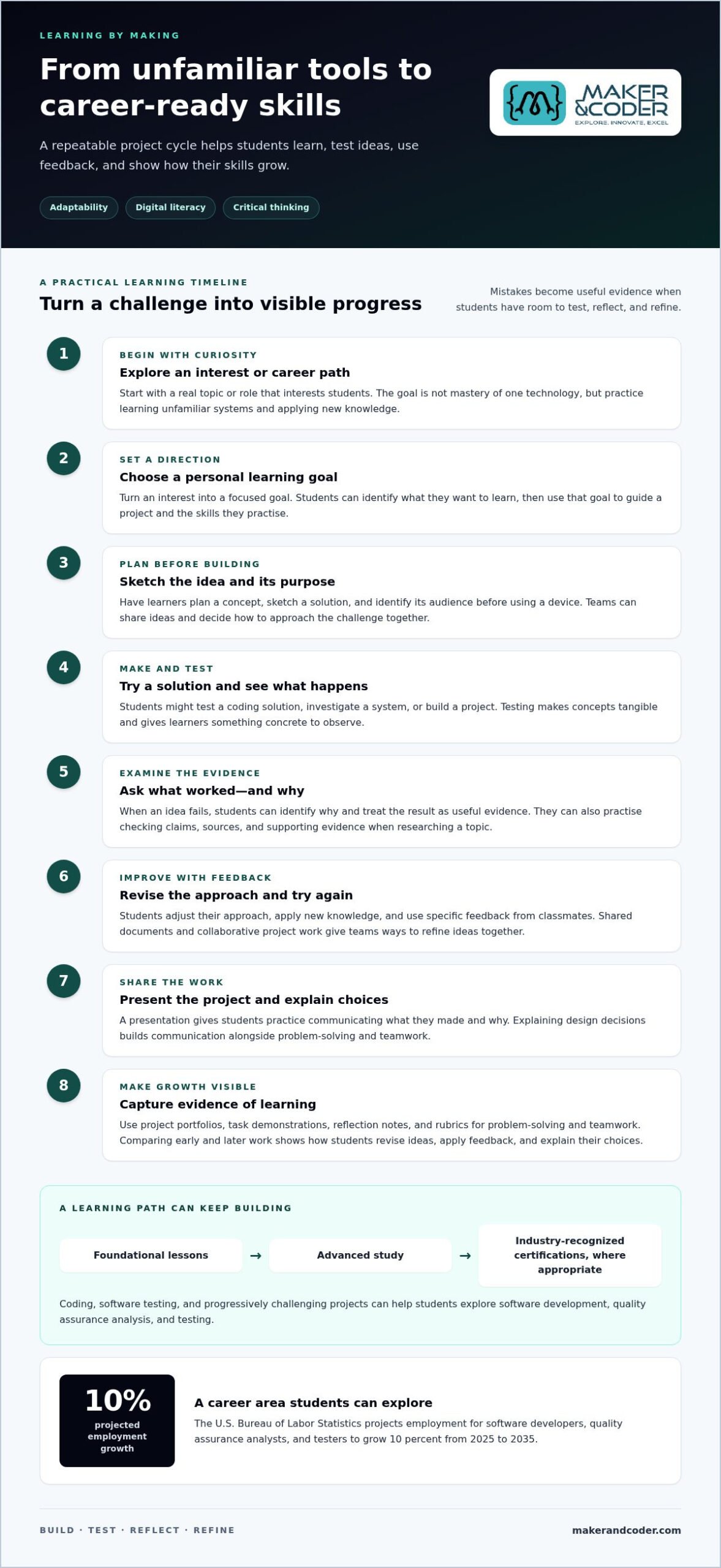
Build adaptability through short learning cycles. Students can test a coding solution, identify why it failed, and revise it. This turns mistakes into useful evidence rather than dead ends. Teachers can also encourage students to explore career paths and interests, then set a personal learning goal. These habits support lifelong learning, collaboration, and confidence when new tools arise in the workplace.
Technology-Enhanced Learning
Technology-enhanced learning uses digital tools, including virtual reality simulations, to help students explore ideas interactively. A VR simulation can let learners rehearse a technical task or investigate a virtual system before discussing what happened. Digital tools can support differentiated learning by letting students work at different paces or revisit difficult concepts. Teachers can pair these activities with discussion and reflection, so technology supports learning rather than replacing it.
Program costs depend on the devices, software, instruction, and maintenance a school needs. Schools can consider existing technology or career education budgets, grant opportunities, and community or employer partnerships as potential funding routes.
Certifications and Career Learning Paths
A career learning path connects foundational lessons with more advanced study and, where appropriate, industry-recognized certifications. It helps students see how skills can build from school projects toward workplace responsibilities. The U.S. Bureau of Labor Statistics projects employment for software developers, quality assurance analysts, and testers to grow 10 percent from 2025 to 2035. Students can explore these roles through coding, software testing, and progressively challenging projects, then identify relevant credentials as their interests develop.
Schools can offer meaningful practice without relying on expensive individual devices. Shared classroom technology, low-cost physical coding tools, and screen-free activities, such as sequencing a story with symbols, can introduce core ideas. Students can also plan, sketch, and test project concepts together before using a device.
Measure career readiness through evidence of learning: project portfolios, task demonstrations, reflection notes, and rubrics for problem-solving and teamwork. Comparing early and later project work shows how students revise ideas, apply feedback, and explain their choices.
Critical thinking, creativity, and digital literacy
Critical thinking helps students question information, compare evidence, and choose a sound response. In class, learners might review two websites about the same issue, identify each author’s claims, and decide which details need verification. Creativity takes this further: students can use what they learn to design a solution, such as a clearer infographic or a simple computer-based tool.
Digital literacy is the ability to use digital tools responsibly to find, evaluate, create, and share information. It involves more than operating a device. A student researching renewable energy, for example, must assess who created a source, distinguish evidence from opinion, and credit material in a presentation. Practising these steps builds sound judgment alongside technical ability.
Classroom technology gives students opportunities to apply these skills rather than only hear about them. One-to-one (1:1) computing and connected classrooms can provide access to research tools, creative software, and shared documents. Teachers can set a focused task, such as comparing data visualizations, then ask learners to explain which presentation communicates its evidence most clearly.
Digital citizenship connects responsible technology use with everyday decisions. Schools can establish a clear code of conduct for school-sponsored devices and the materials students access. Learners can practise protecting personal information, communicating respectfully, and respecting others’ work. Before sharing a class project, for example, students can review its sources, remove private details, and confirm that images are appropriate to use.
- Ask students to name the claim, evidence, and source in a digital article.
- Have teams create a media message, then explain their design choices.
- Use shared documents so classmates can give specific feedback on drafts.
- Review device-use expectations with a realistic classroom scenario.
Digital literacy and digital fluency are related, but they aren’t identical. Literacy supports responsible, informed use; fluency means applying digital knowledge smoothly to new tasks. A student who learns one presentation tool can transfer familiar skills to another by selecting layouts, organizing information, and presenting ideas clearly. That transfer matters as students encounter unfamiliar platforms and workplace tools.
Make access purposeful. When students share classroom computers, rotate roles such as researcher, designer, and editor so each learner contributes. Teachers can also schedule paper planning before device work, giving students time to sketch an idea and identify its audience. These approaches connect technology use to critical thinking, creative choices, and responsible collaboration.
How Does Technology Prepare Students for the Future?
Technology learning connects classroom concepts with tools and challenges students may encounter at work. Coding, artificial intelligence, and STEM activities help students develop technical knowledge alongside adaptable, transferable skills.
Coding, AI, and STEM Skill Development
Coding, artificial intelligence, and STEM learning help students understand how digital systems work and how people can shape them. A class might code a simple sensor project, collect readings, then compare how changing the program affects its output. These activities bring mathematics and problem-solving into practical use. For K-12 schools, a progression from basic logic to increasingly complex projects makes new concepts easier to apply.
The World Economic Forum’s Future of Jobs Report anticipates a net gain of 13 million jobs from artificial intelligence, despite some worker displacement. Exposure to coding, AI, and data concepts can help students understand both emerging opportunities and the need to keep learning.
Skills for Working with AI
Working productively with AI means using it to support a task while applying human judgment to its output. Students can compare an AI-generated explanation with source material, identify unsupported claims, and revise the result. This exercise draws on digital literacy, clear instructions, and careful evaluation. It also teaches learners to explain their contribution rather than treat a generated response as finished work.
AI and big data ranked third in the World Economic Forum Job Skills Outlook for 2027. Students can explore these areas through projects that organize information, identify patterns, and discuss what conclusions the data supports.
Transferable Skills Across Careers
Transferable skills are abilities students can apply across roles, technologies, and changing career paths. Clear communication, collaboration, problem-solving, and learning a new tool all transfer beyond one programming language. For example, a student who documents a project’s design choices can carry that practice into a different technical subject. The World Economic Forum expects 44% of workers’ core skills to change over the next 5 years, making flexibility valuable.
Technical and Soft Skills Employers Seek
Future technology workers need technical foundations and the ability to work effectively with others. Coding, data interpretation, and AI awareness can go hand in hand with communication, collaboration, and creative problem-solving. These skills become visible when students build a team project, divide tasks, explain design decisions, and respond constructively to feedback.
K-12 schools can develop this combination by integrating coding and STEM tasks into subjects, then asking students to present and reflect on their solutions. A project portfolio can show both what students built and how they worked through challenges.
Give learners opportunities to practise, not just observe. Students who test a program, explain the result, and collaborate on revisions gain concrete exposure to technical work and the habits needed as tools and careers change.
Critical thinking and problem-solving
Tomorrow’s workforce will need people who can frame problems, weigh evidence, and develop workable solutions. In class, students can practise by identifying a real need, testing possible responses, and explaining why one approach fits.
Start with a problem students can observe directly, such as a crowded classroom supply station. Ask learners to describe who is affected and what makes the situation difficult. They can gather classmates’ views, record constraints, and separate evidence from assumptions. This prevents teams from rushing toward a solution before understanding the need. A clearly defined problem gives students a meaningful target for creative thinking.
Next, invite students to generate several possible solutions before choosing one. For the supply station, ideas might include a sign-out system, a new layout, or a digital inventory. Teams can compare options against practical criteria: ease of use, available materials, and how well each addresses classmates’ needs. This shows students that problem-solving involves trade-offs, not simply choosing the first answer.
Pine Street School offers a concrete example: fourth graders designed app prototypes for real-world problems, moving from ideation through UX design and presentation. Students considered users’ needs, shaped an interface, and communicated how their ideas worked. A prototype makes thinking visible, and classmates can offer specific feedback for its creators to consider.
Teachers can structure a project around a repeatable cycle:
- Define the need and identify who experiences it.
- List possible solutions and choose criteria for comparing them.
- Build a prototype, then test it against the original need.
- Revise the design and explain what changed and why.
Each stage develops a different kind of thinking. Defining the need calls for careful observation; comparing ideas requires reasoning; testing reveals gaps between intention and outcome. Students might discover, for example, that a proposed app interface confuses its intended user. They can adjust its labels or layout, then explain how the revision responds to feedback. This cycle builds persistence through concrete action.
Problem-solving also depends on communication. A student presenting a prototype must describe the need, explain the design, and respond to questions. Teammates learn to challenge an idea without dismissing its creator. Teachers can assess the reasoning behind a project by asking students to show their evidence, describe a design choice, and identify an improvement. Learners practise decisions they can carry into technical study and future work, not just create a finished product.
Technology-based student projects
A technology project turns classroom concepts into something students can design, test, and improve. For educators preparing students for future technology careers, projects connect technical ideas with real needs and give learners room to make decisions.
Start with a challenge students can investigate locally. A class might design a simple system to remind people when classroom plants need watering. Learners identify what information matters, sketch possible solutions, then build a model from available materials. Adding a sensor or coding element lets them observe how inputs affect the system. The project connects technical ideas with a purpose students understand.
Keep the work adaptable. Teams can divide responsibilities among researcher, builder, tester, and presenter, then rotate roles in another project. Each student gains experience interpreting information, communicating decisions, and responding to feedback. If the first model fails to detect dry soil, students can examine the setup, adjust the design, and test again. This makes persistence visible.
Technology projects don’t always require screens. Pine Street School introduces preschool students to technology concepts through play, physical coding tools, storytelling, and symbolic thinking. A teacher might invite children to arrange picture cards as instructions for a character’s route. Students learn sequencing and cause and effect through movement and discussion before using digital tools.
For older students, teaching can connect digital creation with a community question. A group might map accessible routes around the school, create a public-information presentation, or prototype a tool for organizing shared resources. Students should identify the intended audience and explain how their work responds to its needs. A defined purpose keeps technology from becoming decoration.
Projects also promote collaboration through practical decisions. When students disagree about a design, ask each person to describe the user need their idea addresses. The team can compare options against shared criteria, record its decision, and assign the next task. This gives learners a structured way to listen, resolve differences, and keep work moving.
Finish with evidence of learning, not just a polished product. Students can present a prototype, demonstrate how it works, and describe a change made after testing. A portfolio can preserve sketches, code, feedback, and reflections to show how an idea developed. For schools preparing students for future technology careers, this record captures both the result and the learning process.
Make participation practical by planning for shared devices and varied starting points. Students can sketch interfaces on paper, collaborate on one computer, or test a physical model before coding. Offer different roles and ways to contribute so each learner can engage with the same challenge. A successful project leaves students with a tangible result and a process they can adapt to new problems.
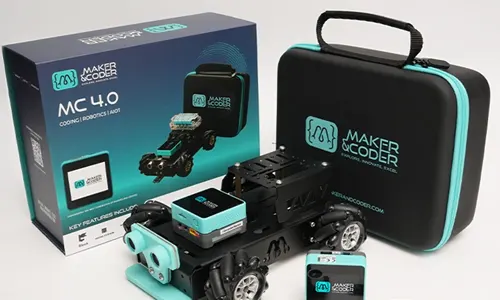
Maker & Coder: MC 4.0 Kit
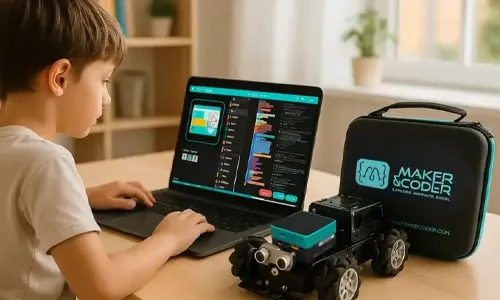
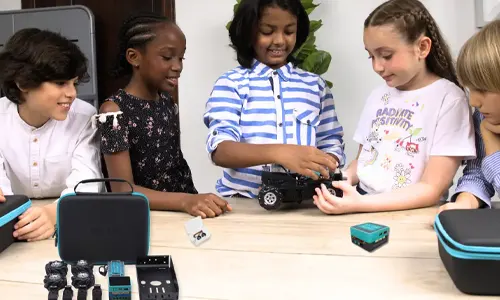
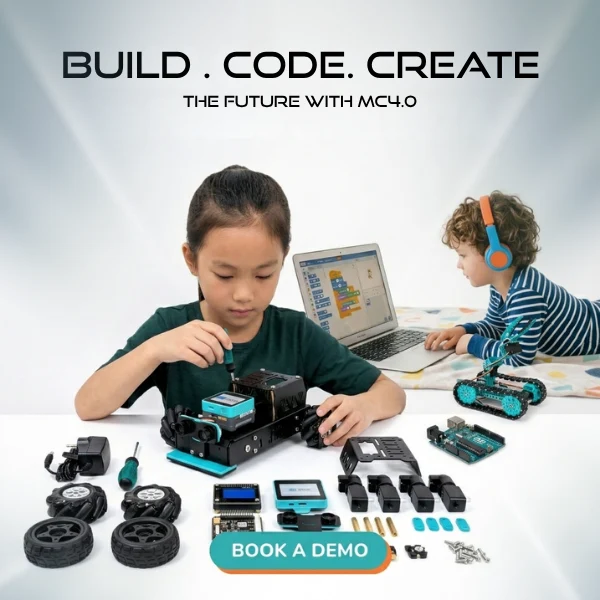
Maker & Coder’s MC 4.0 Kit offers a practical next step for educators ready to bring technology projects into learning. It connects with the MC Curriculum (K-12), giving teachers a structured pathway for technology education alongside hands-on work. MC Blocks support modular learning activities, while Teacher Training Programs can help educators build confidence in delivering them.
Consider this approach when students need to move from exploring ideas to creating and testing projects. A connected curriculum and hardware-based learning can help teachers shape activities around coding, problem-solving, and iterative design. The right starting point depends on learners’ needs and classroom goals.
To explore how Maker & Coder’s offerings could support your learning goals, contact Maker & Coder.
Turn Future-Readiness Into a Practice
Preparing students for future technology careers isn’t a single lesson or finished project. It grows through repeated opportunities to explore, make decisions, test ideas, and learn from the outcome. Create a learning environment where curiosity leads to action and students can see their progress in the work they produce.
For educators, that could mean choosing a project that connects a classroom interest with a practical challenge, then giving students room to shape their approach. For school leaders, it may mean supporting a coherent pathway that helps teachers bring technology learning into regular instruction. Start with a clear learning goal, then build from early experiments toward increasingly thoughtful creations.
Maker & Coder can help educators and schools explore ways to put that approach into practice. Contact Maker & Coder to get started and consider how technology learning can fit your students’ goals. Each opportunity to create and improve can help learners move forward with greater confidence and a stronger sense of possibility.
Frequently Asked Questions
Why is technology so important in schools?
Technology helps schools give students practical ways to explore ideas, create work, and access learning resources. Its value extends beyond career preparation: students can use a spreadsheet to compare results in science, create a history presentation, or collaborate on a shared document. Purposeful classroom use also helps learners practise responsible participation in digital environments. Match each tool to a learning goal rather than adding devices without a clear purpose.
Which computer science and STEM courses best prepare students for tech jobs?
Strong preparation combines computer science fundamentals with mathematics, science, and opportunities to apply concepts. Students can study programming, computational thinking, data analysis, and engineering design, then connect those subjects through a project such as modeling a system or analyzing a dataset. Course choices should reflect each learner’s interests and developing strengths. A student drawn to environmental questions, for example, might pair data work with science and use code to present findings.
What technology career and computer science certifications are valuable for students?
Certifications are most useful when they assess skills related to a student’s intended pathway and complement classroom learning. A learner interested in programming can look for credentials focused on demonstrable coding knowledge, while someone exploring cybersecurity can prioritize foundational security concepts. Compare assessed skills with the student’s experience and next learning goal. Pair a credential with a portfolio project so students can show how they apply knowledge, rather than relying on a certificate alone.
How can schools teach AI, cybersecurity, data science, and responsible technology use?
Schools can connect each topic to a guided classroom activity. Students might compare an AI response with reliable source material, examine a sample dataset for patterns, or discuss how to protect personal information in a scenario. For cybersecurity, focus on recognizing risks and choosing safe responses, not practising attacks. Set clear expectations for device use, respectful communication, source evaluation, and privacy. Teachers can assess understanding by asking students to explain their choices and the evidence behind them.